Introduction to OMNIXYNC Edit and Delete Voucher
Edit lets you change a voucher after it is created, and the change is sent to its shop. Delete removes a voucher you no longer need.
How to Edit or Delete a Voucher?
Step 1: On the Vouchers page, click the … button on the voucher
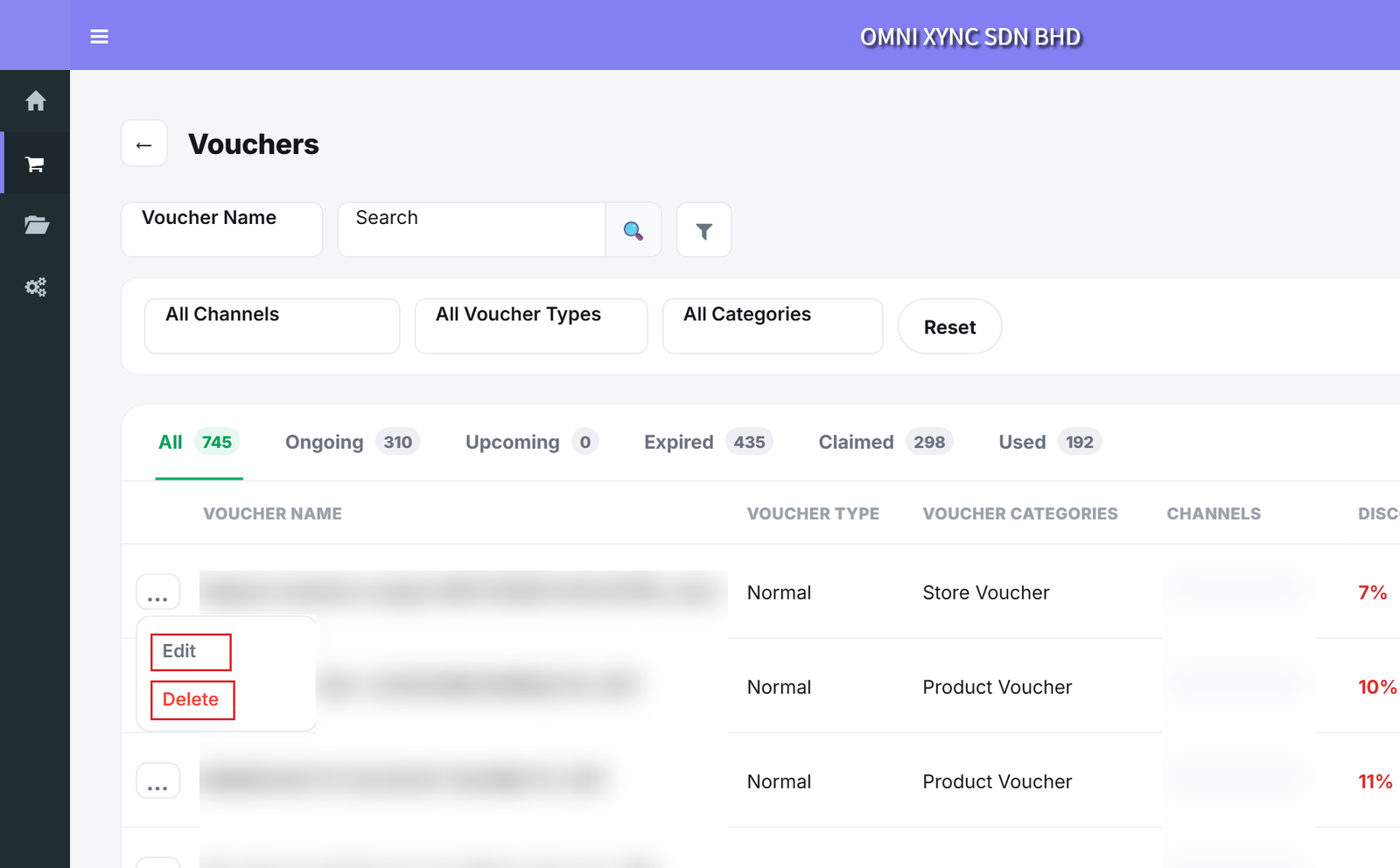
- Edit = Opens the voucher form.
- Delete = Asks you to confirm, then removes the voucher. An upcoming voucher is deleted from the shop, an ongoing voucher is ended, and an expired voucher is removed from the list.
Step 2: For Edit, change the fields you need and click Save
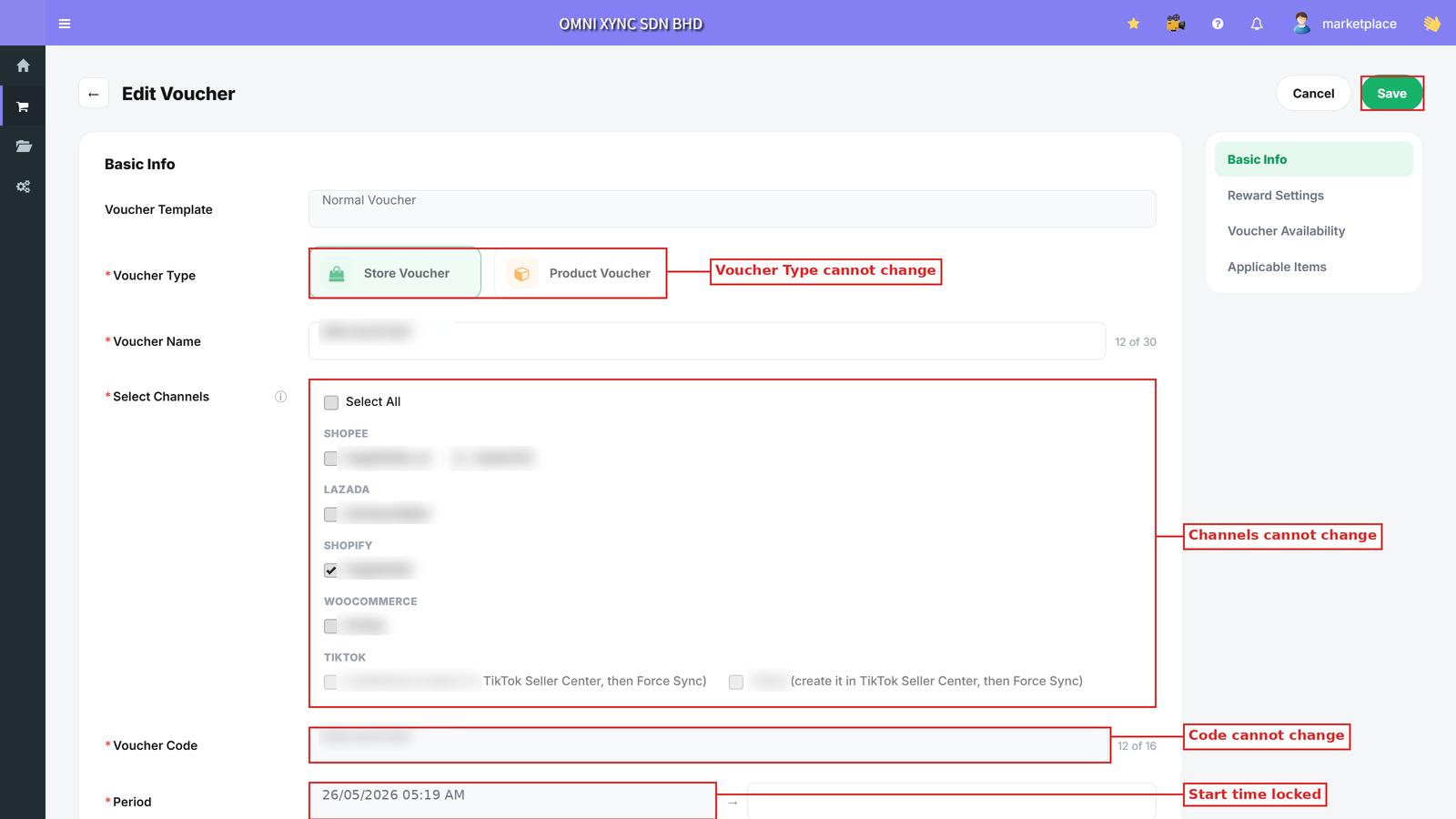
Note: These cannot be changed after the voucher is created:
- Voucher Type = Store or Product Voucher.
- Channels = The shops the voucher is on.
- Voucher Code, Discount Type and Show to.
- Start Time = Locked once the voucher has started.
Conclusion
In conclusion, Edit and Delete keep your vouchers up to date on every shop from one page.
Powered By: SKYBIZ ®