Introduction to OMNIXYNC Vouchers Force Sync
Force Sync gets the latest vouchers from your shops into SKYBIZ. Use it for vouchers made in the seller center, like TikTok Shop vouchers.
How to Force Sync Vouchers?
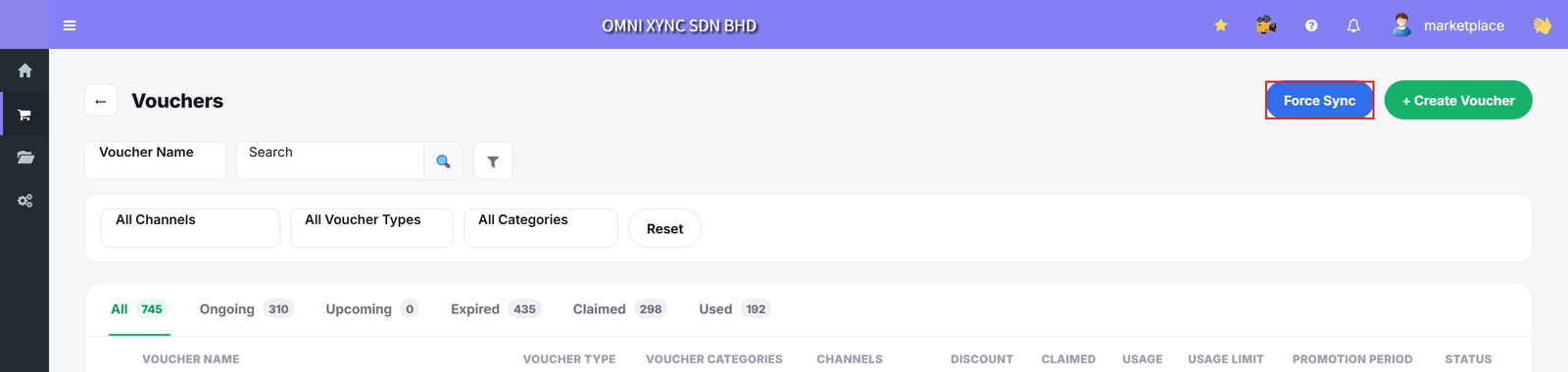
Step 1: On the Vouchers page, click Force Sync
Step 2: Choose the store and click Run Force Sync
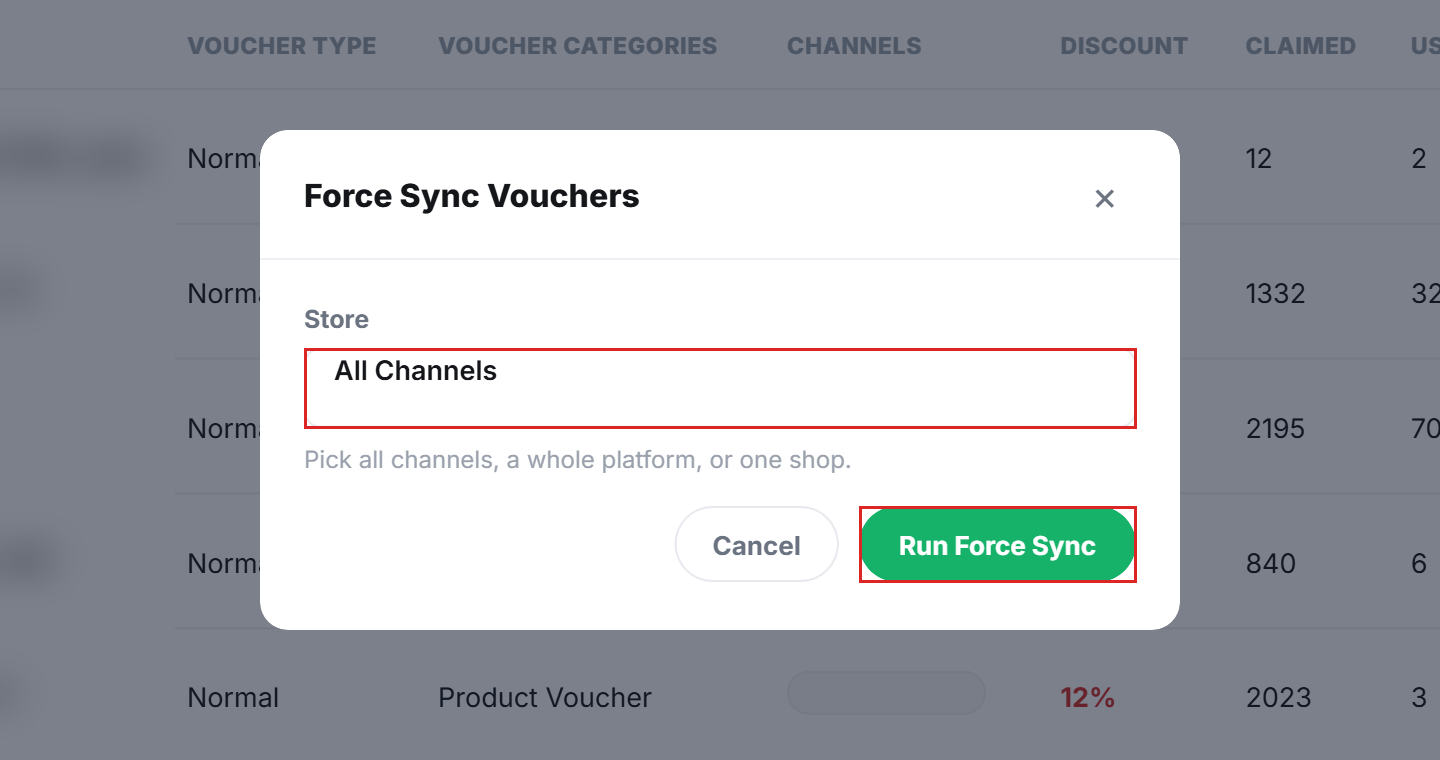
- Store = All Channels, one whole platform, or one shop.
- Run Force Sync = Gets the vouchers and updates the list.
Conclusion
In conclusion, Force Sync keeps the voucher list in SKYBIZ the same as your shops.
Powered By: SKYBIZ ®