Introduction to OMNIXYNC Create Normal Voucher
A Normal Voucher is a voucher any customer can use with a code. You fill in the form once and it is created on the shops you choose.
How to Create a Normal Voucher?
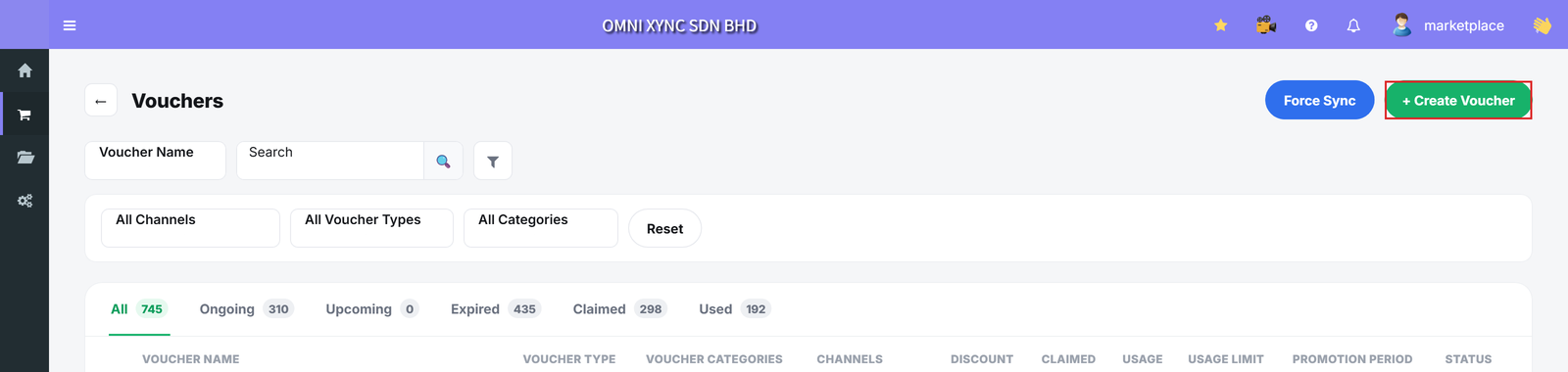
Step 1: On the Vouchers page, click + Create Voucher
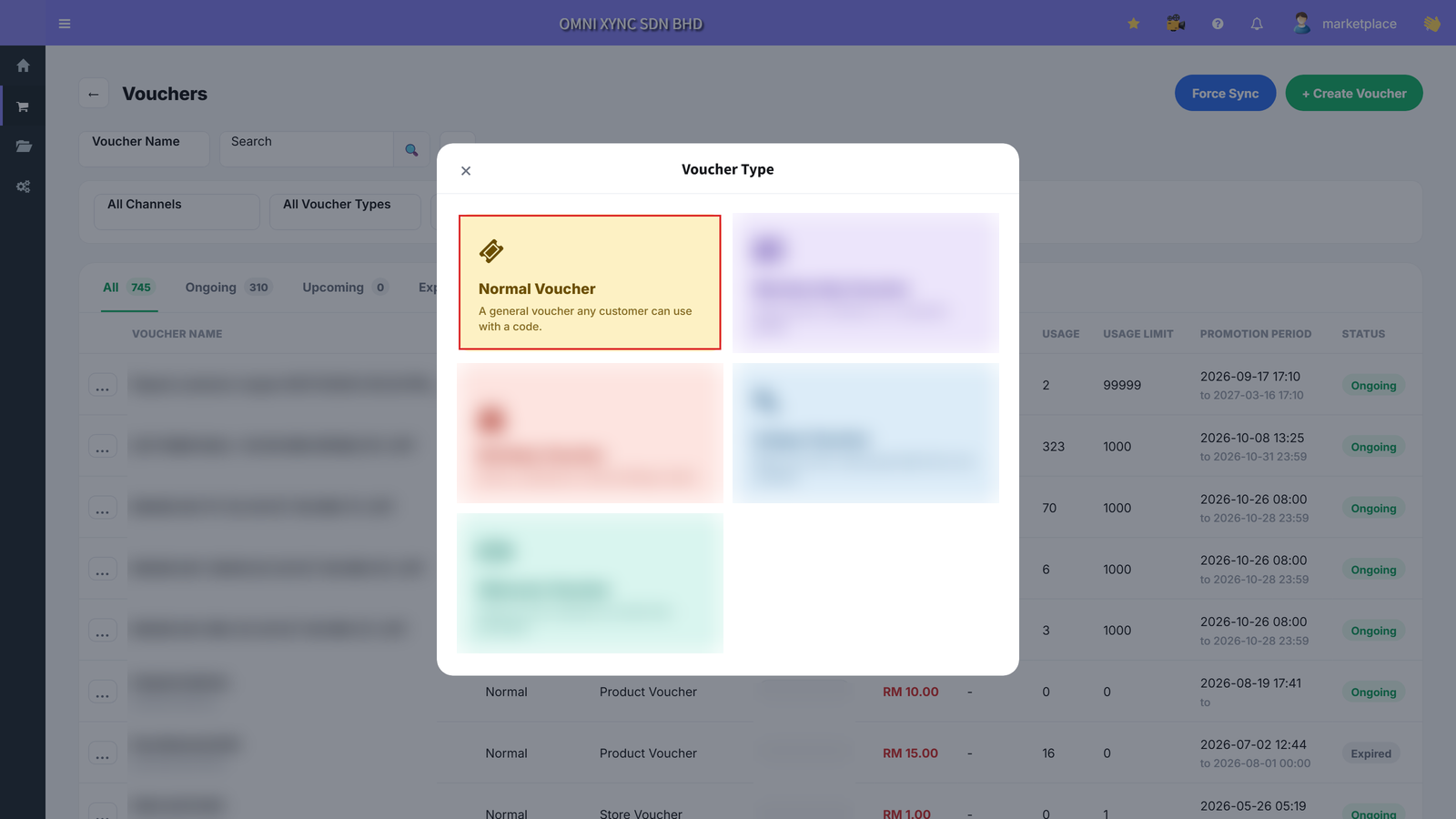
Step 2: Choose Normal Voucher
Step 3: Fill in the Basic Info:
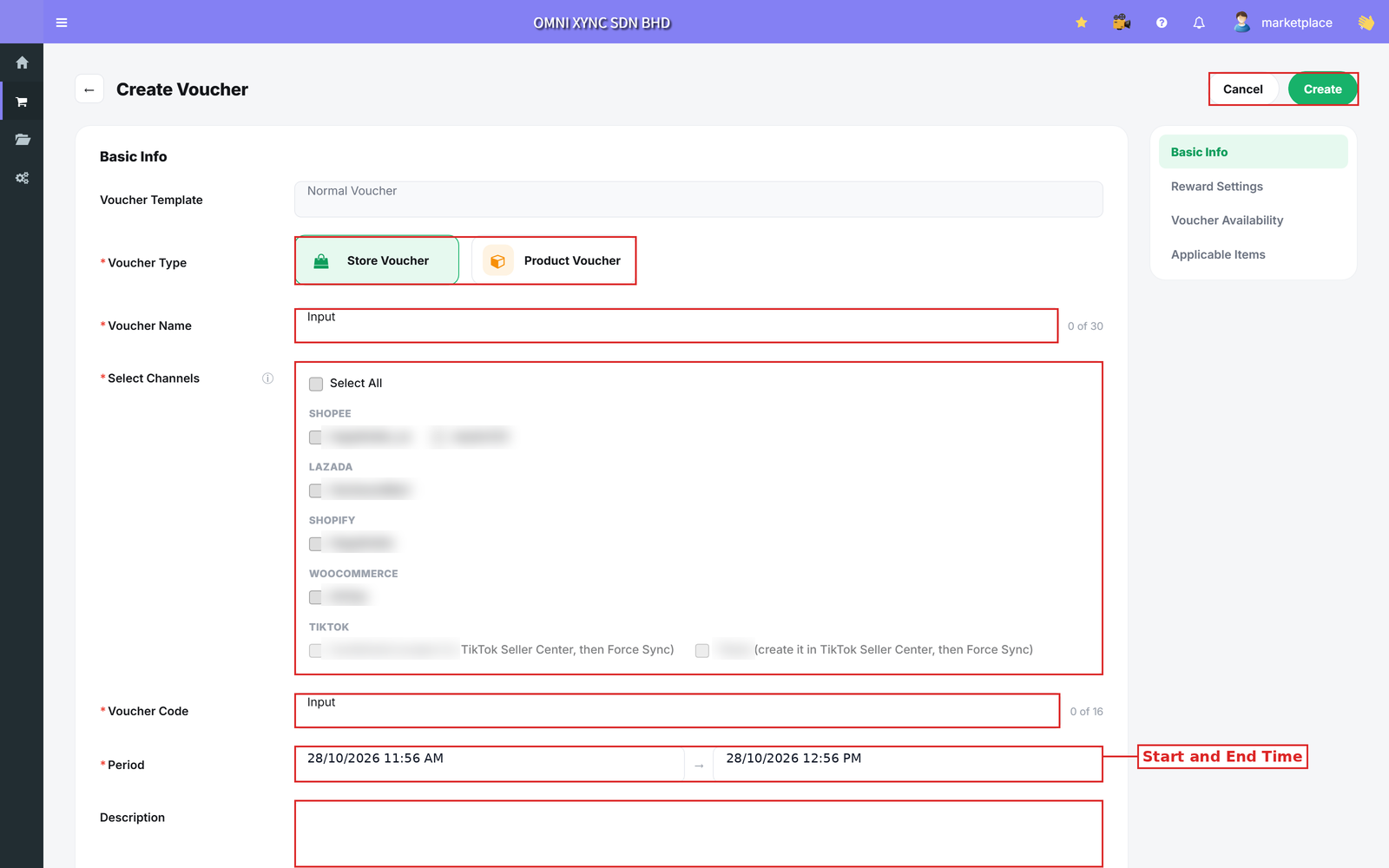
- Store or Product Voucher = Store Voucher works on all items. Product Voucher works on the items you add.
- Voucher Name = Up to 30 characters.
- Select Channels = Tick the shops. A Product Voucher can only be on one shop.
- Voucher Code = Up to 16 characters. Letters, numbers, – and _ only.
- Start and End Time = Start must be later than now. End must be at least 1 hour after the start.
- Description = Optional note for the voucher.
Step 4: Fill in the Reward Settings and Voucher Availability:
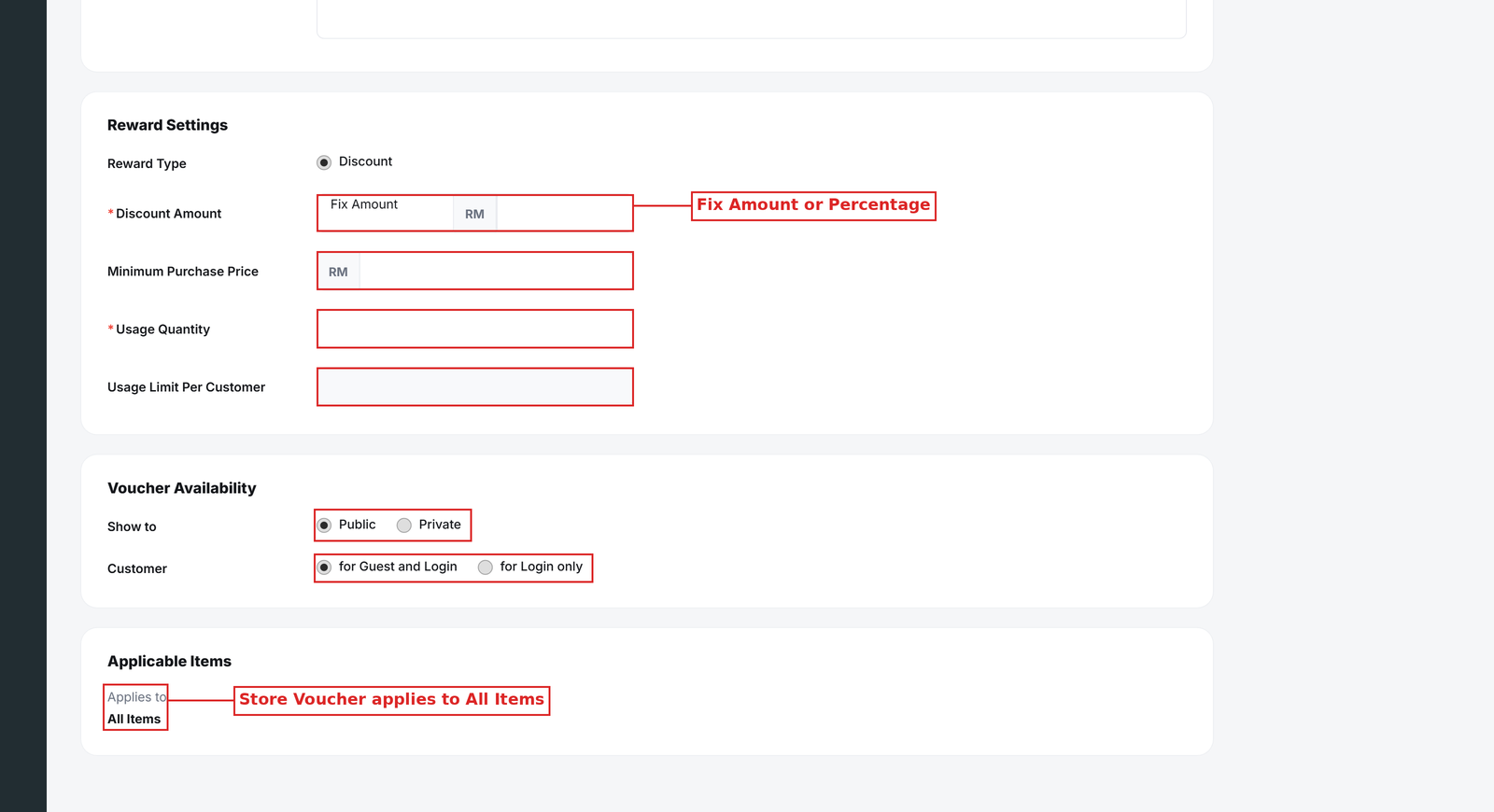
- Fix Amount or Percentage = The discount in RM or %. Percentage also needs a Max. Discount for Shopee and Lazada.
- Minimum Purchase Price = Optional. Must be higher than the discount amount.
- Usage Quantity = How many times the voucher can be used in total.
- Usage Limit Per Customer = How many times one customer can use it.
- Public or Private = Public shows the voucher in the shop. Private works only with the code.
- Customer = For Guest and Login, or for Login only.
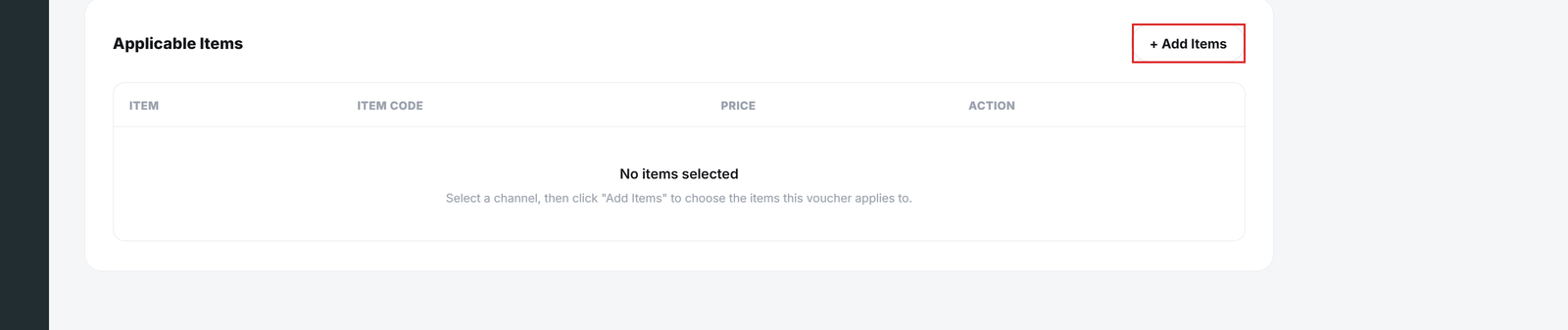
Step 5: For a Product Voucher, click + Add Items and choose the items
Step 6: Click Create on the top right
Note:
- Lazada = Show to must be Public.
- Shopify = Usage Limit Per Customer can only be 1 or 0 (no limit).
- TikTok Shop = Create the voucher in TikTok Seller Center, then use Force Sync.
Conclusion
In conclusion, Create Voucher lets you set up one Normal Voucher and send it to your shops in a few steps.
Powered By: SKYBIZ ®