Introduction to OMNIXYNC Bulk Fulfilment and Printing
The … menu lets you handle many orders at once. You can arrange shipment, print waybills and print the carrier manifest for the ticked orders.
How to Use Bulk Fulfilment and Printing?
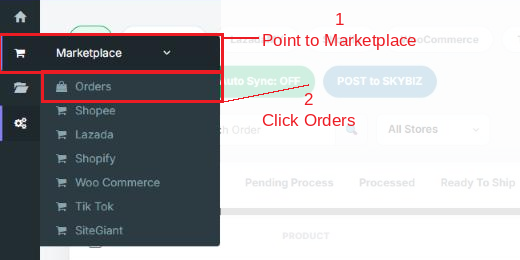
Step 1: Navigate to Marketplace > Orders
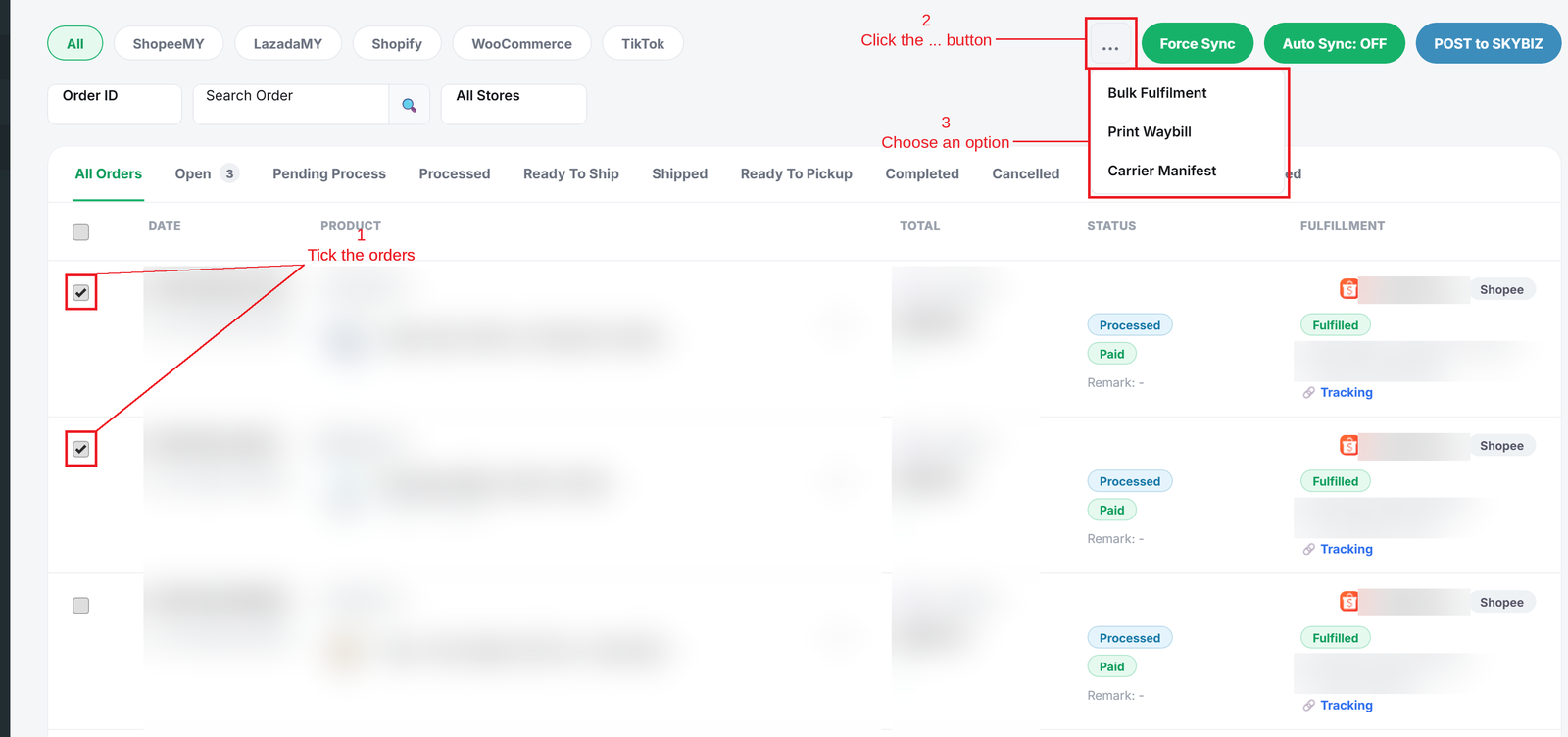
Step 2: Tick the orders, click the … button, then choose an option:
- Bulk Fulfilment = Arrange shipment for all the ticked orders.
- Print Waybill = Print the shipping labels for the ticked orders.
- Carrier Manifest = Print the list of parcels to hand over to the courier.
Conclusion
In conclusion, Bulk Fulfilment and Printing saves time when you have many orders to ship on the same day.
Powered By: SKYBIZ ®