Introduction to OMNIXYNC Manage Order
Manage Order shows the full details of one order, such as the customer, fulfilment, products and total. You can also print the order from this page.
How to View an Order?
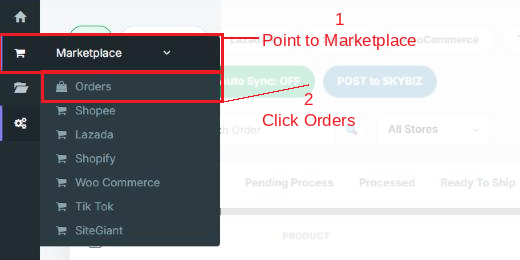
Step 1: Navigate to Marketplace > Orders
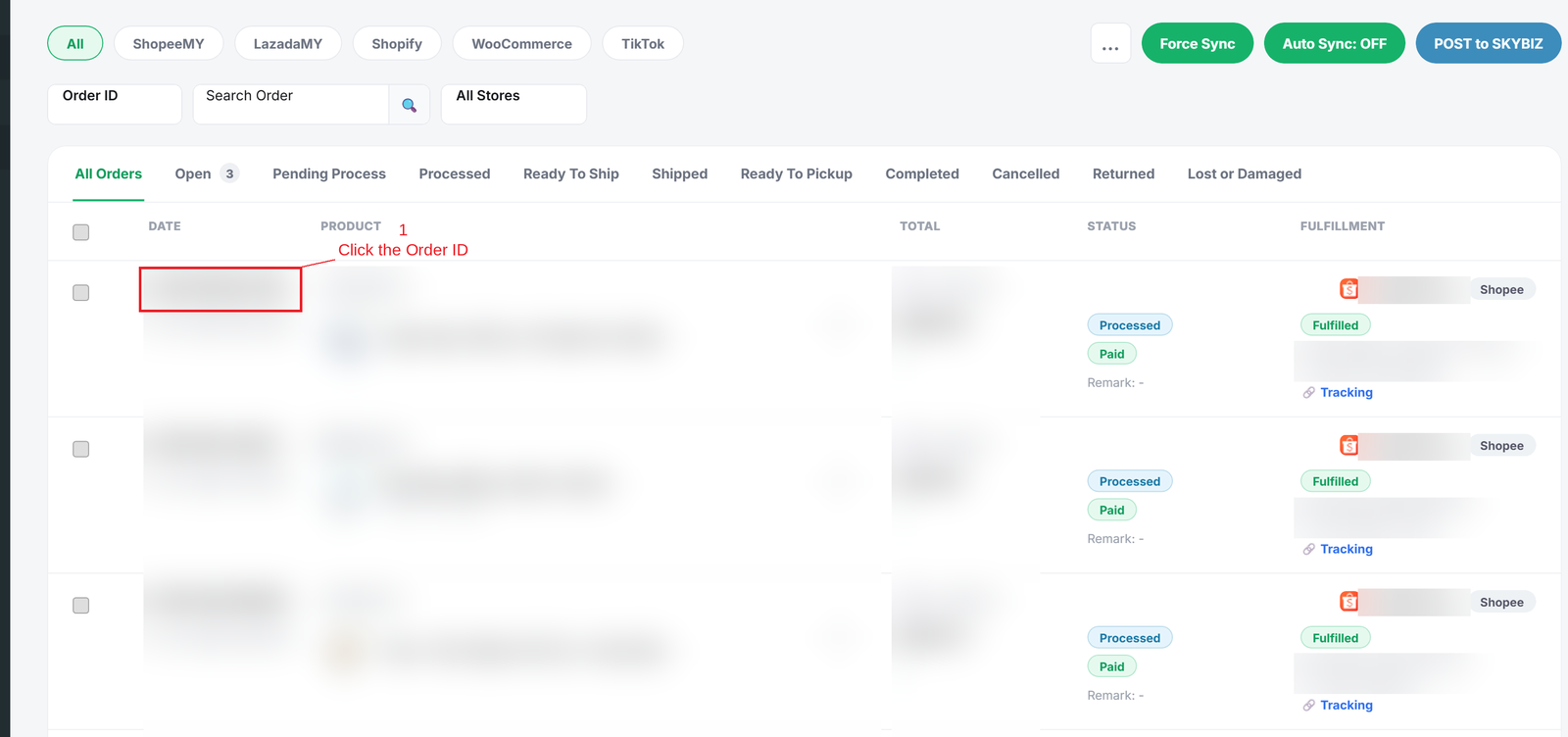
Step 2: Click the Order ID to open Manage Order
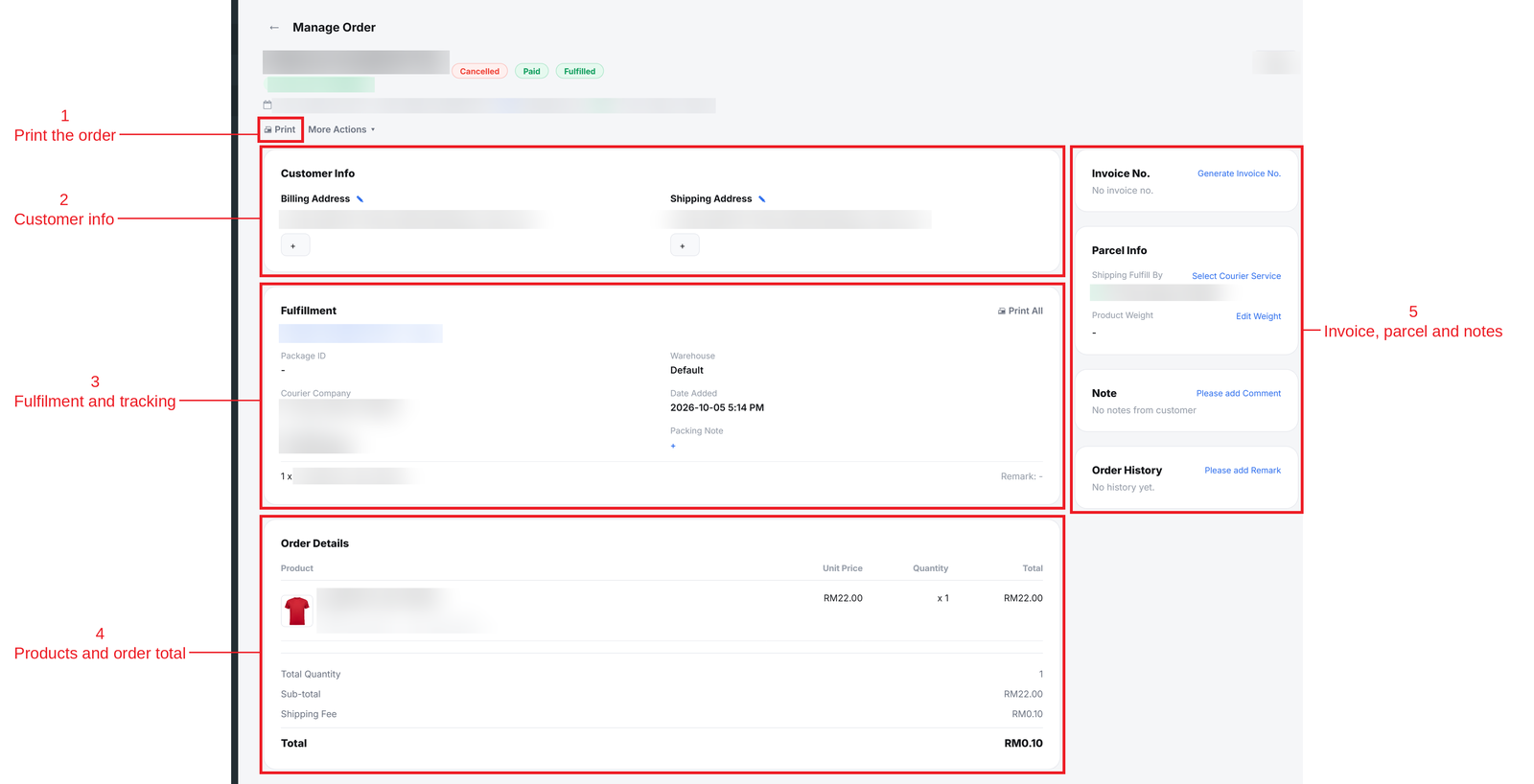
Step 3: Check the order details:
- Print = Print the order.
- Customer Info = Billing and shipping address.
- Fulfillment = Courier, tracking no. and package details.
- Order Details = Products, quantity, sub-total, shipping fee and total.
- Invoice No., Parcel Info, Note and Order History = Extra information about the order.
Conclusion
In conclusion, Manage Order gives you one page to check everything about an order before you ship it.
Powered By: SKYBIZ ®