Stock Adjustment functionality allows you to modify the stock of items and indicate the reason for that adjustment.
Stock Adjustments is a part of the Advanced inventory management and are available only to those users who have subscribed to this functionality.
Below are guideline(s) to import data from excel template :
-
- Pls go setting >>>database manager>>> import data >>> choose tabel (stock adjustment) >>> download template
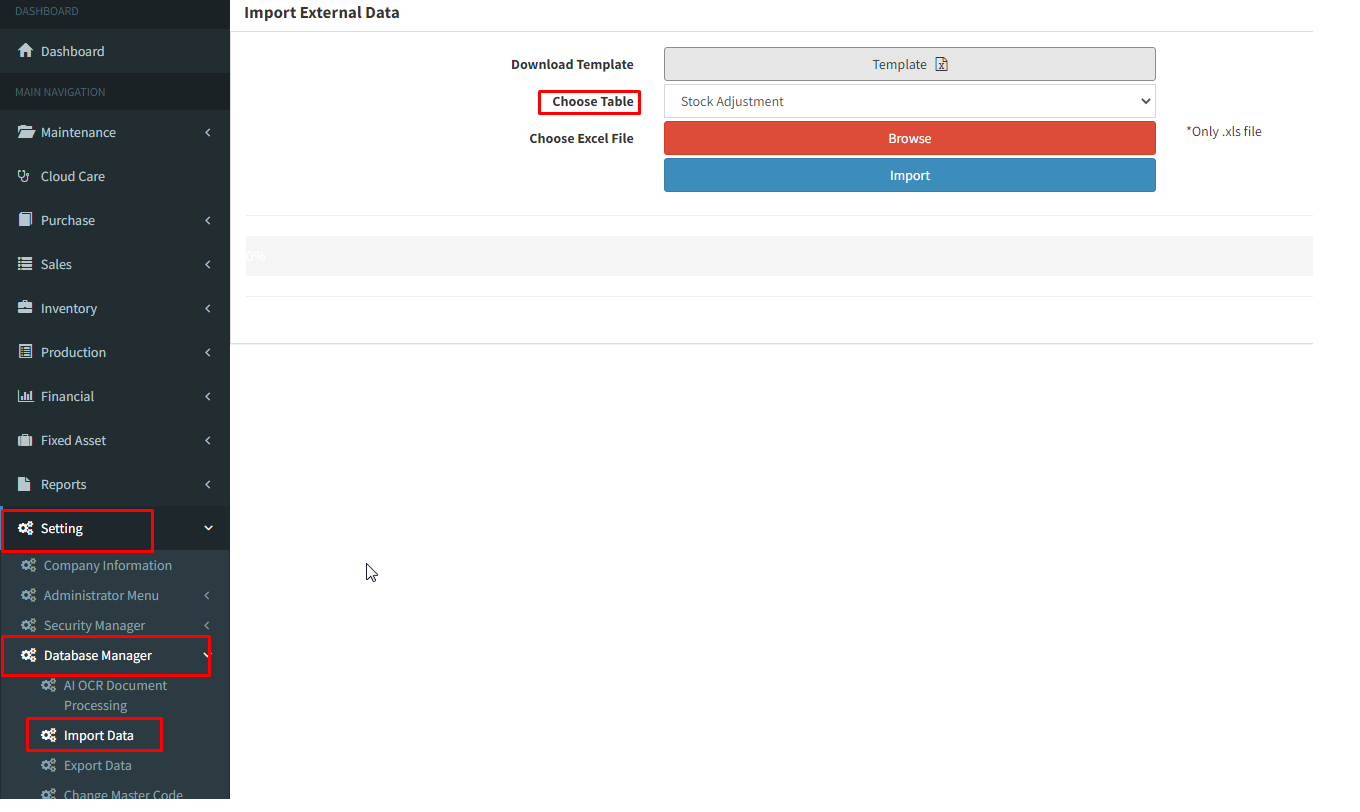
- User must always download template from cloud to get latest template.
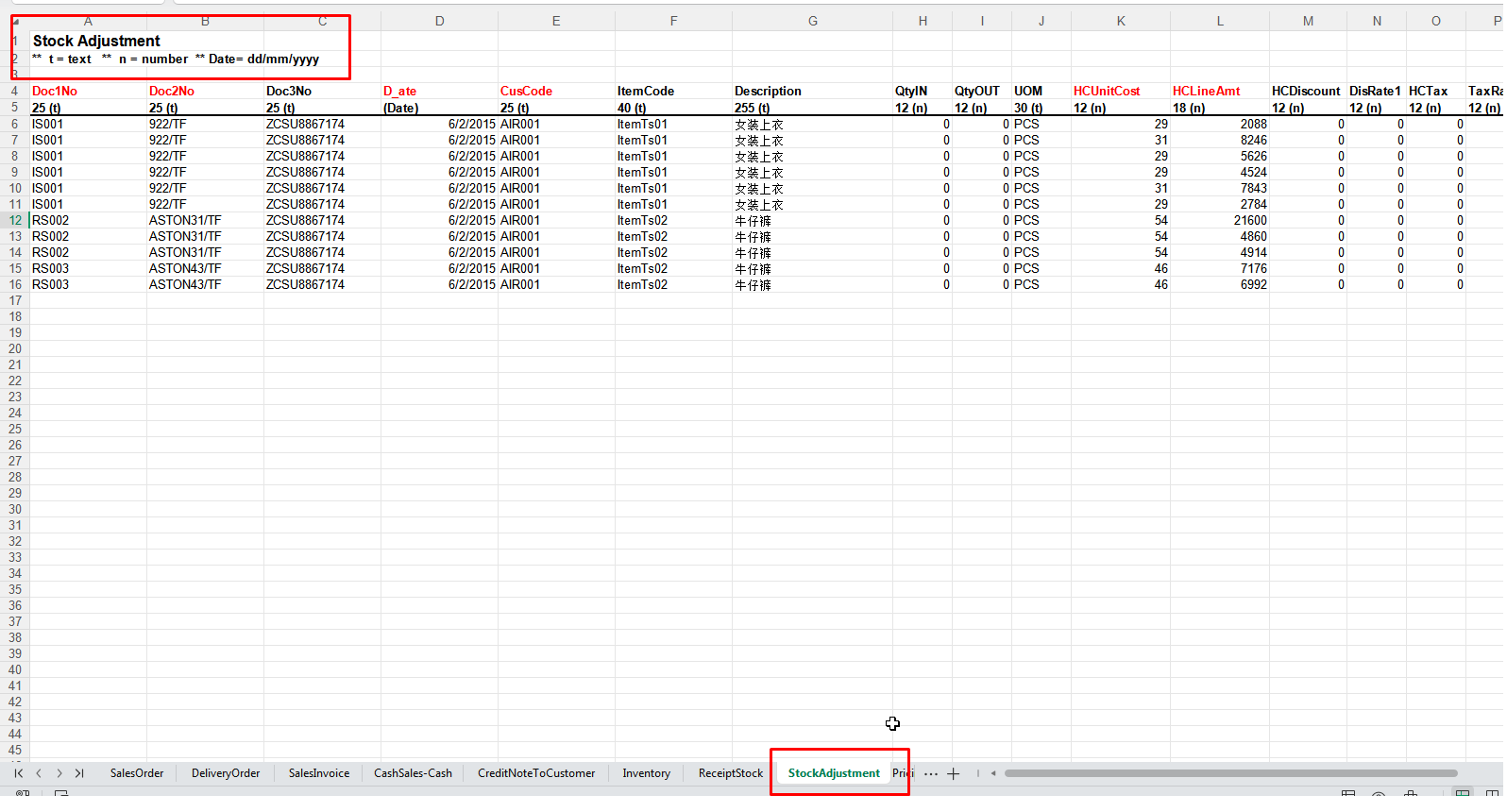
- Arrange your data into sheet “Stock Adjustment”
.
- Please note that, advise excel record should not exceed 1000 line to avoid any disruption from internet disconnect.
- Browse, attach your excel file and click import to start import.
- Your data will be appear as temporary records.
- Please fill up compulsory information such as Date, Location, Branch, etc.
- Click save to proceed save as new transaction.
Powered By : SKYBIZ ® Beyond Cloud ™