Introduction to OMNIXYNC Discount Price
Discount Price lets you set a lower selling price on your items for a selected period. You can search, filter and check the status of every discount from one list.
How to View and Filter Discounts?
Step 1: Open the Promotions page and click Manage on Discount Price
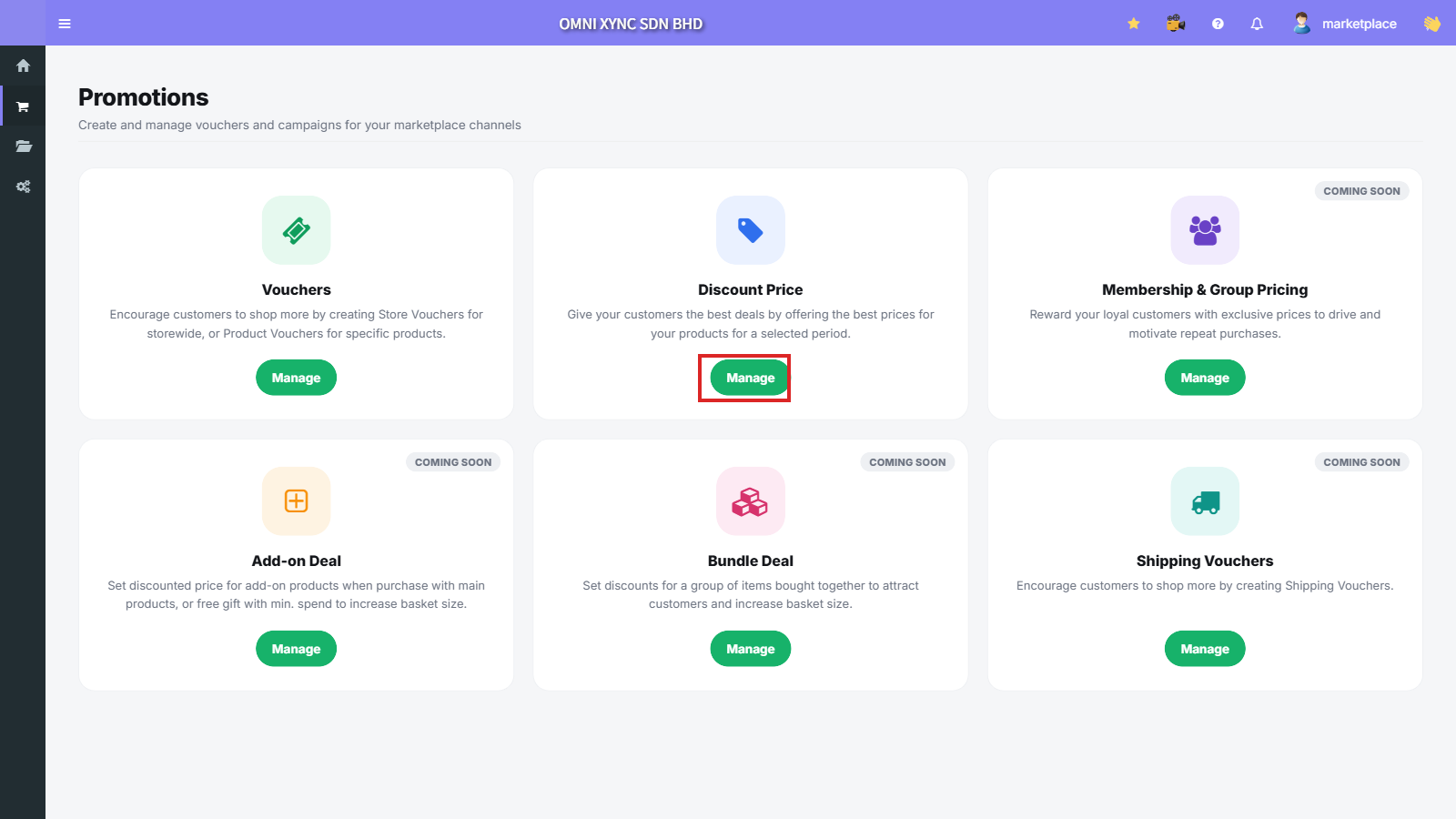
Step 2: Use the channel filter, search and tabs to find a discount:
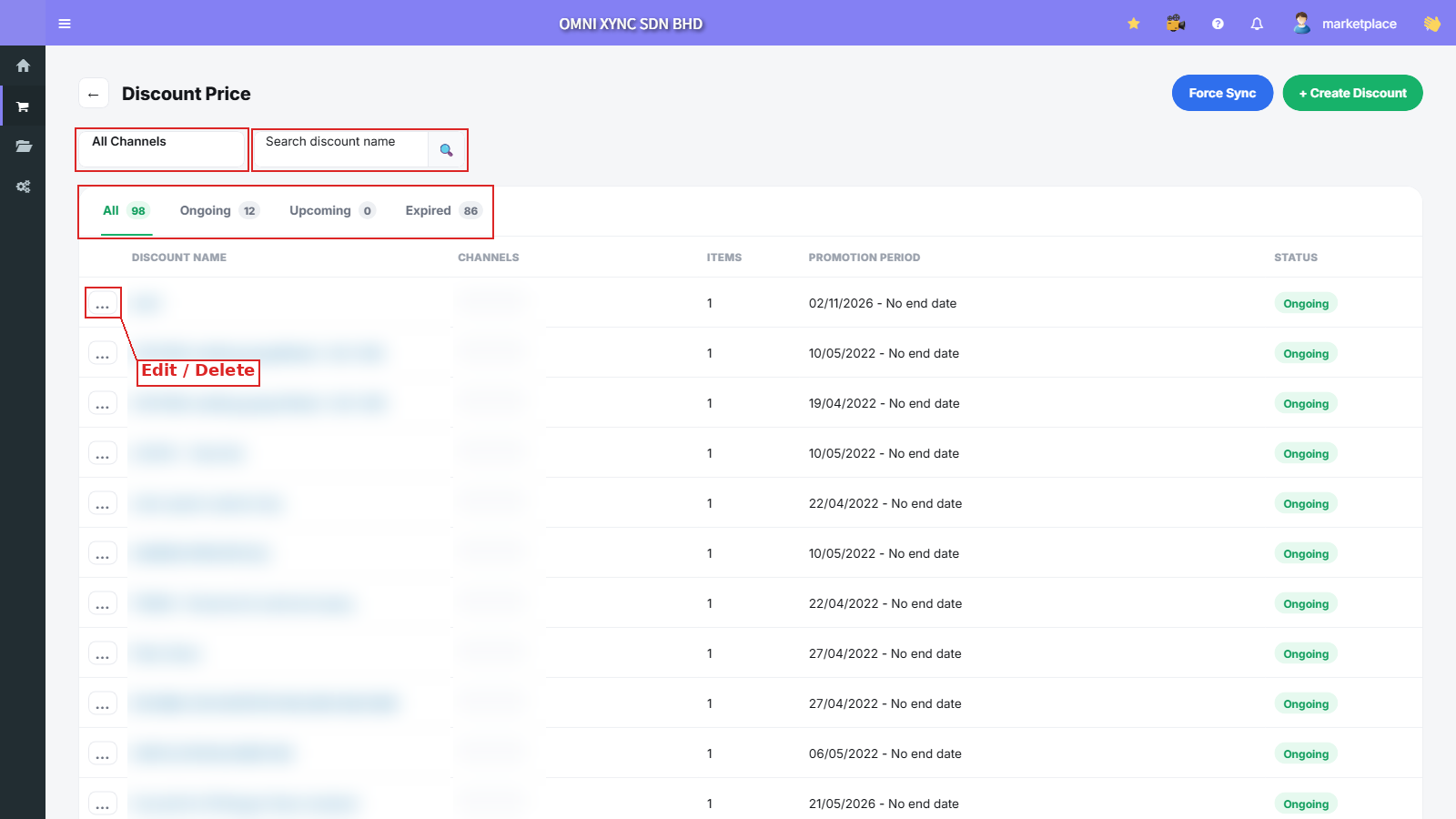
- All Channels = Show all discounts, one whole platform, or one shop.
- Search = Type the discount name, then click the search icon.
- Status Tabs = All, Ongoing, Upcoming and Expired.
- Edit / Delete = Click the … button on a discount to edit or delete it.
Conclusion
In conclusion, the Discount Price page shows all your discounts in one list, so you can quickly find a discount and check its status.
Powered By: SKYBIZ ®