Introduction to OMNIXYNC Vouchers
Vouchers lets you create and manage discount vouchers for all your marketplace shops in one place. You can search, filter and check the status of every voucher from one list.
How to View and Filter Vouchers?
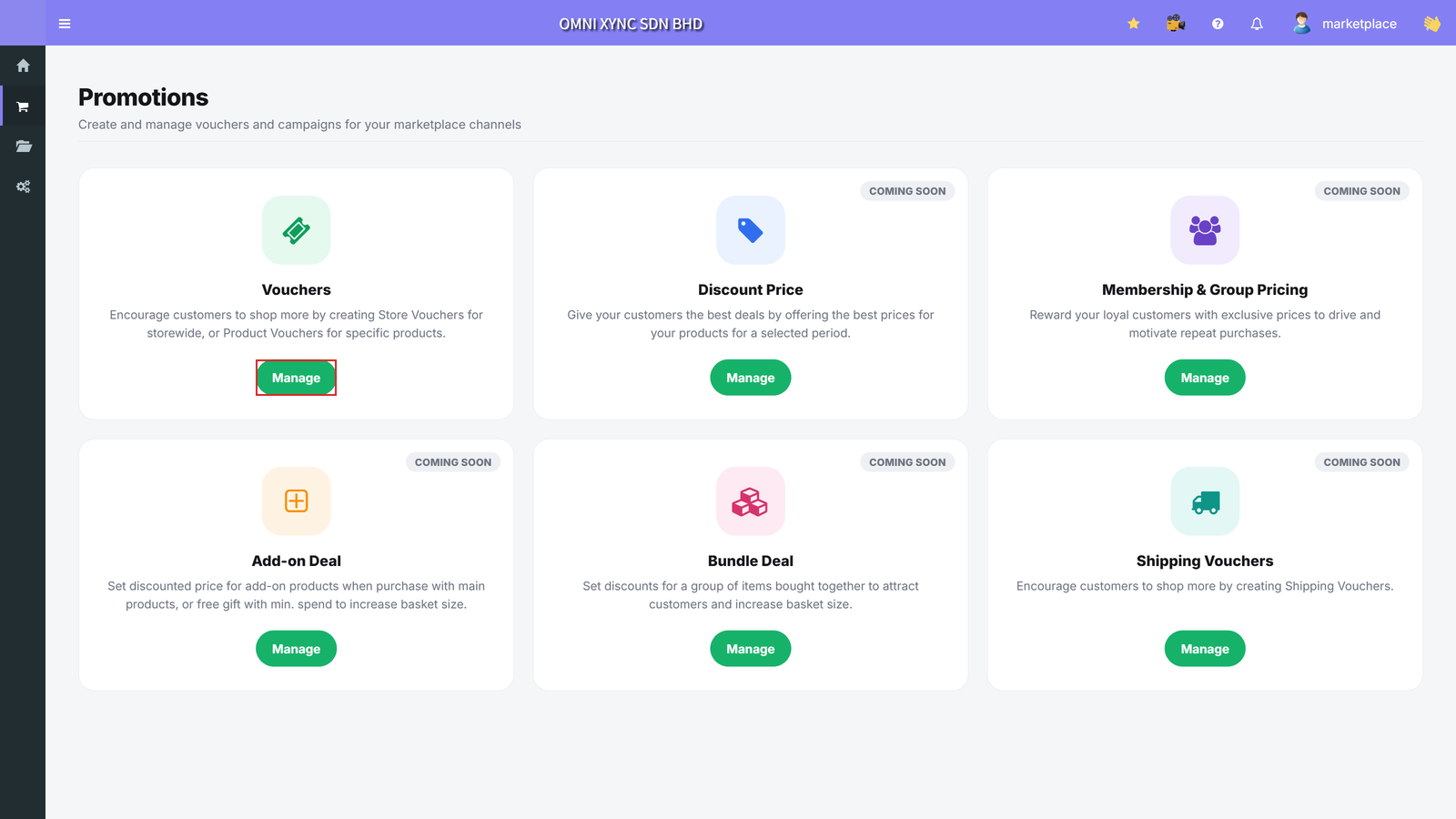
Step 1: Open the Promotions page and click Manage on Vouchers
Step 2: Use the search, filter and tabs to find a voucher:
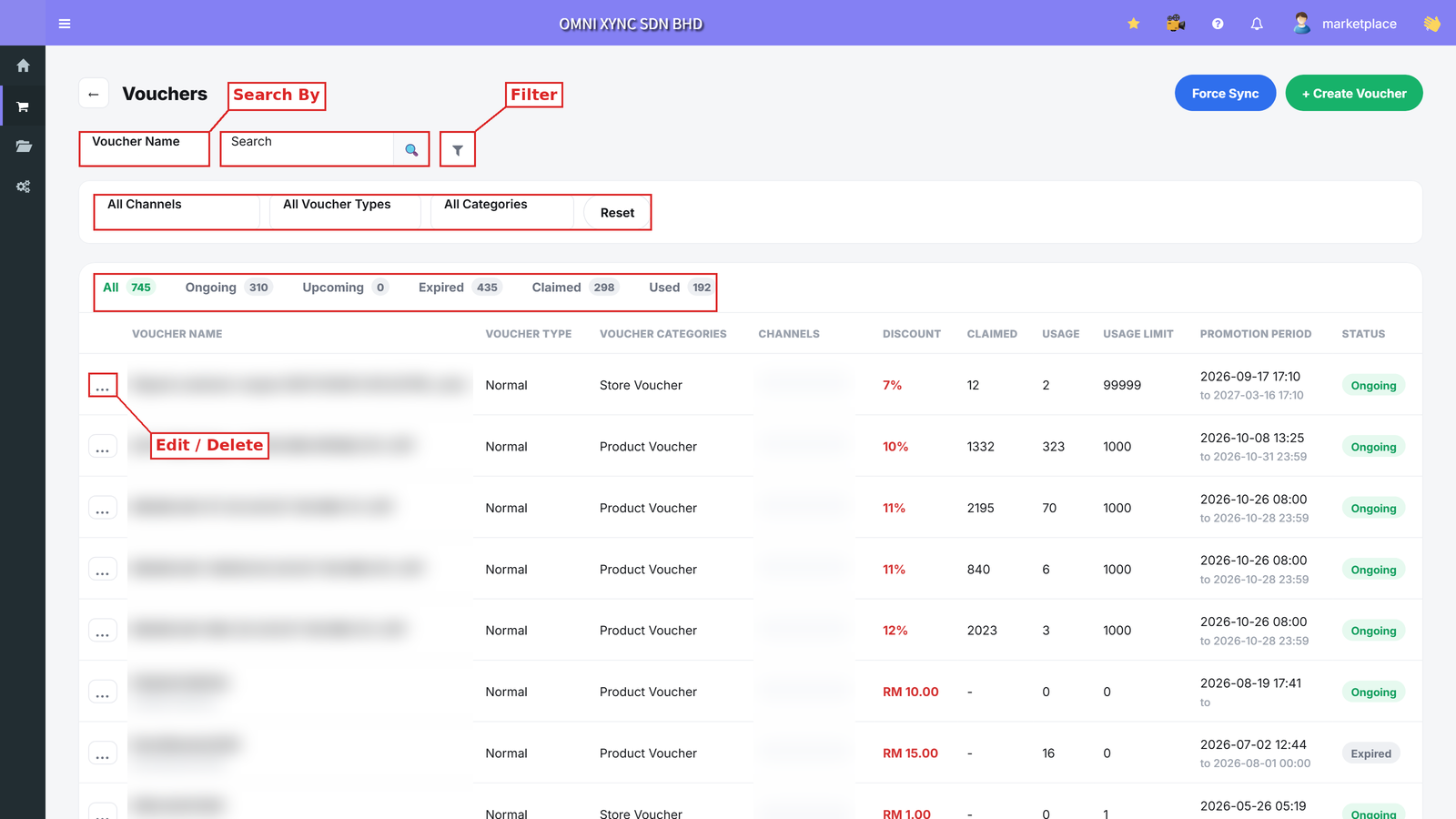
- Search By = Choose to search by Voucher Name or Voucher Code.
- Search = Type the name or code, then click the search icon.
- Filter = Click to show more filters.
- Channel, Type, Category = Show only one shop, one voucher type, or Store or Product Vouchers. Click Reset to clear.
- Status Tabs = All, Ongoing, Upcoming, Expired, Claimed and Used.
- Edit / Delete = Click the … button on a voucher to edit or delete it.
Conclusion
In conclusion, the Vouchers page shows all your vouchers in one list, so you can quickly find a voucher and check its status.
Powered By: SKYBIZ ®