Introduction to SKYBIZ Assign Supervisor
Within an enterprise resource system, the supervisor role acts as a vital operational bridge between raw employee submissions and final payroll processing, configured with either “Direct Approval” (Accept/Reject) authority or “Check and Recommend” (View/Verify) privileges. Because supervisors manage daily workflows, they are uniquely positioned to evaluate the real-time impact of an employee’s e-Leave request on team capacity or verify the legitimacy of a physical expense claim receipt before it affects company finances. When restricted to a checking tier, the supervisor reviews the transaction details for policy compliance on a localized dashboard, flagging it as verified so the system can automatically route it to higher management or HR for final payout processing. This structured hierarchy successfully distributes administrative workloads, prevents unauthorized or fraudulent spending, and ensures that the final payroll loop runs exclusively on pre-vetted, highly accurate data.
How to assign the Supervisor to employees?
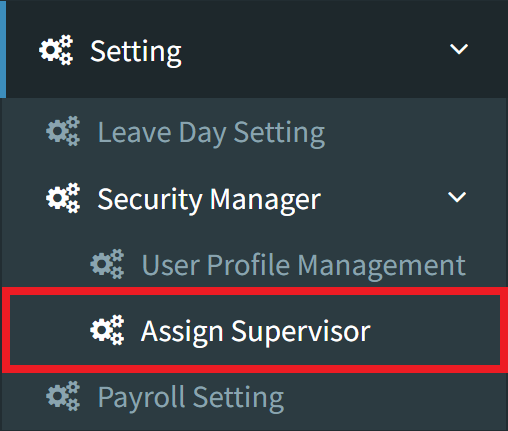
Step 1: To assign a supervisor, navigate to Settings > Security Manager > Assign Supervisor.
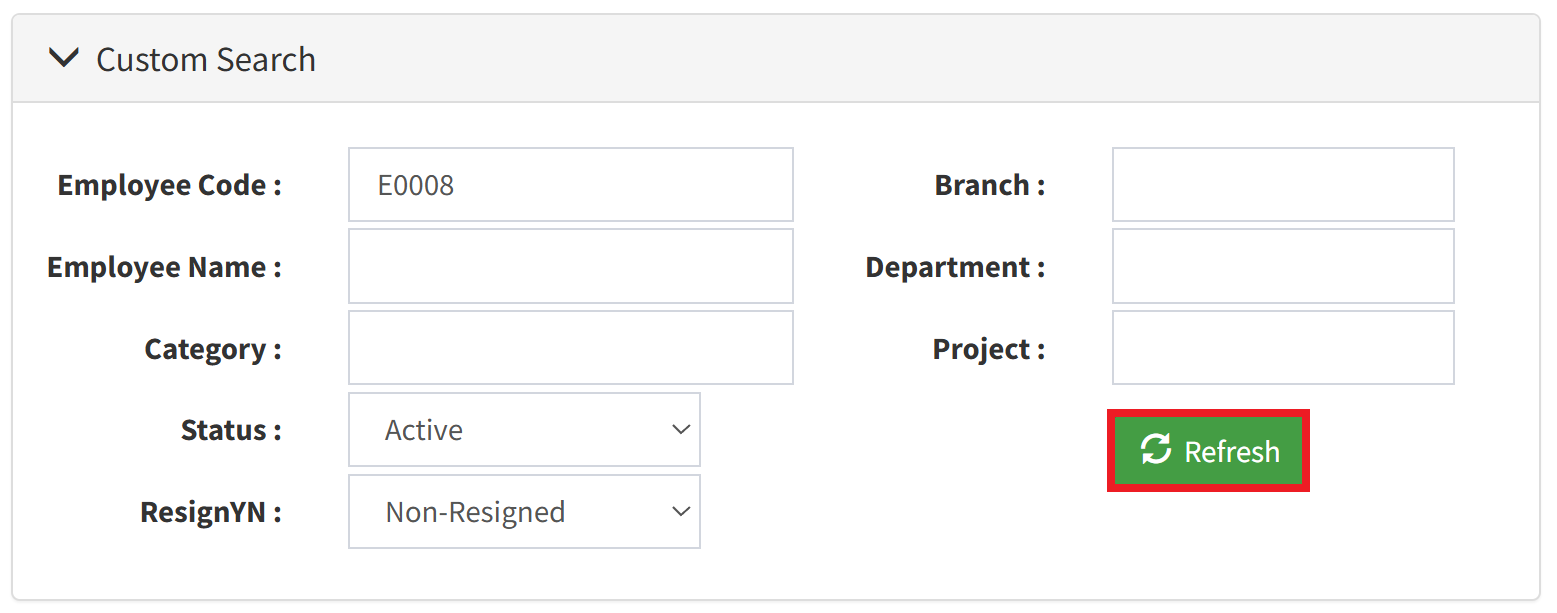
Step 2: Click the Custom Search tab to filter the employee listing. After defining your filter values, click the Refresh button to update the list.
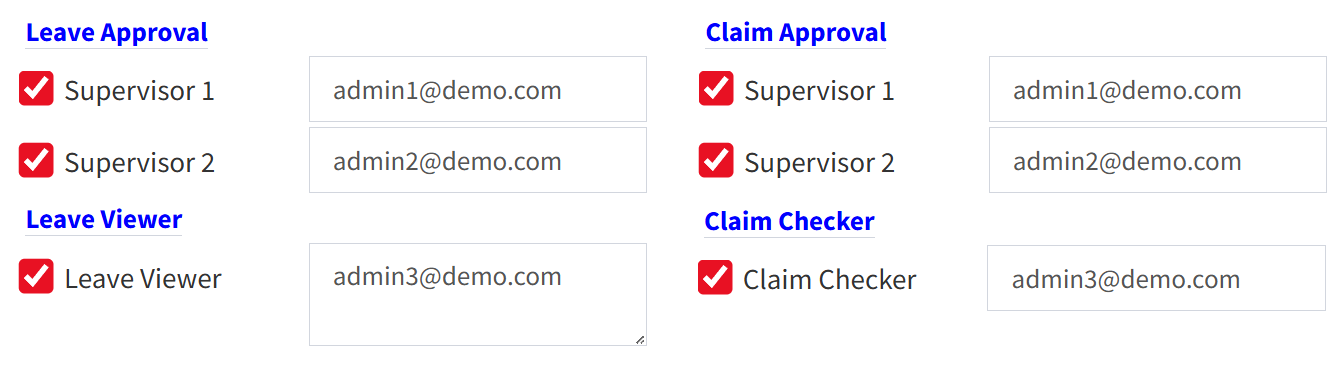
Step 3: Enter the supervisor’s email address into the appropriate field based on their role type (Leave Approval, Leave Viewer, Claim Approval, or Claim Checker).
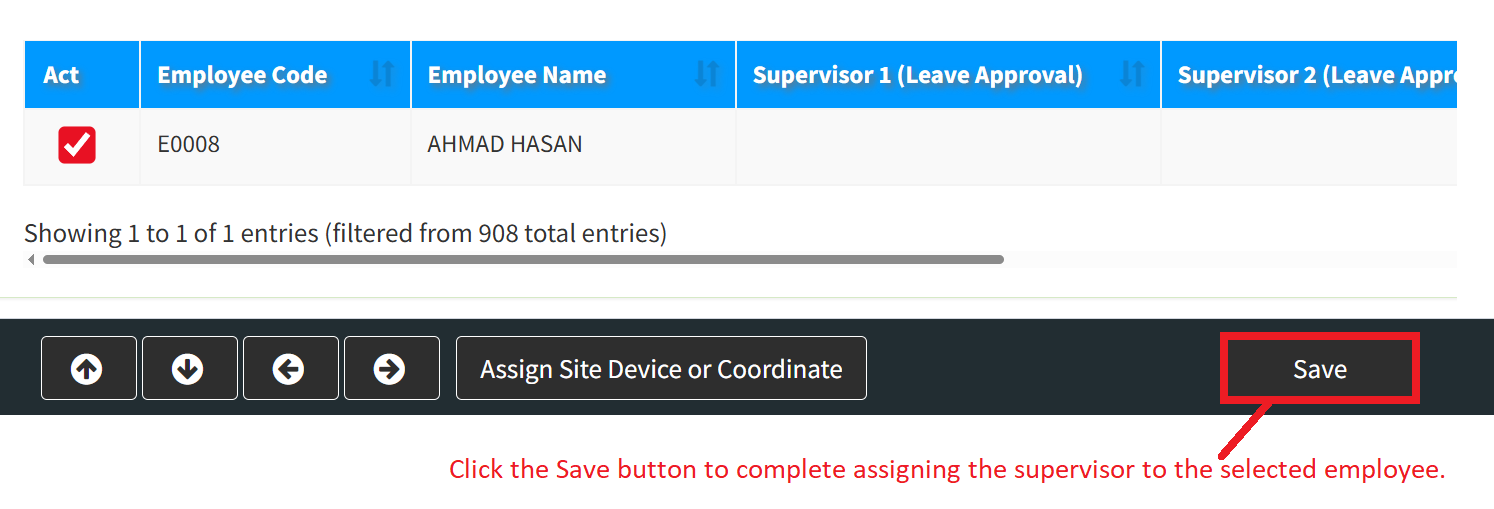
Step 4: Select the employee and click Save to complete the supervisor assignment.
Conclusion
In conclusion, integrating a well-defined supervisor tier into leave and claim management is essential for maintaining strong internal controls and operational continuity. Whether a supervisor is granted the power to fully accept requests or is limited to checking and recommending them, their oversight prevents data errors from reaching the final payroll run. This distributed verification process drastically reduces administrative bottlenecks for centralized HR and finance departments while fostering a culture of accountability across all teams. Ultimately, formalizing the supervisor’s review workflow within your system ensures that every expense and absence is validated by direct management, securing a transparent, scalable, and audit-ready operational pipeline.
Powered By: SKYBIZ ®