Introduction to SKYBIZ Employee Master
The Employee Master module in SKYBIZ Cloud Payroll serves as the central repository for all employee-related information required for accurate payroll processing and human resource management. It consolidates essential data such as personal details, employment status, job roles, salary structure, tax information, and statutory contributions into a single, structured record for each employee. By maintaining a complete and up-to-date Employee Master, organizations can ensure consistent payroll calculations, efficient attendance and leave management, and compliance with regulatory requirements. This module forms the foundation of the payroll system, as all payroll transactions and reports are generated based on the data defined here.
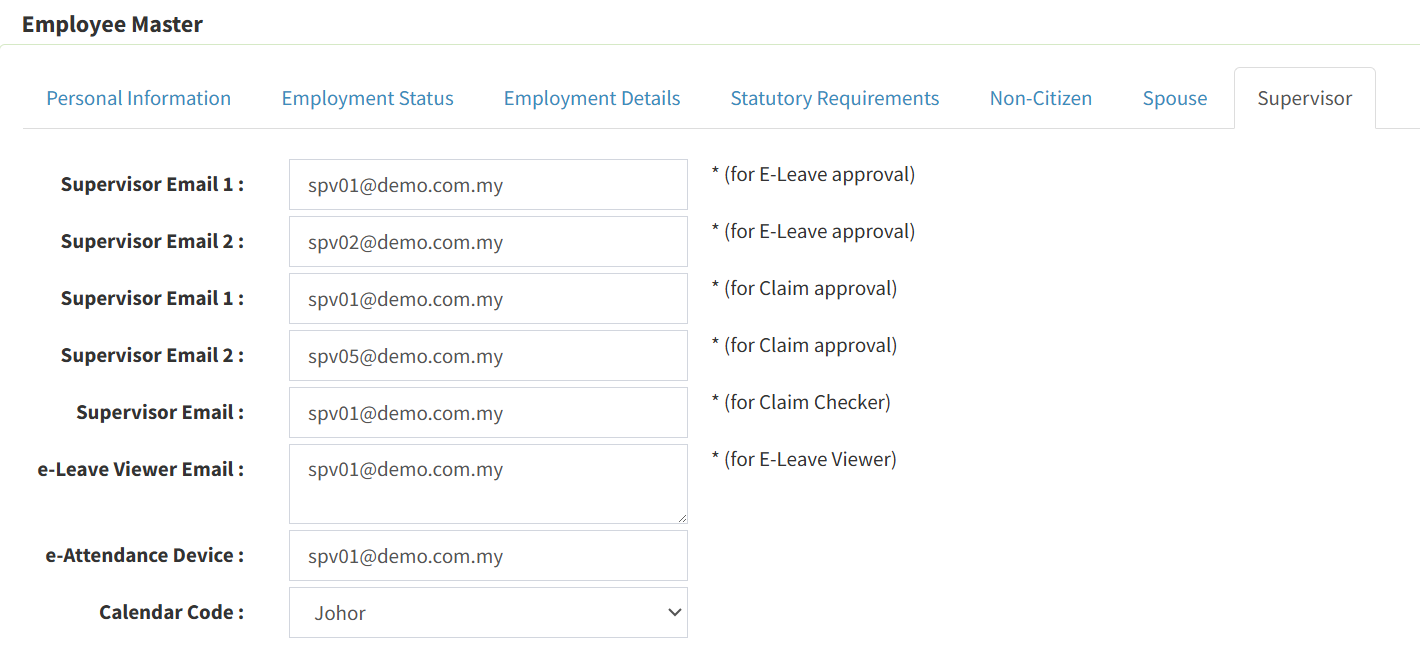
With Calendar Code, you can ensure all your employees follow the calendar based on their office or based on their home location. This module is especially useful for those who have multiple employees and multiple branch offices in various locations.
How to Key in the New Employee?
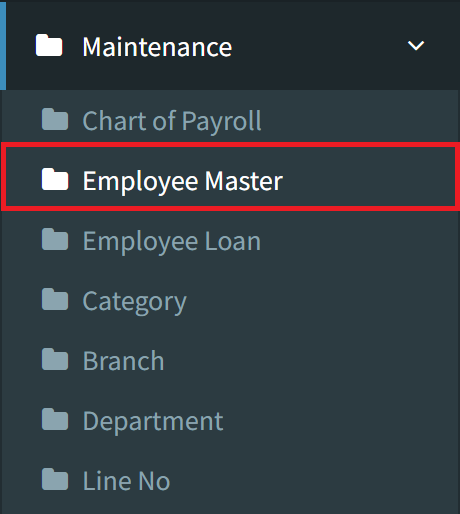
Step 1: To create the new employee, navigate to Maintenance > Employee Master
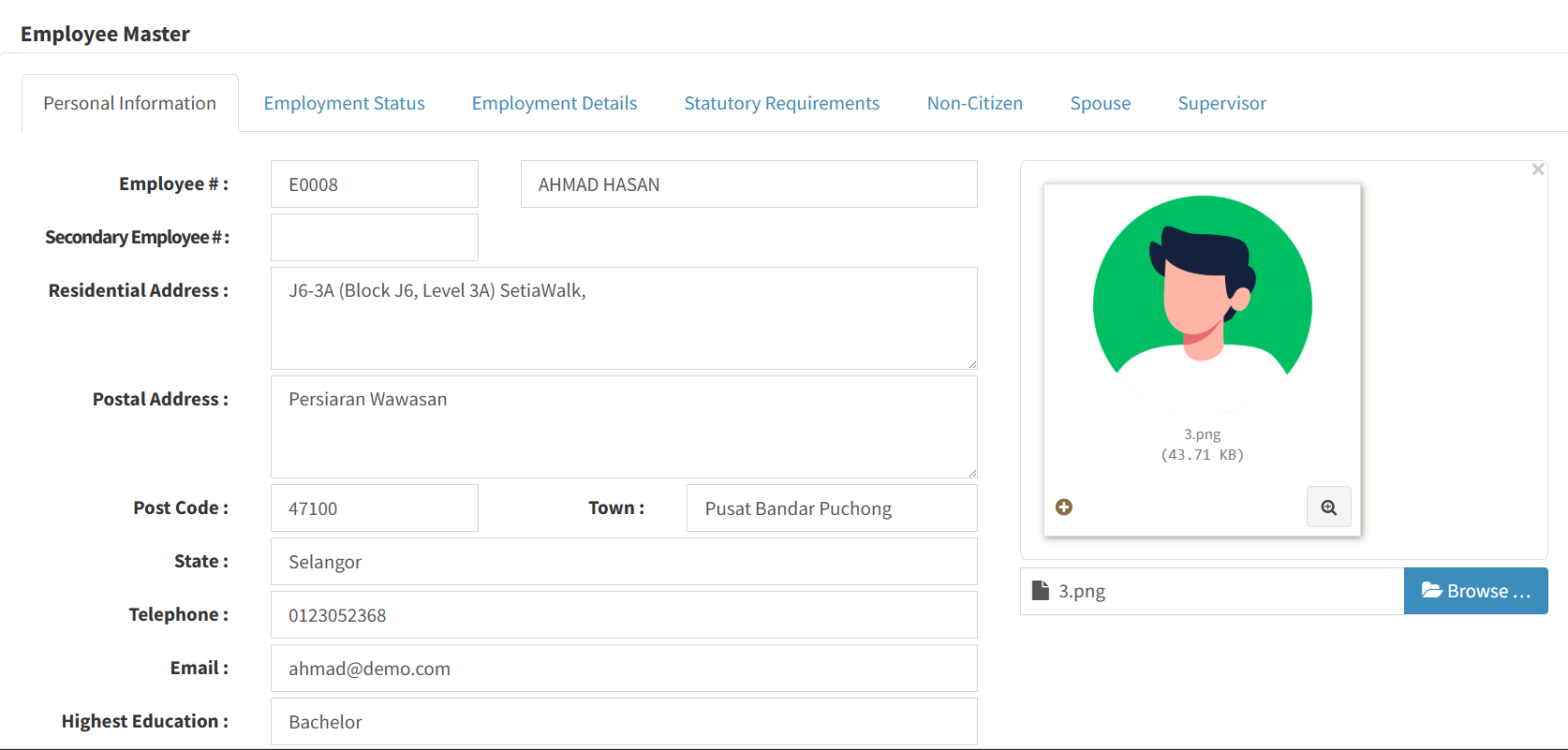
Step 2: Complete all required fields on the General page. Please pay close attention to the Date of Birth (DOB), as this is critical for the accurate calculation of EPF, SOCSO, and PCB. Ensure the DOB is correct before proceeding to the next section (Employee Status).
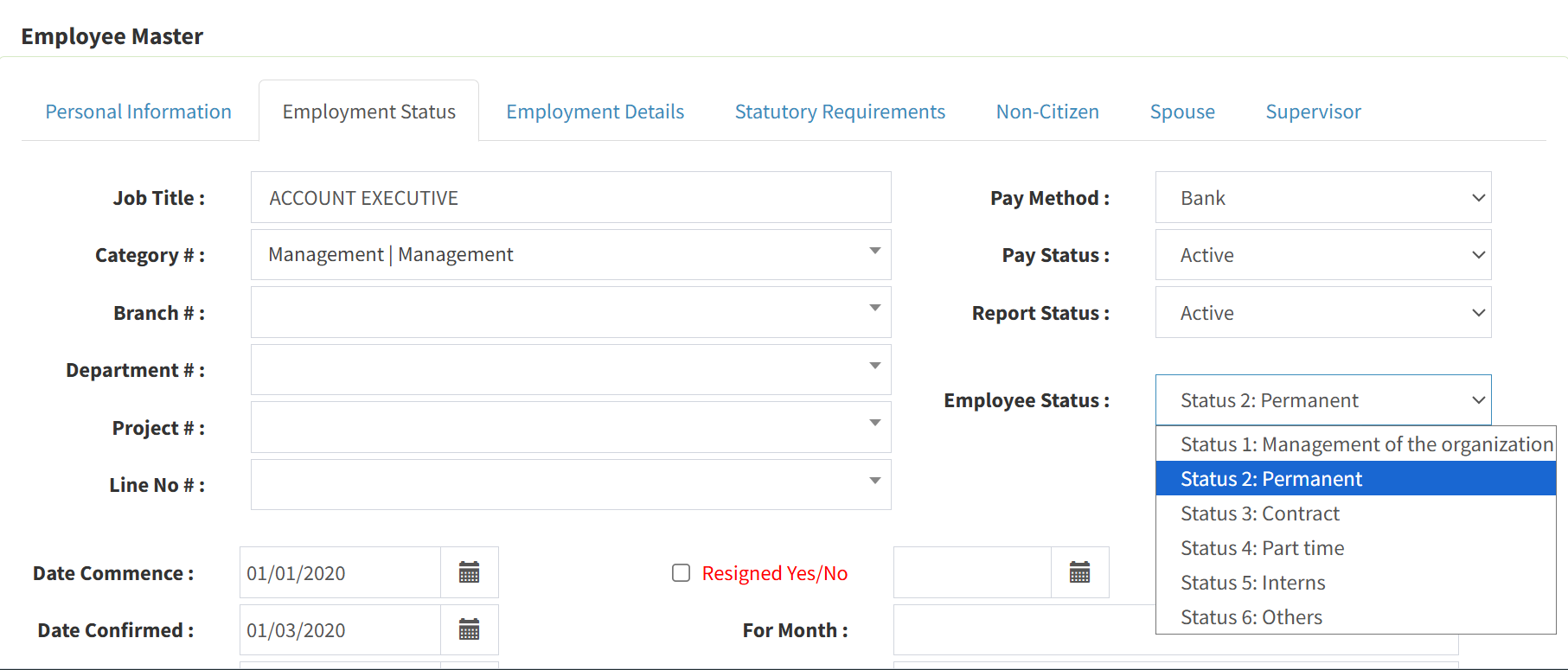
Step 3: Complete all fields on the Employment Status section. Ensure that the Job Title, Category, Branch, and Department are accurately assigned, and enter the relevant dates for Commencement, Confirmation, and Promotion.
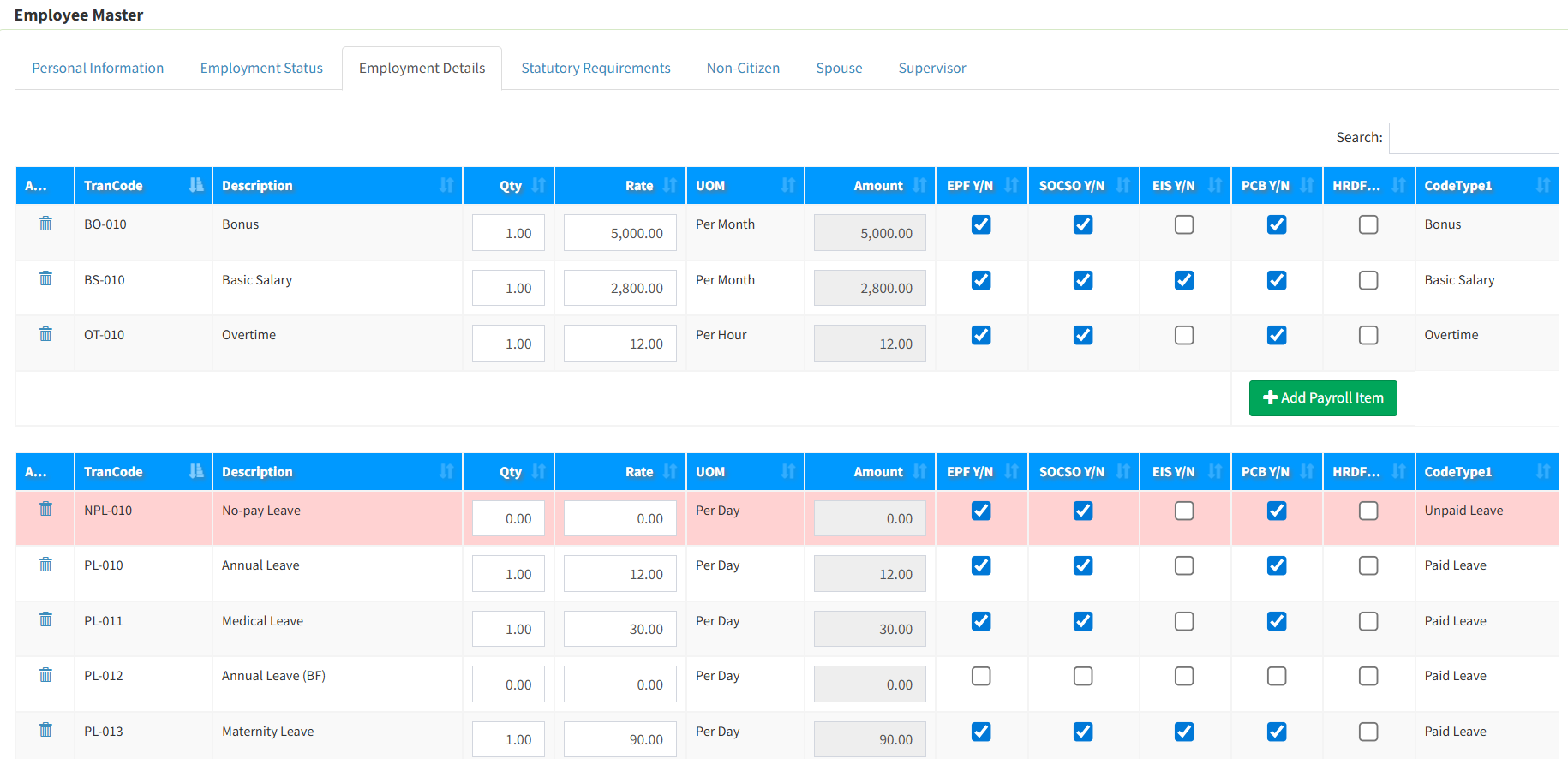
Step 4: Under Employment Details, input the employee’s salary and allowance structure. Customize which pay codes are subject to EPF, SOCSO, EIS, PCB deductions, and initialize their Leave Types (Annual, Medical, No-Pay, etc.) to ensure accurate payroll processing.
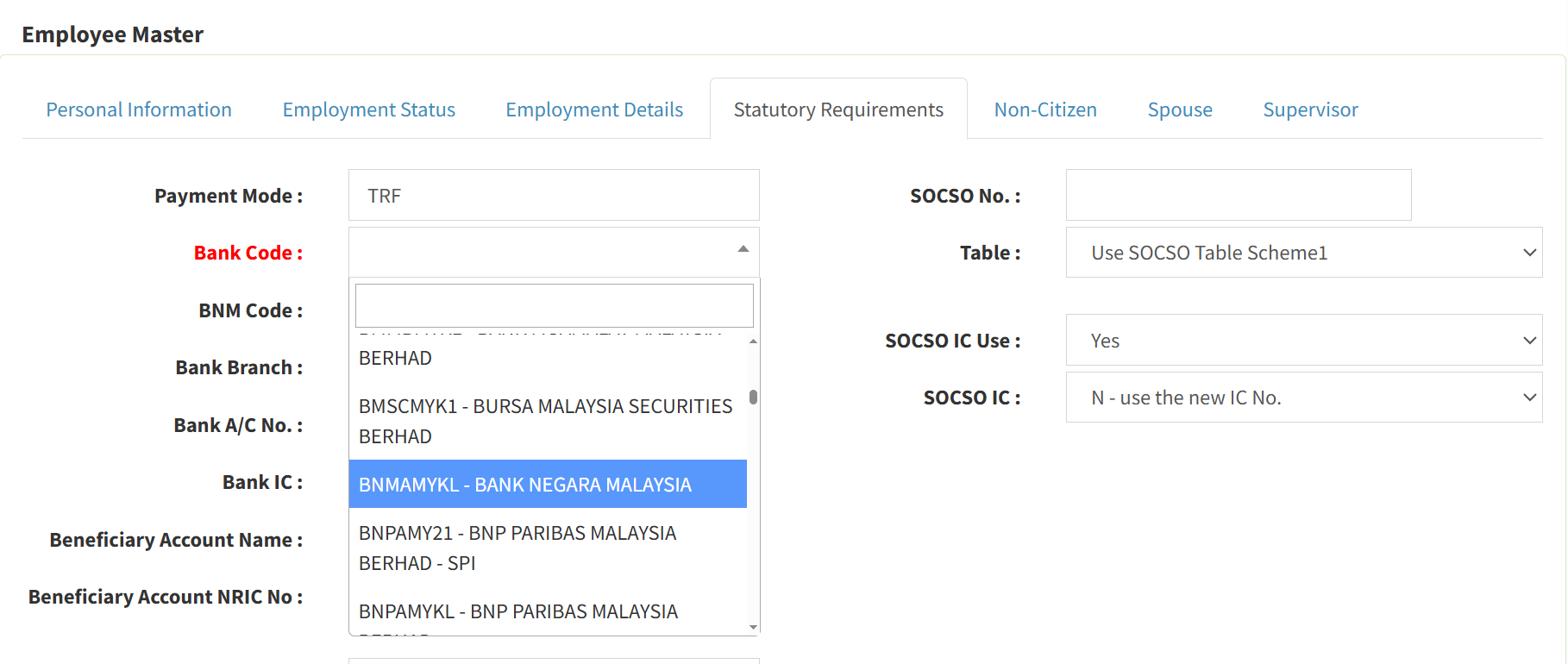
Step 5: Review the following section and enter the requested data in all applicable fields.
Step 6: In the Supervisor Section, enter the email addresses of the supervisors responsible for managing this employee’s payroll and attendance. You may assign up to two (2) supervisors per employee. Ensure you also select the correct Calendar Code linked to their work location for accurate payroll calculation.
Conclusion
The Employee Master module is the foundation of accurate and efficient payroll processing in SKYBIZ Cloud Payroll. By ensuring that employee records are complete, accurate, and regularly updated, organizations can minimize payroll errors, streamline HR administration, and maintain compliance with statutory and company policies. A well-managed Employee Master enables smooth integration with attendance, leave, and payroll calculations, providing reliable data for reporting and decision-making. With this setup in place, your organization is well prepared to manage payroll operations confidently, consistently, and at scale.
Powered By: SKYBIZ ®