Introduction to SKYBIZ Leave
SKYBIZ Leave system is a centralized, digital platform designed to automate and manage the entire lifecycle of employee time-off requests, moving away from fragmented spreadsheets and manual paper trails. It provides a transparent interface where employees can view their leave entitlements, check their remaining balances in real-time, and submit requests for various types of absences—such as annual leave, sick leave, or parental leave—directly to their supervisors. For the organization, e-Leave acts as a single source of truth, integrating company-specific leave policies and local labor laws into an automated workflow. By digitizing the application and approval process, the system eliminates communication bottlenecks and ensures that managers have the visibility needed to coordinate team schedules and maintain operational continuity without the risk of understaffing.
Beyond simple administrative convenience, SKYBIZ Leave plays a strategic role in workforce management and organizational compliance. Because the system automatically calculates accruals, carry-overs, and deductions based on predefined rules, it significantly reduces the likelihood of human error in payroll processing and balance tracking. It also provides HR departments with powerful analytics, allowing them to identify patterns of absenteeism or burnout, ensuring that employee well-being is monitored alongside productivity. In a modern, often remote or hybrid work environment, e-Leave serves as an essential communication tool that fosters trust through self-service accessibility, giving employees autonomy over their time while providing the business with the documented data necessary for legal audits and accurate financial reporting.
How to Key in a Leave Application for your Employee?
Step 1: Navigate to https://cloudpayroll.my/ and click the Login menu to sign in to your account.

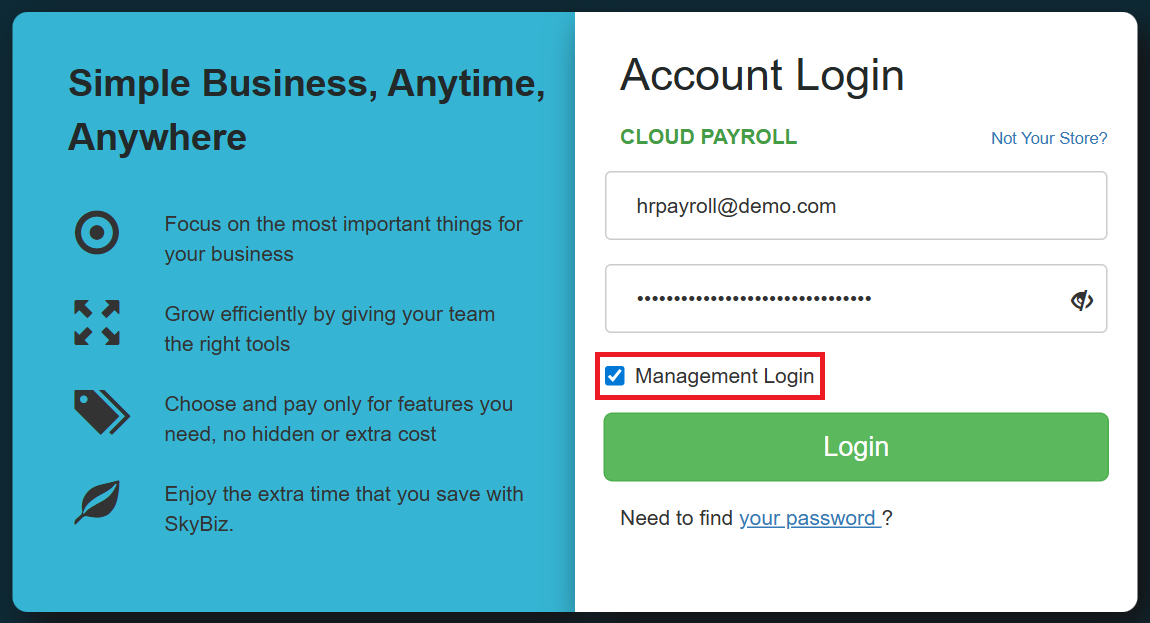
Step 2: Enter your Email and Password, then select the Management Login checkbox before clicking the Login button.
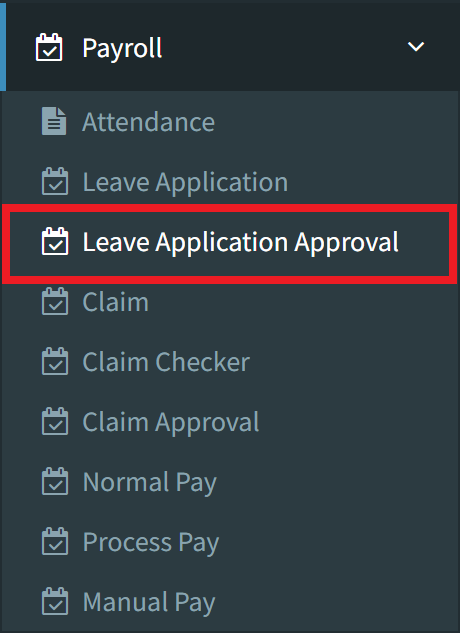
Step 3: After logging in, navigate to the Payroll menu and select the Leave Application Approval option.
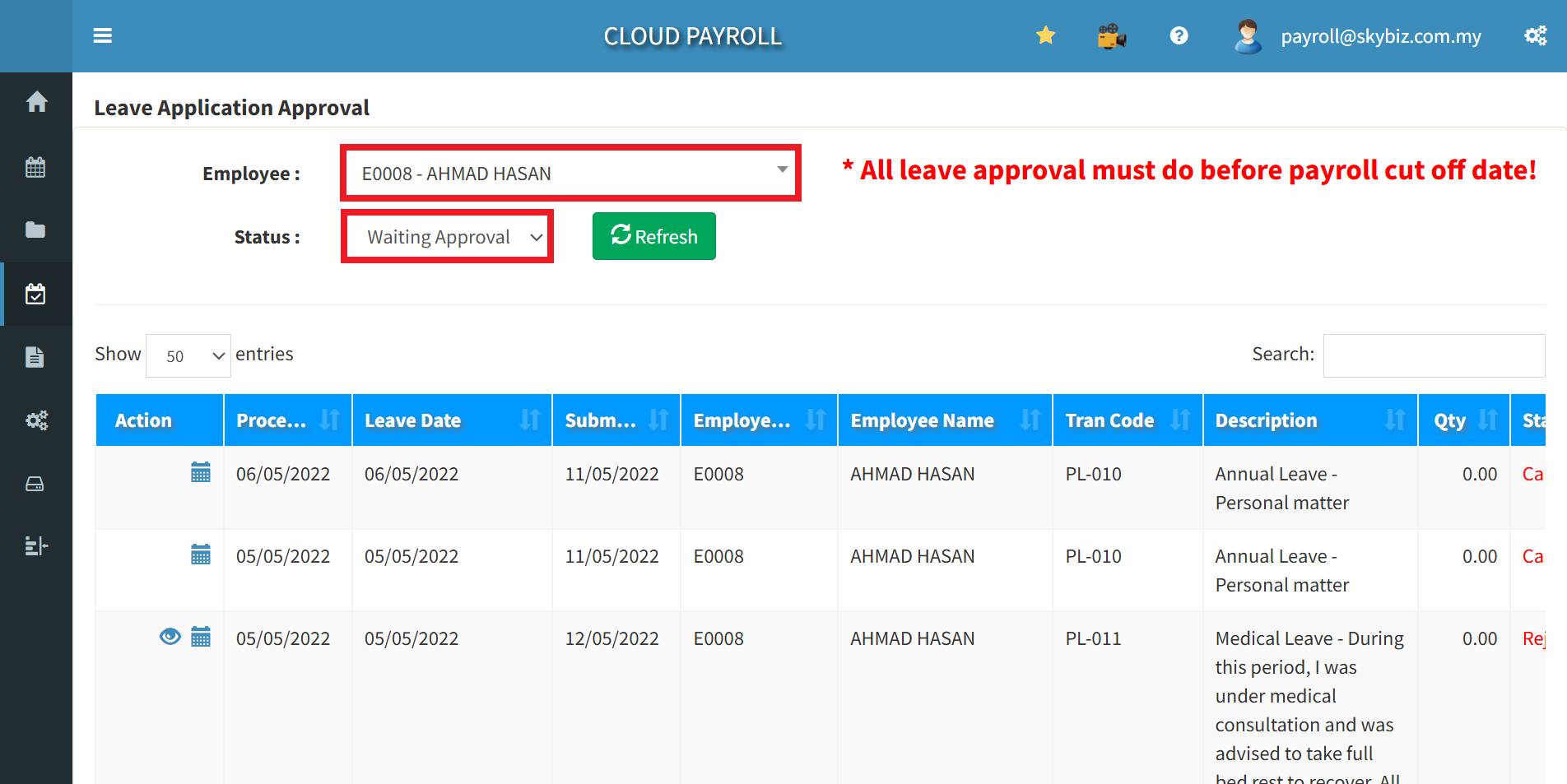
Step 4: Select a specific employee to filter the list, and ensure that the Status field is set to Waiting Approval.
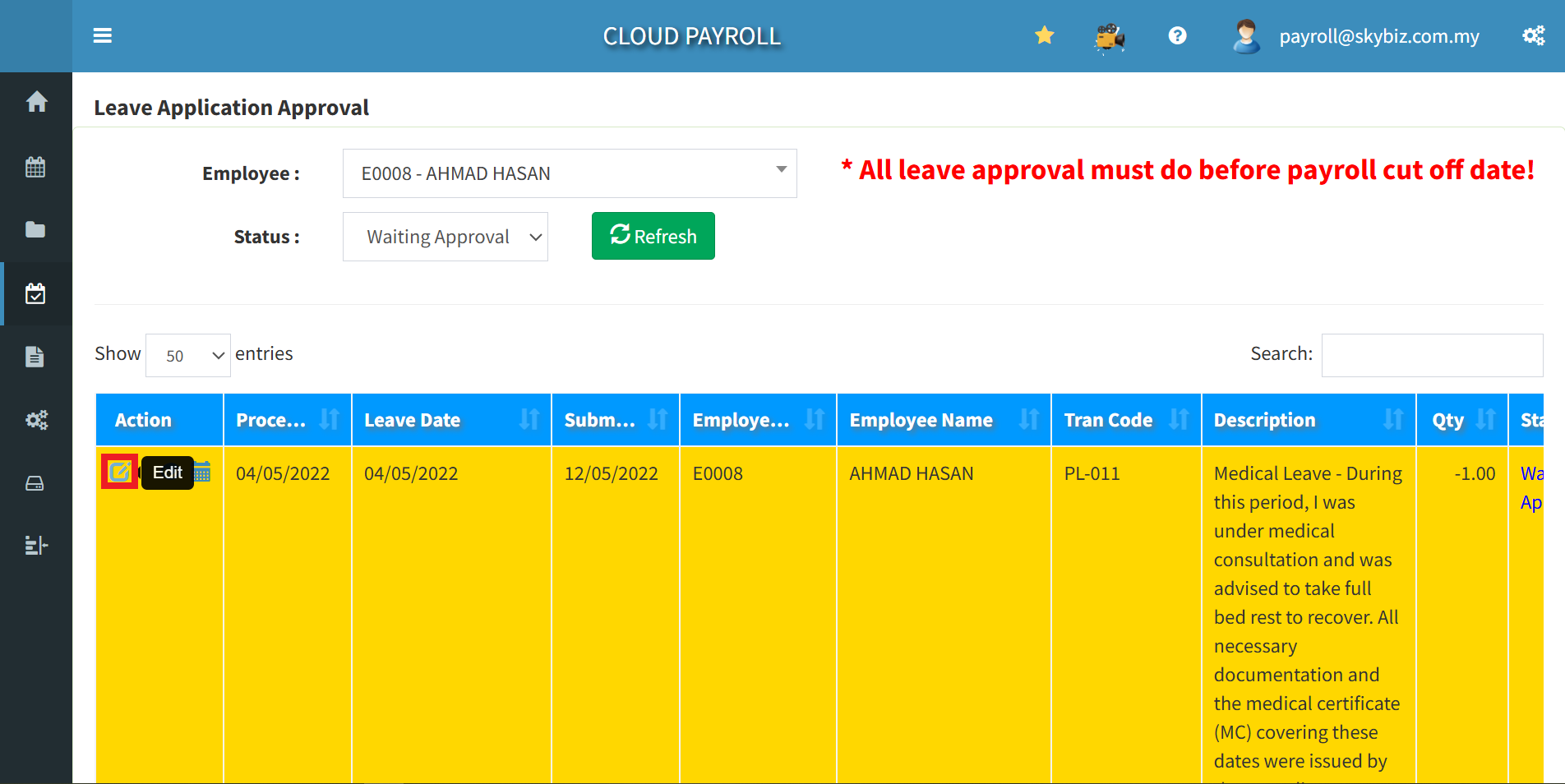
Step 5: Click the Edit button on the selected leave application
Step 6: Review the employee’s application, then select either Approve or Reject. Click the Save button to finalize your decision.
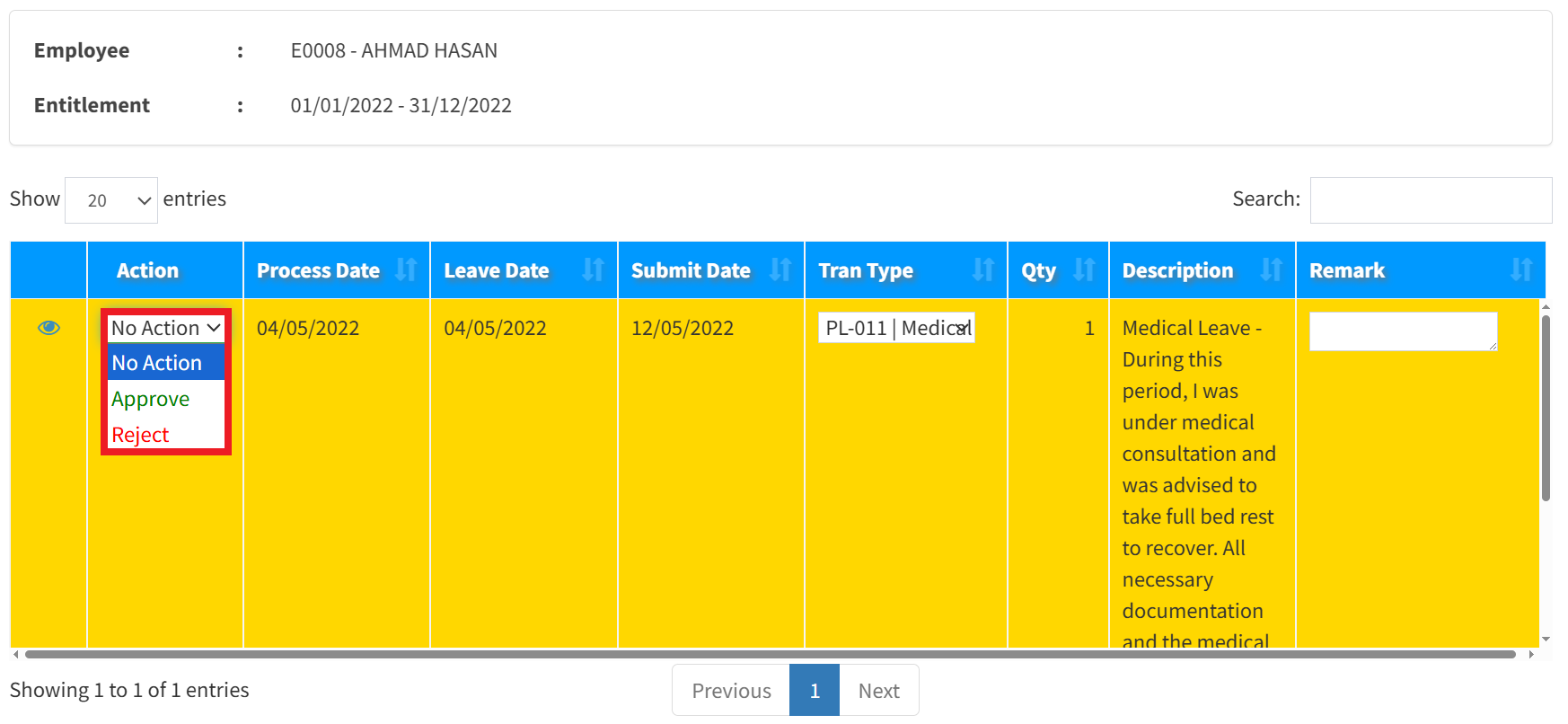
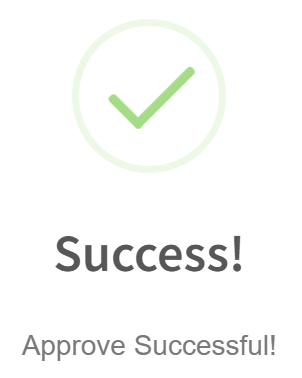
Step 7: Once an application has been approved or rejected, the action cannot be undone, and the document can no longer be modified.
Conclusion
In conclusion, e-Leave is more than just a digital calendar; it is a vital component of a modern HR infrastructure that promotes transparency, efficiency, and compliance. By replacing manual processes with a streamlined, automated workflow, organizations can drastically reduce administrative overhead and mitigate the risks associated with payroll discrepancies and staffing gaps. Ultimately, an e-Leave system empowers employees with instant access to their own data while providing leadership with the insights needed to manage human capital effectively. Implementing such a system ensures that time-off management is no longer a logistical burden, but a seamless, integrated part of the company’s daily operations.
Powered By: SKYBIZ ®