A journal entry is a record of a financial transaction, specifying the date, accounts involved, and amounts to be debited and credited, ensuring that debits always equal credits.
Below are guideline(s) to create new journal entry:
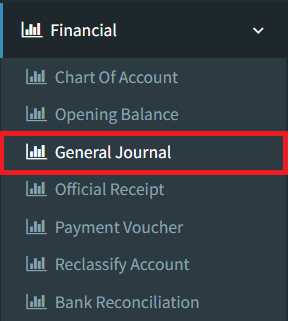
Step 1: Click on side menu>>Financial>>General Journal
Step 2:
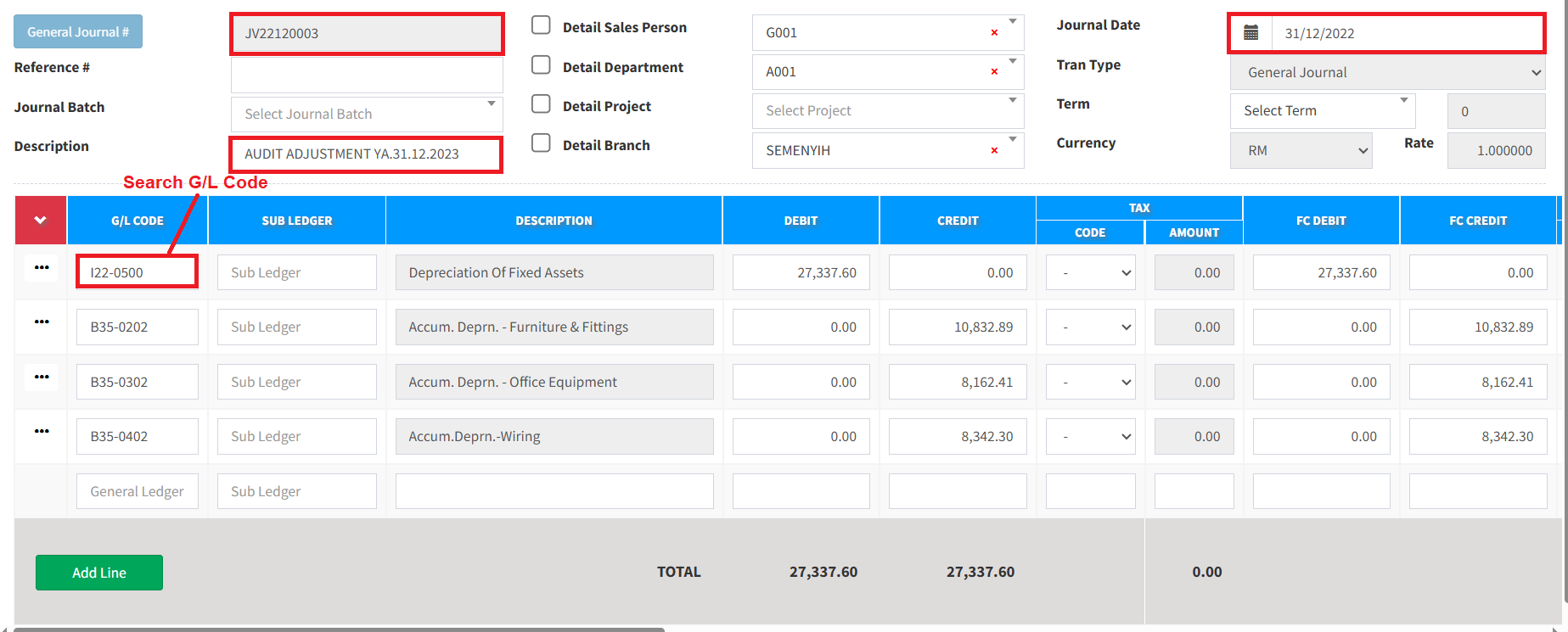
a. Enter transaction date, document journal description
b. Search your G/L code to be debit or credit and ensure total debits always equal to total credits.
Step 3: Click Save to create the journal entry.
Click Listing to view recorded official receipt.
Click Reset to clear the page.

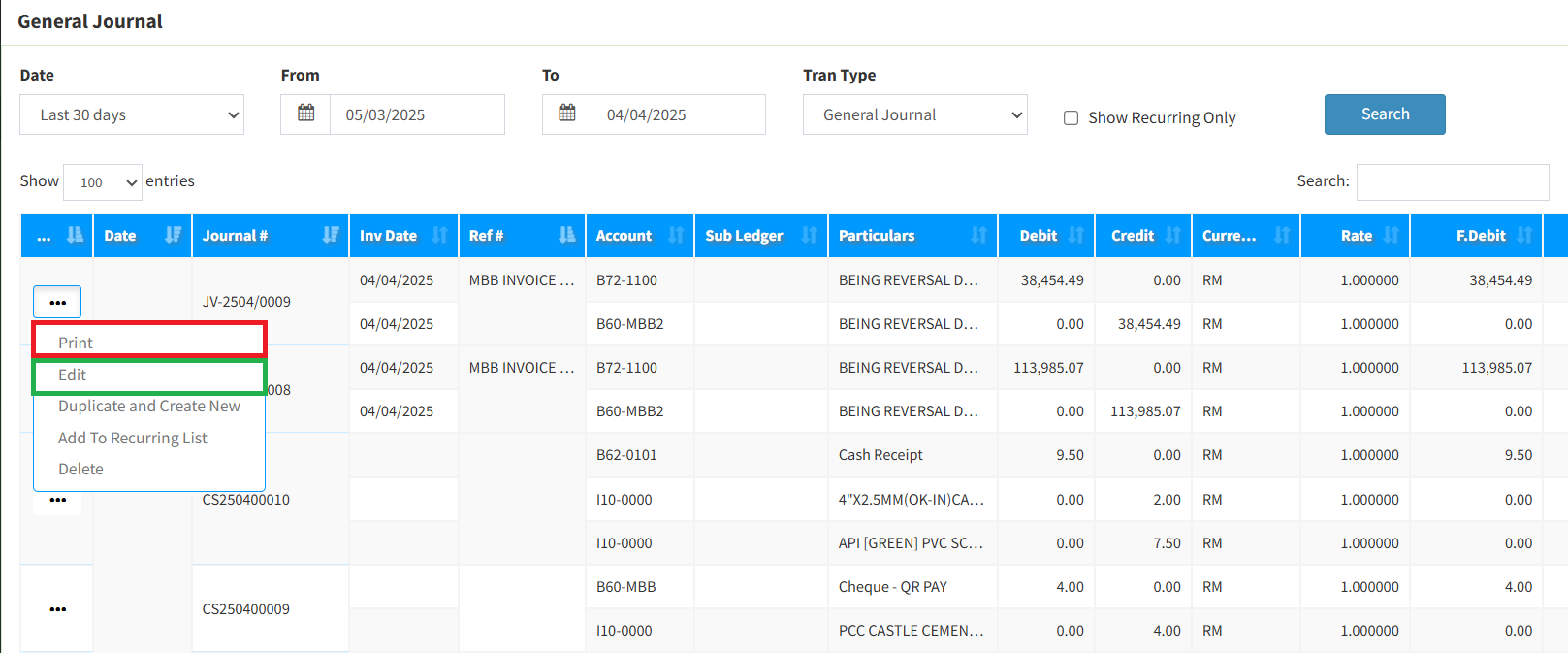
Step 4: There is a print option if you want to print journal entry voucher. User may click Edit option if any amendment needed.
Powered By : SKYBIZ ®