Introduction to SKYBIZ Cash Receipt
A Cash Receipt is a vital financial document issued at the moment of payment, serving as the official proof of a completed transaction between your business and a customer. It provides an immediate and transparent record of funds received—whether via cash, check, or digital transfer—detailing the specific products or services purchased along with the final amount paid. By documenting every incoming payment in real-time, Cash Receipts ensure your internal bookkeeping remains precise while offering customers the security of a verified receipt for their own personal or tax records.
How to generate a credit note from a cash receipt?
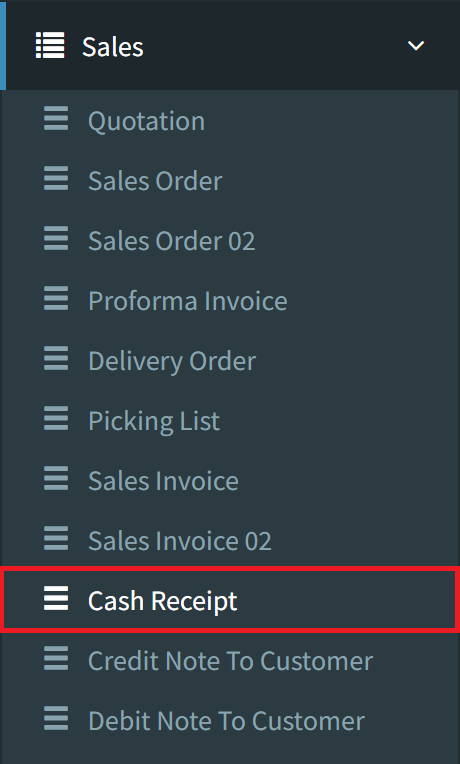
Step 1: To generate a Credit Note from an existing Cash Receipt, navigate to the Sales menu and select the Cash Receipt option.
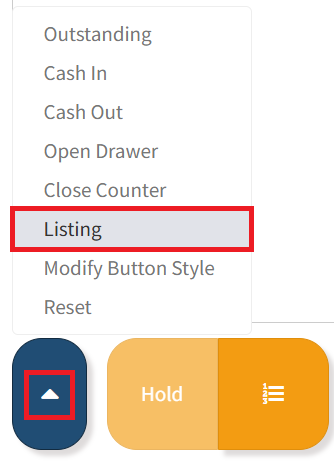
Step 2: After entering the cashier credentials, click the Blue Action Menu button at the bottom center of the screen, then select Listing to view all recorded cash receipts.
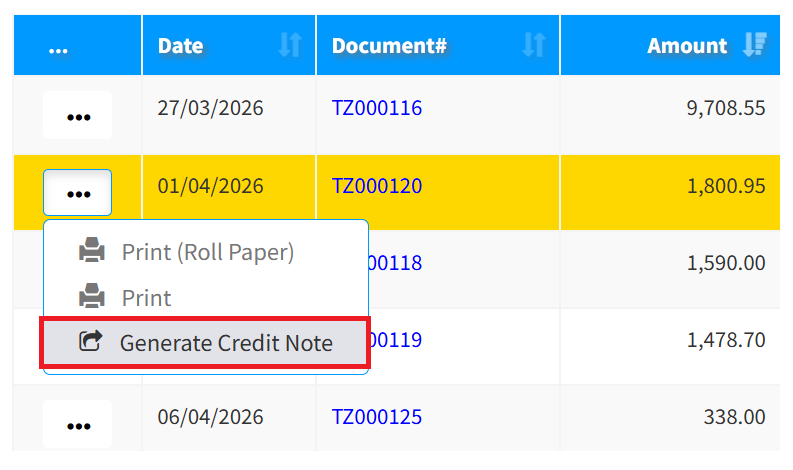
Step 3: Please click the 3-Dots menu on your chosen Cash Receipt and select Generate Credit Note. The system will then transfer the data to a new Credit Note page, allowing you to review the pre-filled information.
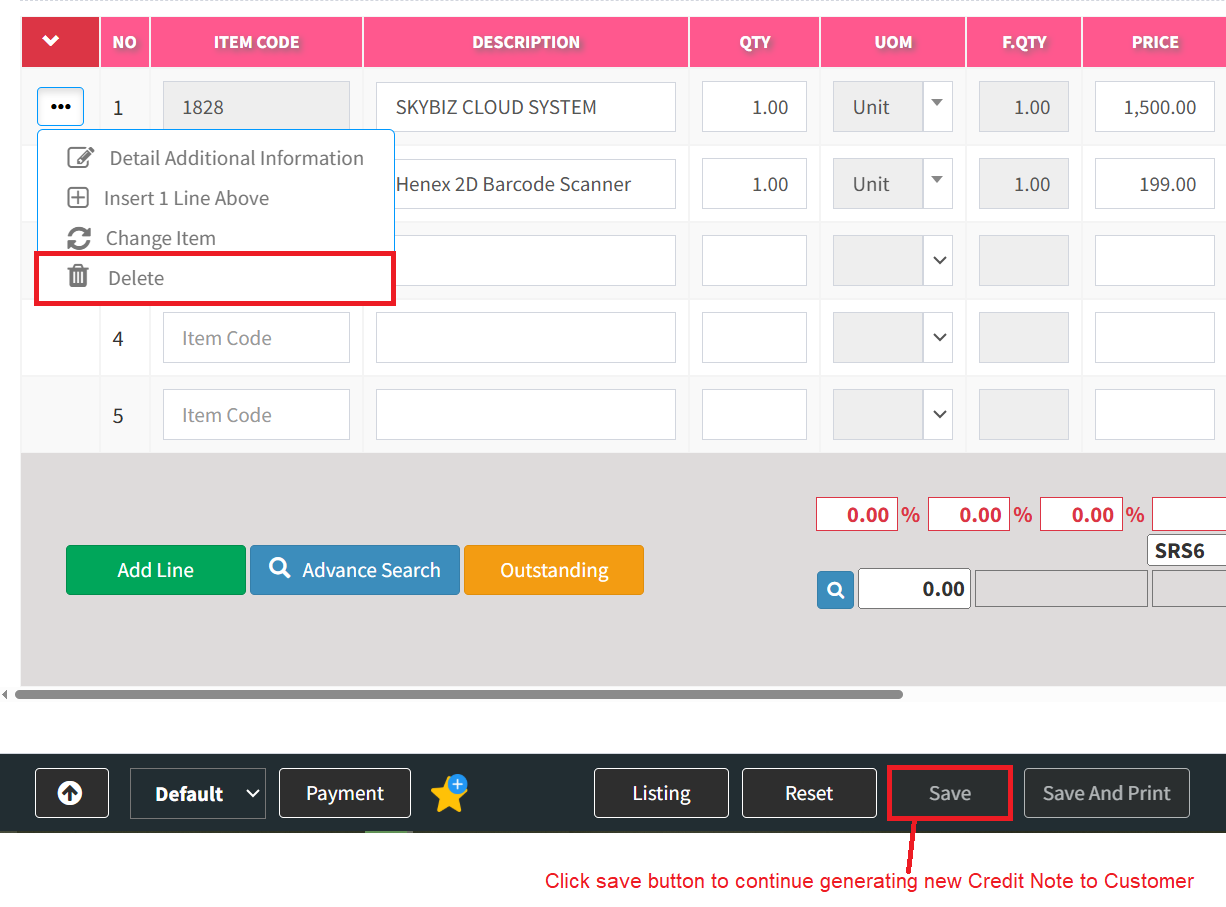
Step 4: Remove any unwanted items from the list, ensuring only the specific items intended for return remain. Click the Save button to finalize the generation of the new Credit Note to Customer.
Conclusion
In conclusion, the Cash Receipt serves as the final, essential link in the sales cycle, ensuring that every successful transaction is accurately recorded and professionally acknowledged. It acts as a critical safeguard for your business’s financial integrity, providing a reliable audit trail for daily cash flow and bank reconciliations. By consistently issuing these receipts, you not only uphold high standards of accounting accuracy but also reinforce a sense of reliability and professionalism that builds lasting confidence with your customers.
Powered By: SKYBIZ ®