Introduction to OMNIXYNC Edit and Delete Discount
Edit lets you change a discount after it is created, and the change is sent to its shop. Delete removes a discount you no longer need.
How to Edit or Delete a Discount?
Step 1: On the Discount Price page, click the … button on the discount
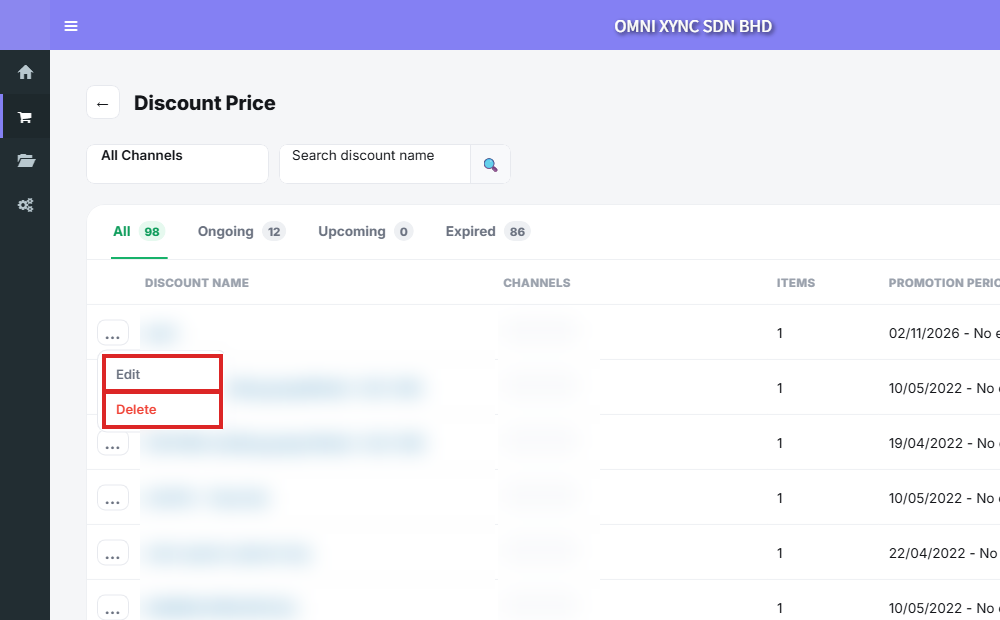
- Edit = Opens the discount form.
- Delete = Asks you to confirm, then removes the discount. An upcoming discount is deleted from the shop, an ongoing discount is ended, and an expired discount is removed from the list.
Step 2: For Edit, change the fields you need and click Save Changes
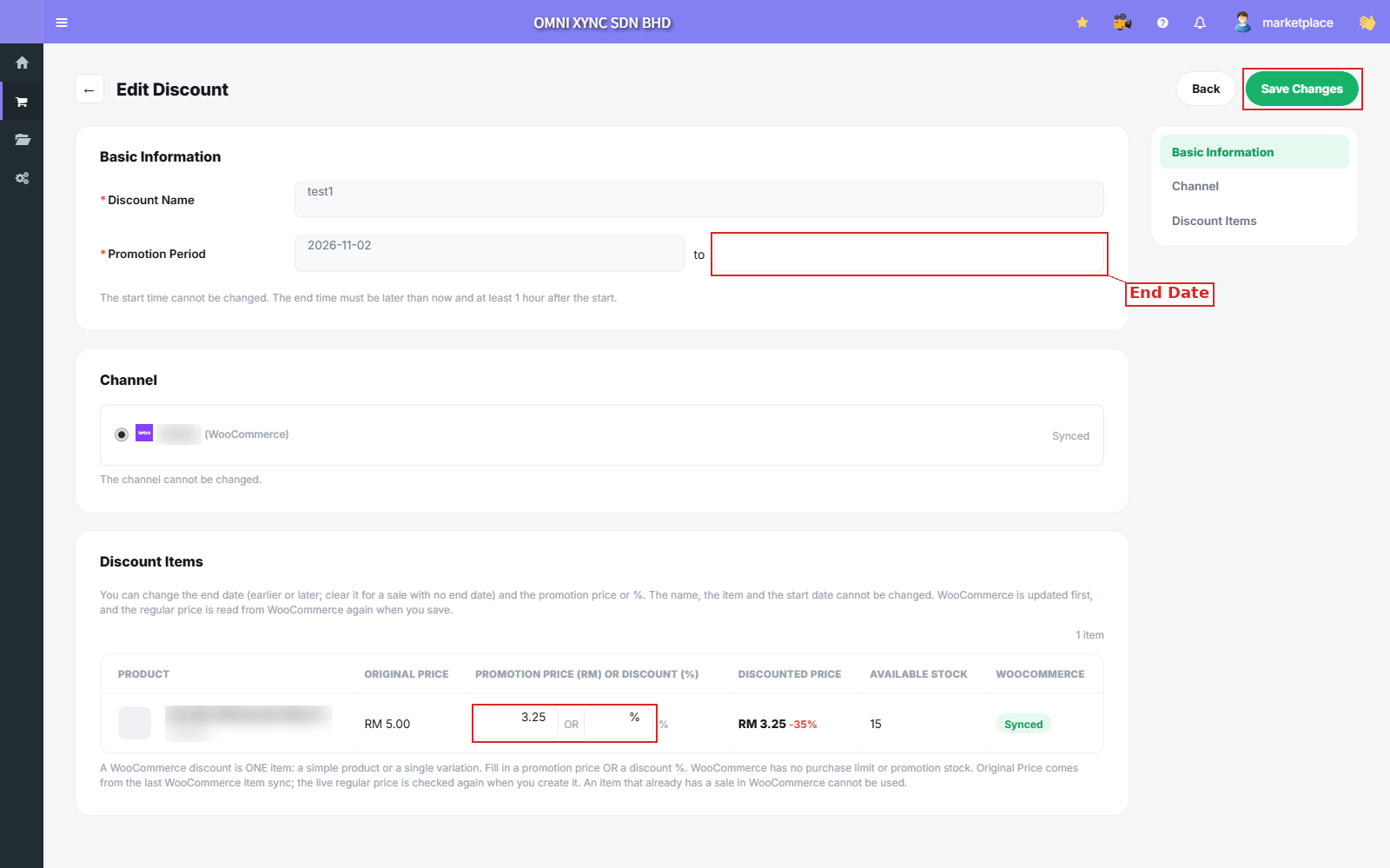
- End Date = Can be set earlier or later. Must be later than now and at least 1 hour after the start.
- Promotion Price or Discount (%) = Can be changed for each item.
Note: These cannot be changed after the discount is created:
- Discount Name = The name of the discount.
- Channel = The shop the discount is on.
- Start Date = Locked once the discount is created.
- Items = The items in the discount.
Conclusion
In conclusion, Edit and Delete keep your discounts up to date on every shop from one page.
Powered By: SKYBIZ ®