Introduction to OMNIXYNC SiteGiant Update On-Hand
Update On-Hand shows your SiteGiant items with their SKYBIZ and SiteGiant stock, so you can keep the stock the same on both sides.
How to Use SiteGiant Update On-Hand?
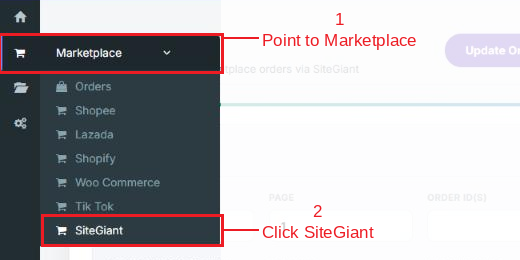
Step 1: Navigate to Marketplace > SiteGiant
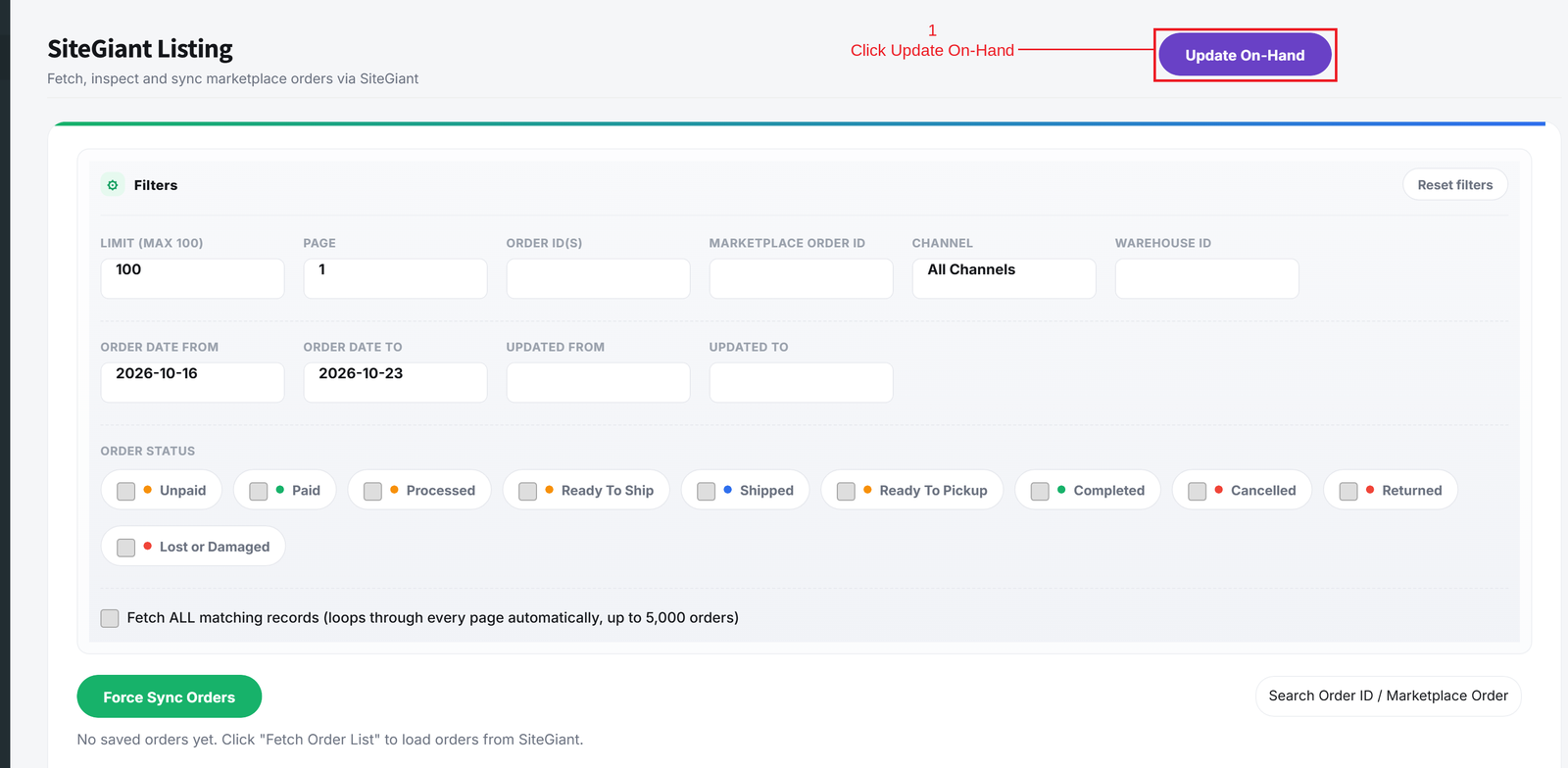
Step 2: Click Update On-Hand on the top right
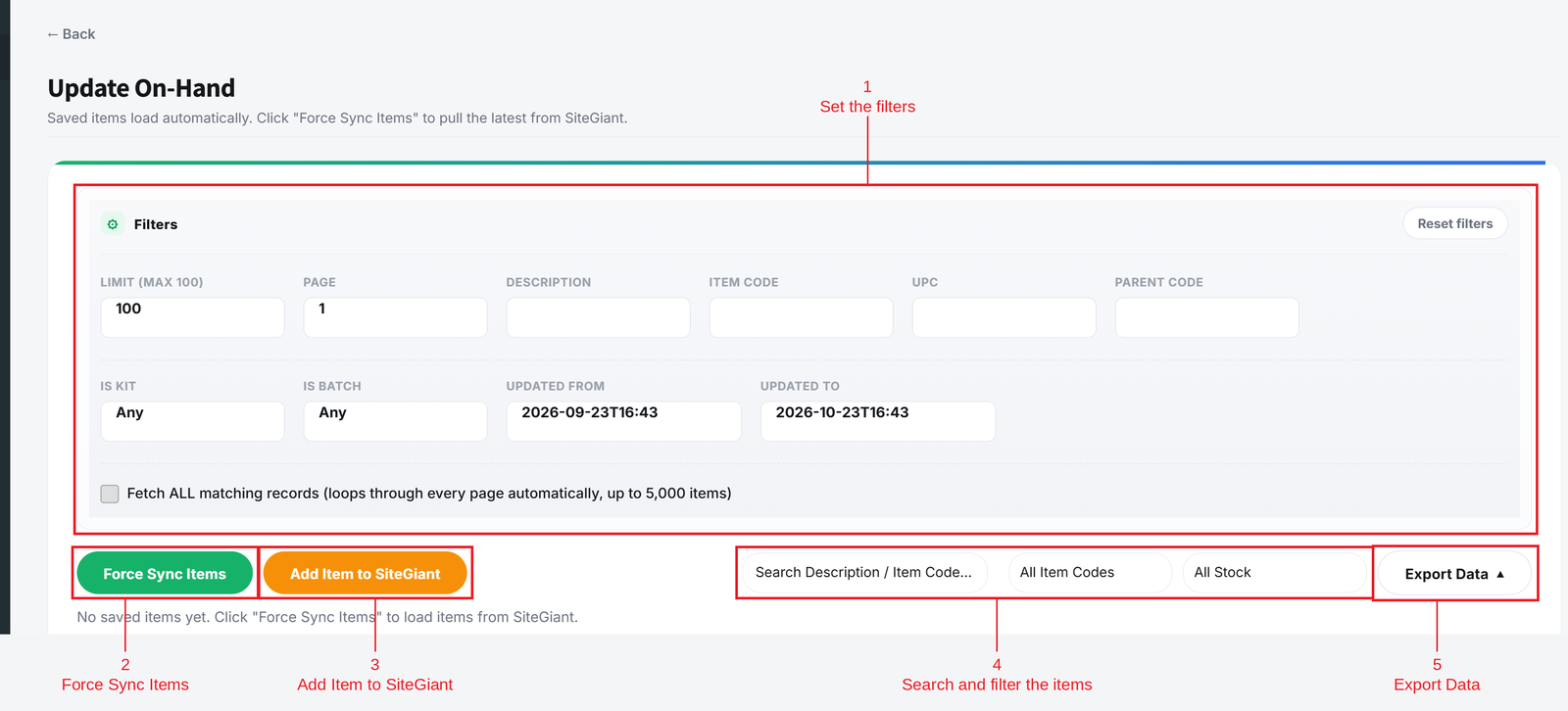
Step 3: Set the filters, then use the buttons:
- Force Sync Items = Gets the latest items from SiteGiant.
- Add Item to SiteGiant = Choose a SKYBIZ item to add to SiteGiant.
- Search and filters = Find items by description or item code, show only valid or invalid ItemCodes, or items where SKYBIZ and SiteGiant stock are the same or different.
- Export Data = Download the list as a CSV file.
Conclusion
In conclusion, Update On-Hand helps you check and keep your SiteGiant stock in line with SKYBIZ.
Powered By: SKYBIZ ®