Introduction to OMNIXYNC Receive the Parcel
When a return parcel arrives, open the return and record how many items came back. Items that are good to sell again can then be restocked.
How to Receive a Return Parcel?
Step 1: Navigate to Marketplace > Manage Order Return
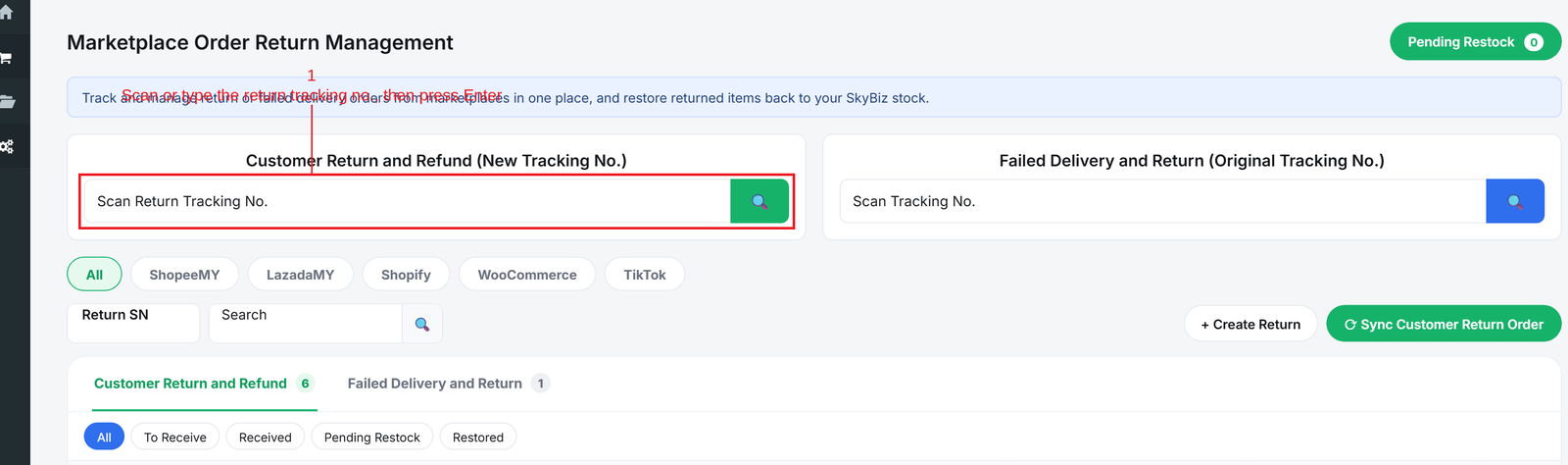
Step 2: Scan or type the return tracking no. in the Customer Return and Refund box to open the return
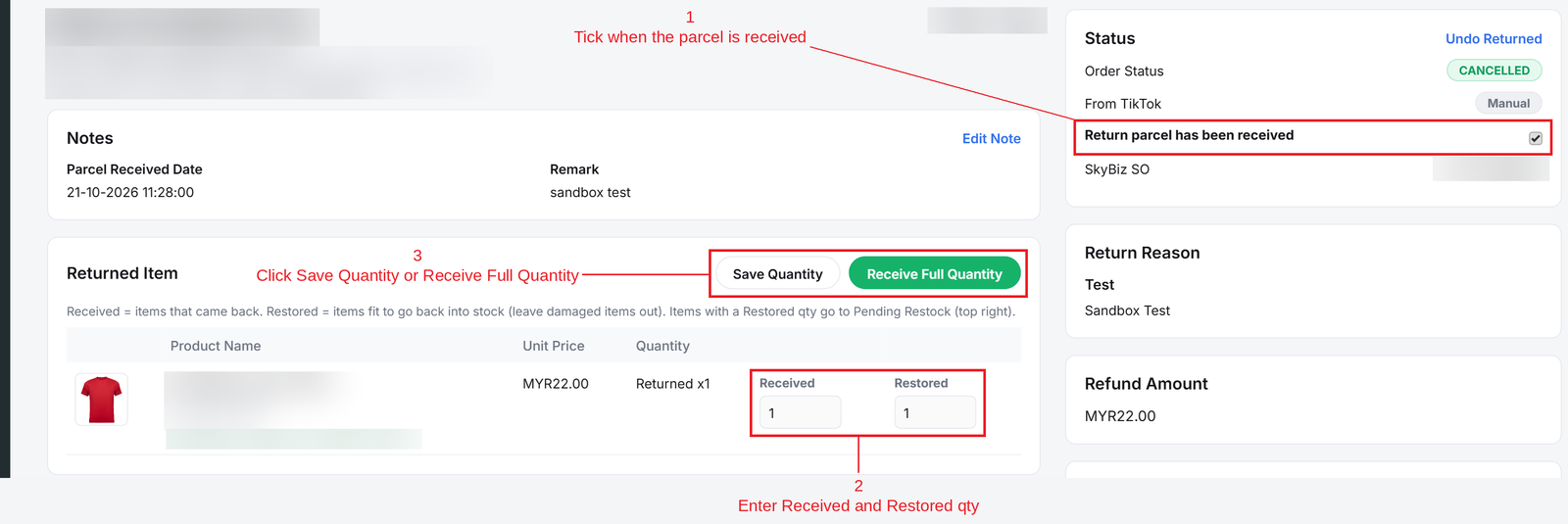
Step 3: Tick Return parcel has been received, then enter the quantity:
- Received = How many items came back.
- Restored = How many are good to sell again (leave damaged items out).
Then click Save Quantity, or Receive Full Quantity if everything is fine.
Conclusion
In conclusion, receiving the parcel in SKYBIZ keeps a clear record of what came back and what is still good to sell.
Powered By: SKYBIZ ®