Introduction to OMNIXYNC Manual Linking
Manual Linking links a Shopify product to an existing SKYBIZ item. Use it when the product is Not Linked, for example when its SKU is different from your SKYBIZ ItemCode.
How to Link a Shopify Product Manually?
Step 1: Navigate to Marketplace > Shopify
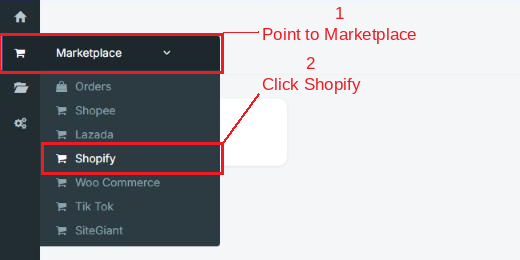
Step 2: Click your shop to open the Product Listing

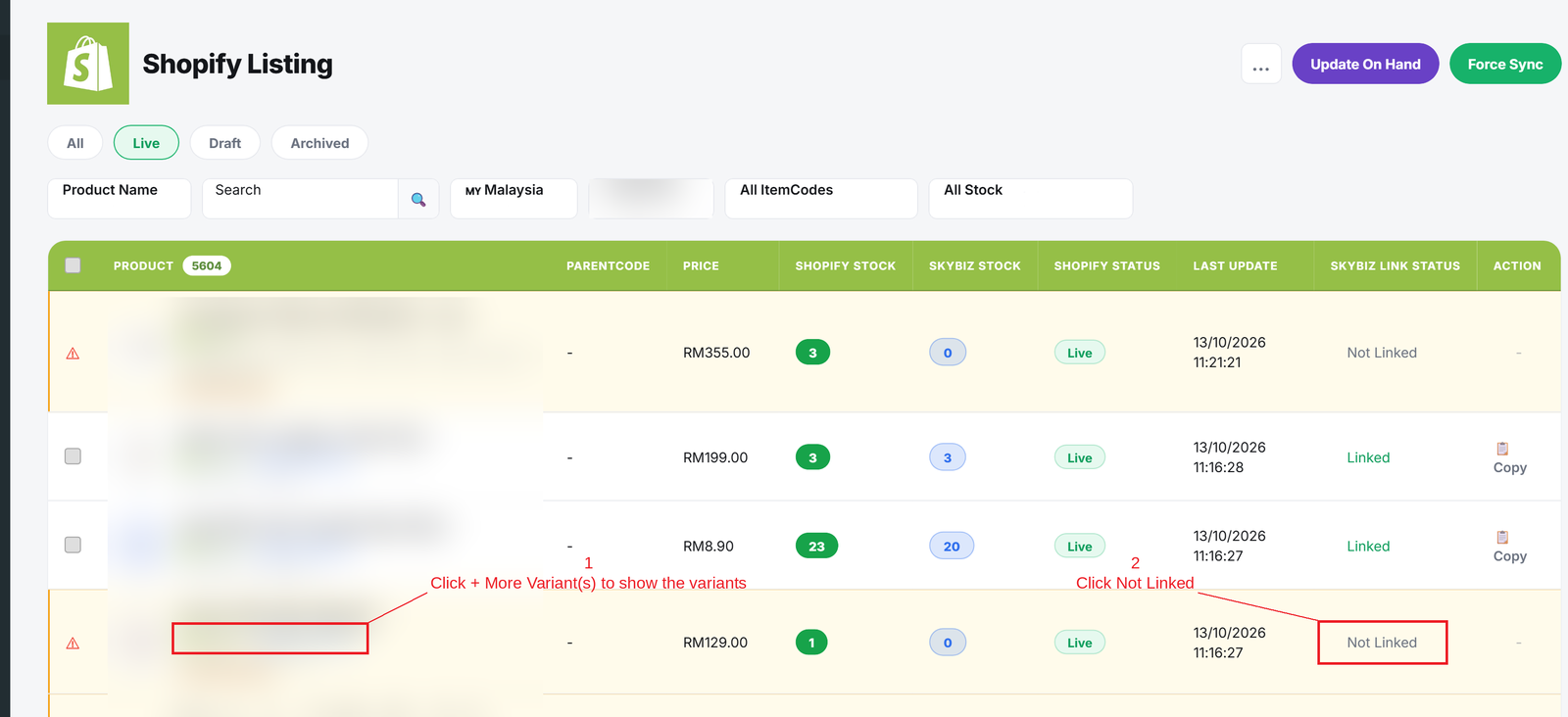
Step 3: Click Not Linked on the product you want to link. For a product with variants, click + More Variant(s) first to show the variants
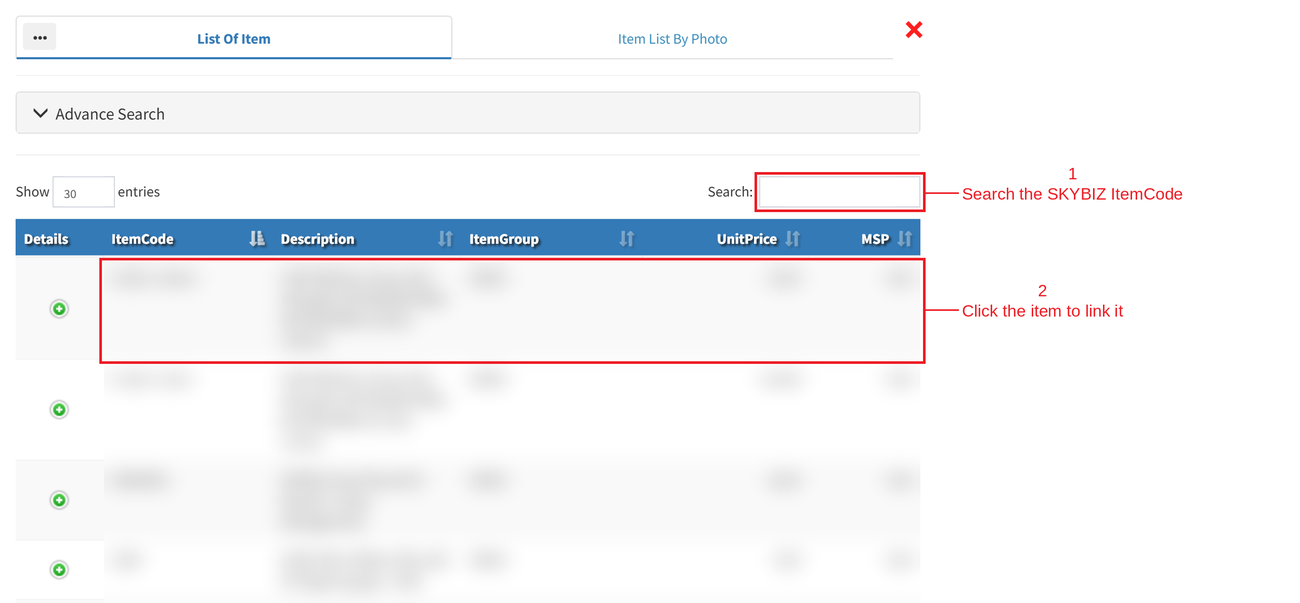
Step 4: Search the SKYBIZ ItemCode, then click the item. The product is linked straight away, its SKU on Shopify is changed to the SKYBIZ ItemCode, and the status changes to Linked
Conclusion
In conclusion, Manual Linking connects your Shopify products to the right SKYBIZ items, so stock and orders are matched correctly.
Powered By: SKYBIZ ®