Introduction to OMNIXYNC Copy to SKYBIZ
Copy to SKYBIZ creates SKYBIZ items from your Shopify products, so you do not need to key them in one by one. The Shopify SKU becomes the ItemCode, and the product is linked to the new item automatically.
How to Copy Shopify Products to SKYBIZ?
Step 1: Navigate to Marketplace > Shopify
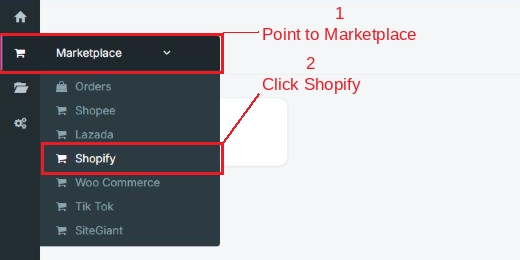
Step 2: Click your shop to open the Product Listing

Step 3: Click the … button, then click Copy to SKYBIZ

Step 4: Tick the products you want to copy, then click Copy to SKYBIZ (selected)
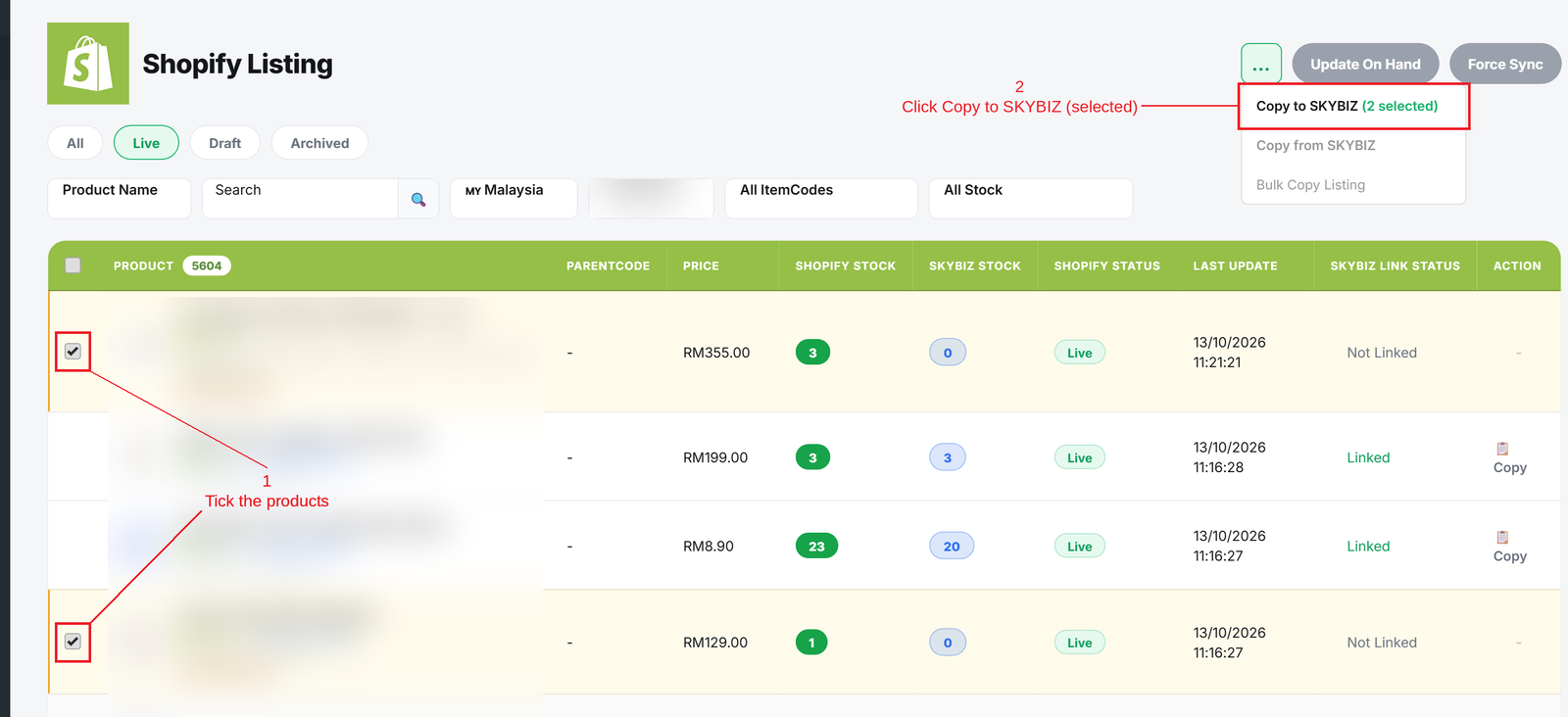
Step 5 (optional): If a product has an invalid ItemCode, the Fix ItemCode window appears. Choose a new ItemCode for each row:
- Auto = Uses the next running number of the selected prefix.
- Manual = Tick Manual and type your own ItemCode.
Then click Copy to SKYBIZ

Step 6: The result is shown under the page title. Click show list to see the products that were not copied

Conclusion
In conclusion, Copy to SKYBIZ lets you add your Shopify products into SKYBIZ quickly and keeps them linked, with less manual work and fewer mistakes.
Powered By: SKYBIZ ®