Introduction to OMNIXYNC Copy from SKYBIZ
Copy from SKYBIZ creates new Lazada products from your SKYBIZ items, so you do not need to list them one by one in Lazada Seller Center. Only items that are not in the shop yet are shown.
How to Copy SKYBIZ Items to Lazada?
Step 1: Navigate to Marketplace > Lazada
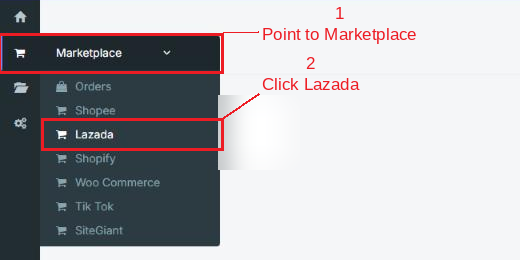
Step 2: Click your shop to open the Product Listing

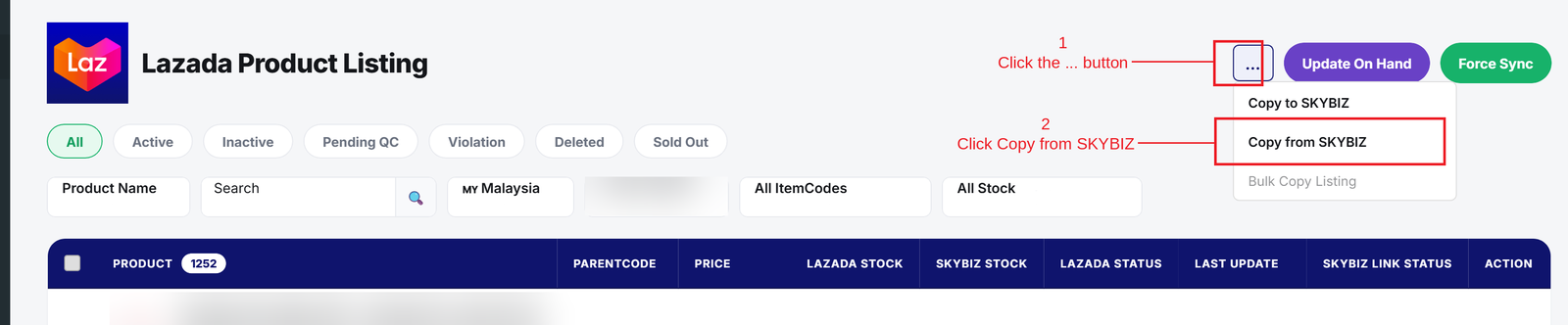
Step 3: Click the … button, then click Copy from SKYBIZ
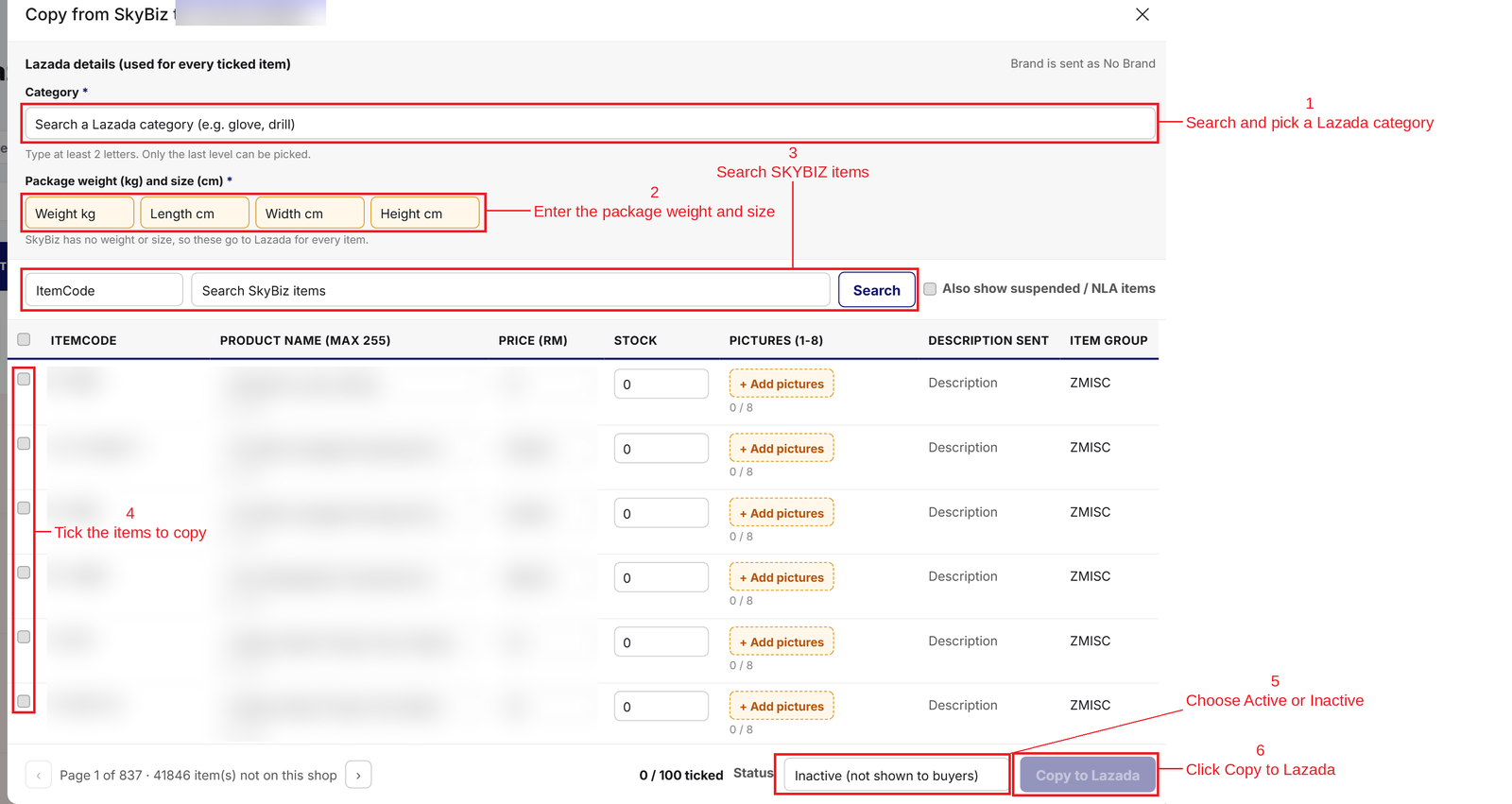
Step 4: Fill in the details, tick the items, then click Copy to Lazada:
- Category and Package weight and size = Required by Lazada. They are used for every ticked item.
- Search = Find SKYBIZ items by ItemCode, Description, Item Group or Supplier Item Code.
- Product Name, Price, Stock and Pictures = Check or change them for each item before copying.
- Status = Choose Active to show the products to buyers, or Inactive to keep them hidden.
Conclusion
In conclusion, Copy from SKYBIZ is the fastest way to list your SKYBIZ items on Lazada, with each new product linked to its SKYBIZ item.
Powered By: SKYBIZ ®