Introduction to OMNIXYNC Copy to Other Channel
Copy to Other Channel copies your Lazada products to another shop, such as another Lazada shop, Shopee, Shopify, TikTok Shop or WooCommerce. You can copy one product or many products at once.
How to Copy Lazada Products to Another Channel?
Step 1: Navigate to Marketplace > Lazada
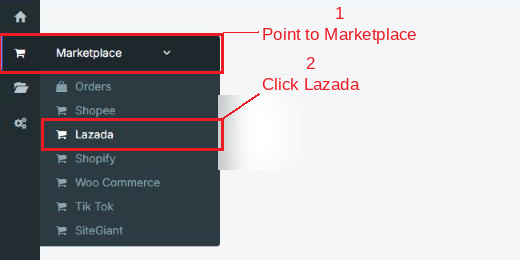
Step 2: Click your shop to open the Product Listing

Step 3: To copy one product, click Copy on its row

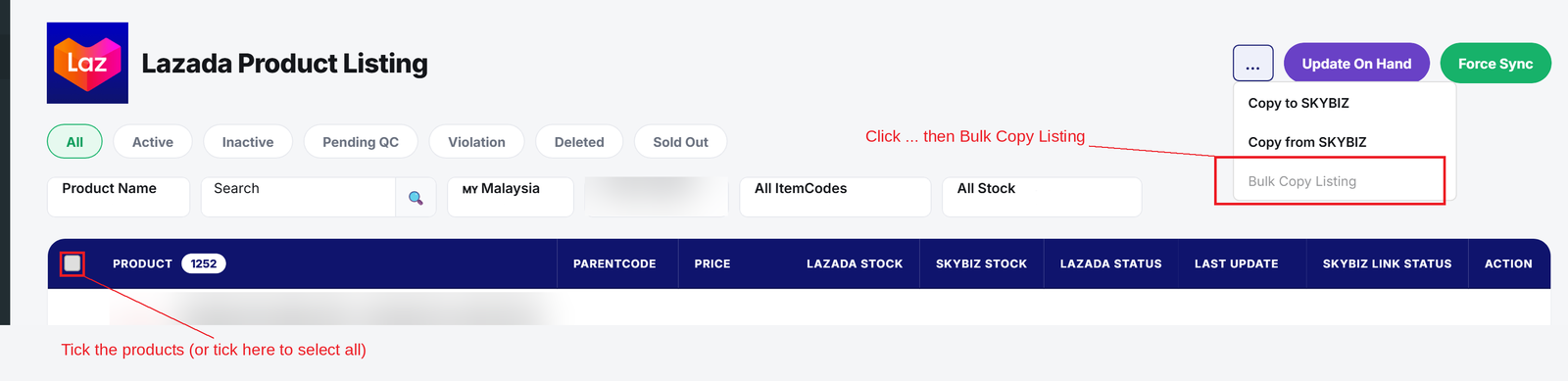
Step 4 (optional): To copy many products, tick them, then click the … button and click Bulk Copy Listing
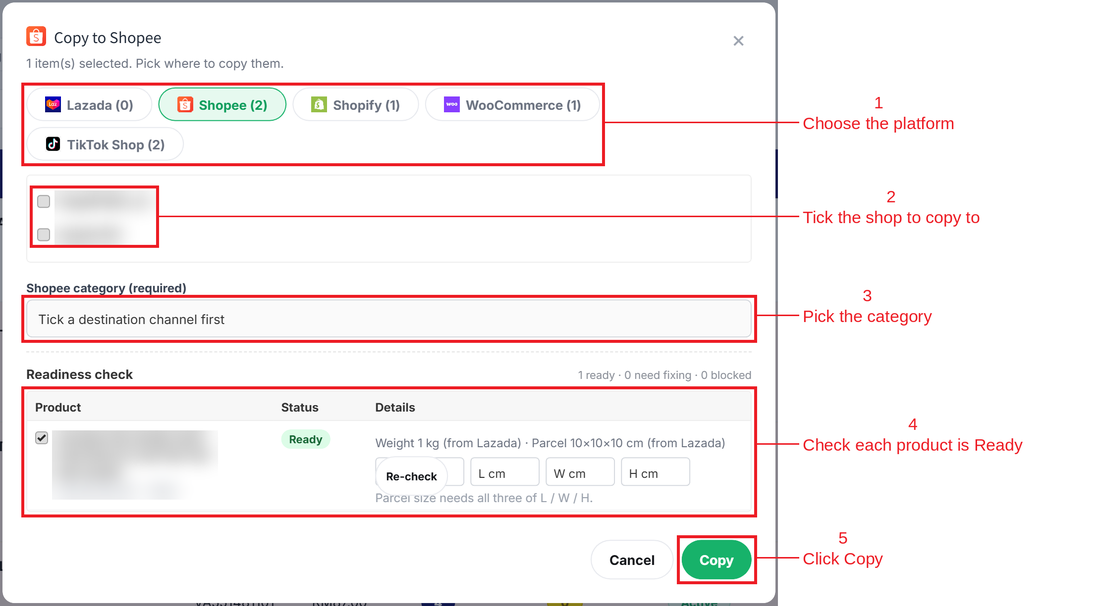
Step 5: Choose the platform, tick the shop to copy to and pick the category. Check that each product shows Ready, then click Copy
Conclusion
In conclusion, Copy to Other Channel helps you sell the same products on more shops without creating each listing again.
Powered By: SKYBIZ ®