Introduction to SKYBIZ Printer Service
SKYBIZ Printer Service is a robust Desktop-based application engineered to streamline document and receipt printing workflows across an entire organization. By serving as a centralized print server, the application only needs to be installed on a single host computer to enable network-wide functionality. Once configured, any authorized user within the restaurant can send print jobs to the designated device instantly. This innovative approach removes the logistical burden of performing manual driver installations or hardware configurations on every individual workstation, significantly reducing IT overhead and ensuring a plug-and-play experience for the entire staff.
How to Skip Printer Selection Popup?
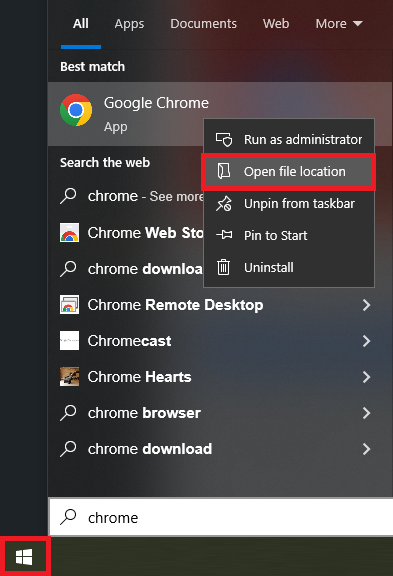
Step 1: Open the Start menu and search for your preferred web browser (e.g., Chrome or Firefox). Right-click the application icon and select ‘Open file location’ from the context menu.
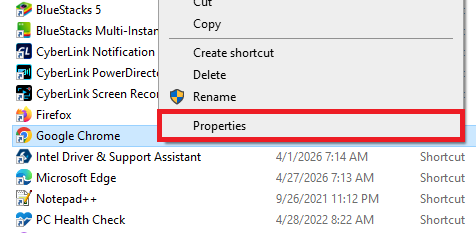
Step 2: Right-click the browser icon and select Properties from the context menu.
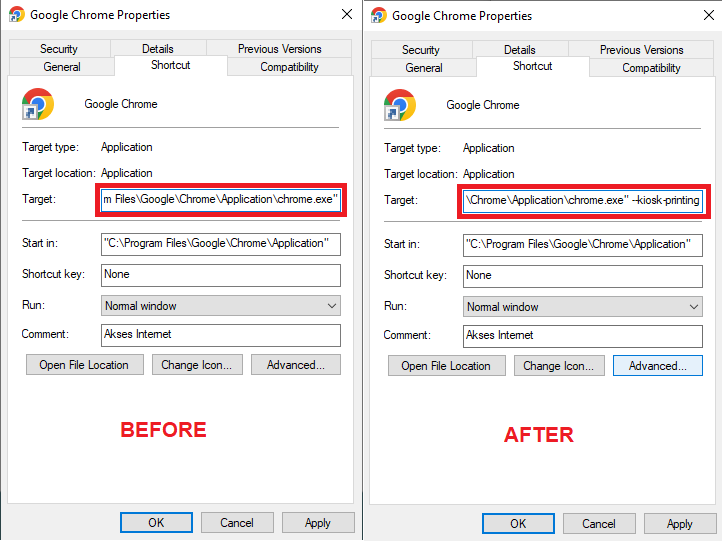
Step 3: In the Target field, paste the provided text at the end of the existing path. Please verify that a single space precedes the new text to ensure the command is executed correctly. Click OK to apply the settings.
--kiosk-printing
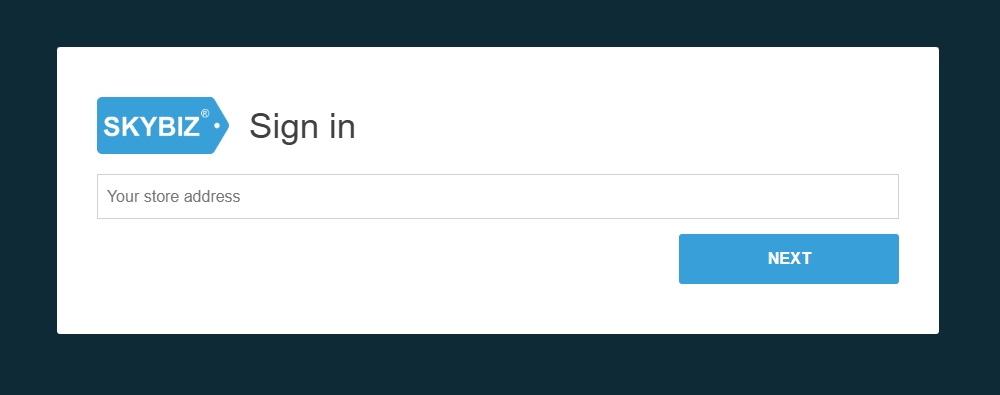
Step 4: Once the setup is complete, access https://www.skybizcloud.com/01/ and sign in to your dashboard.
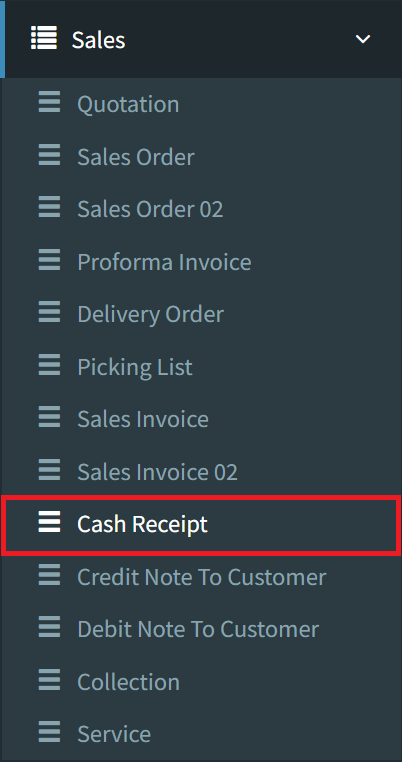
Step 5: Go to Sales > Cash Receipt to access the counter.
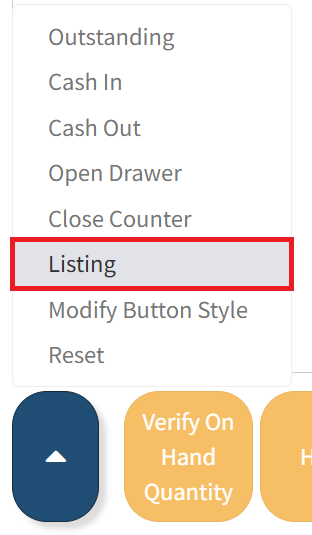
Step 6: Select the Chevron Top button, then choose the Listing option to display the complete receipt history.
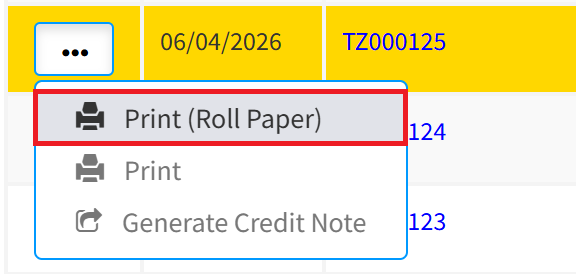
Step 7: Select the desired receipt, click the More Options (three-dot) icon, and select Print (Roll Paper). A new tab will open automatically with the print preview.
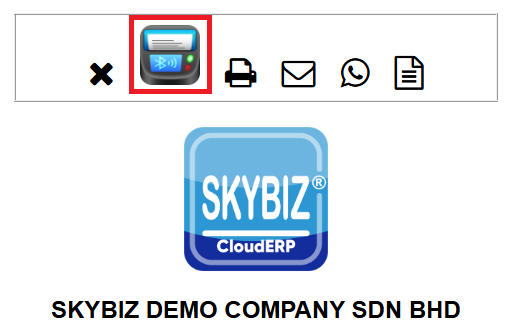
Step 8: Click the Share Printer icon to finalize the test. The receipt should print immediately without any additional prompts or popups.
Conclusion
In summary, SKYBIZ Printer Service offers a sophisticated yet user-friendly solution for modern business environments. By centralizing the printing infrastructure onto a single Desktop-based host, it effectively bridges the gap between complex hardware setups and seamless operational output. Whether implemented in a fast-paced restaurant or a high-volume corporate office, the application delivers immediate value by eliminating the technical friction of individual driver management. Ultimately, SKYBIZ Printer Service empowers teams to focus on their core business activities while ensuring that document and receipt printing remains reliable, scalable, and effortless across the entire organization.
Powered By: SKYBIZ ®