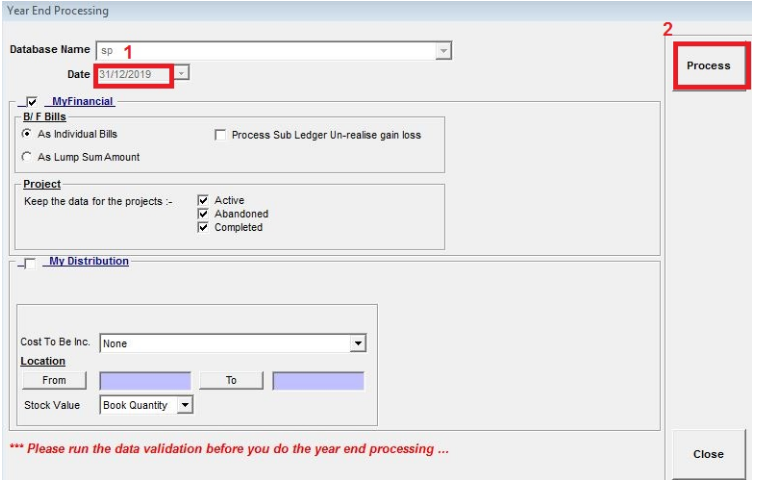
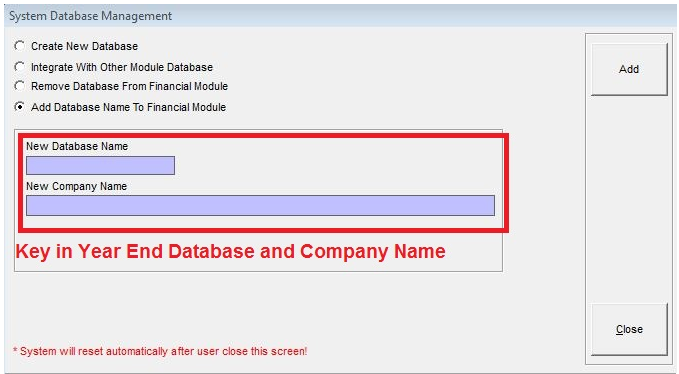
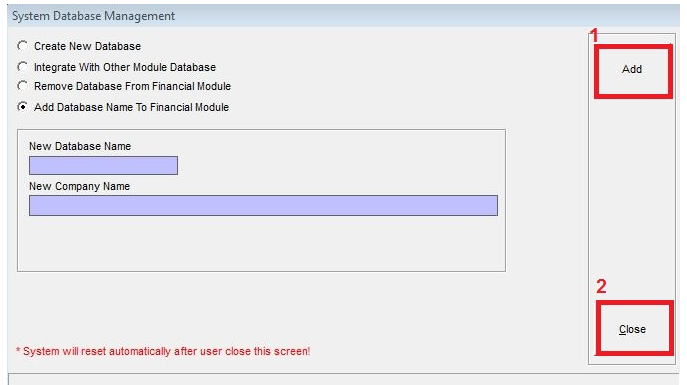
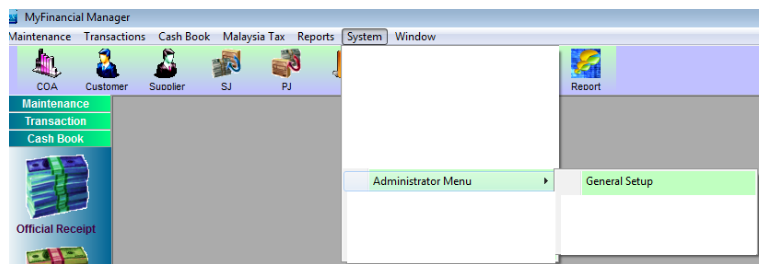
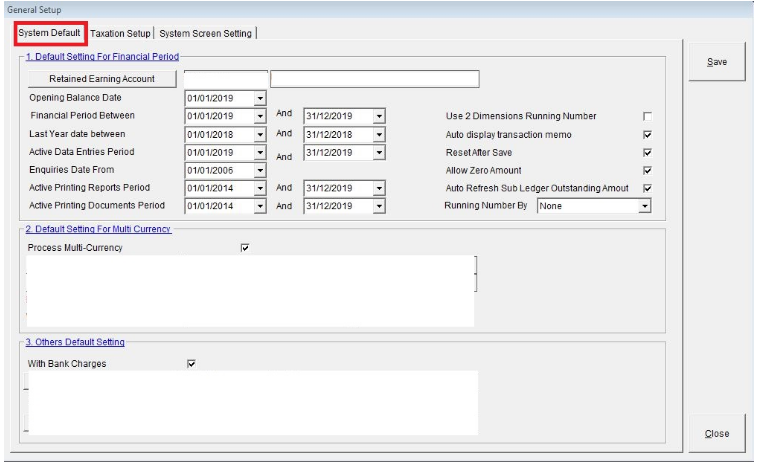
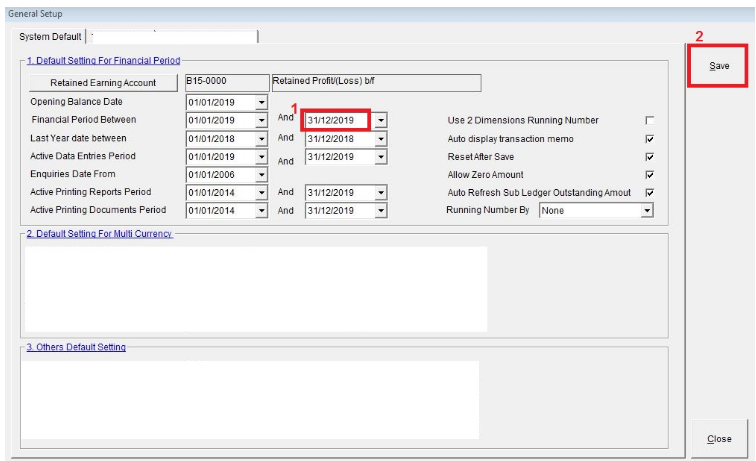
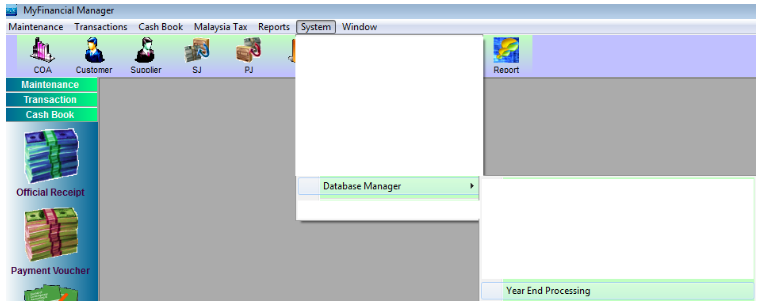
Year End Date Guidelines 2025-02-21 Financial a) Sign In SkyBiz® Financial b) After that go to System => Administrator Menu => General Setup: c) Then, System Default: d) Next, key in the Change Year End Date: e) And go to System => Database Manager => Year End Processing: f) Follow the guidelines below: Key in the Year End Date: Then, click button Process . g) Add Year End Database and Company Name:
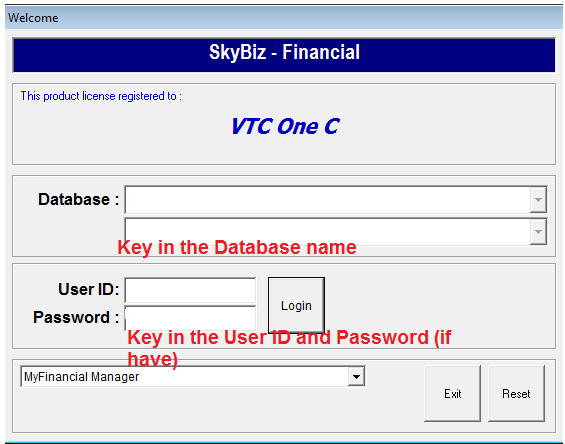
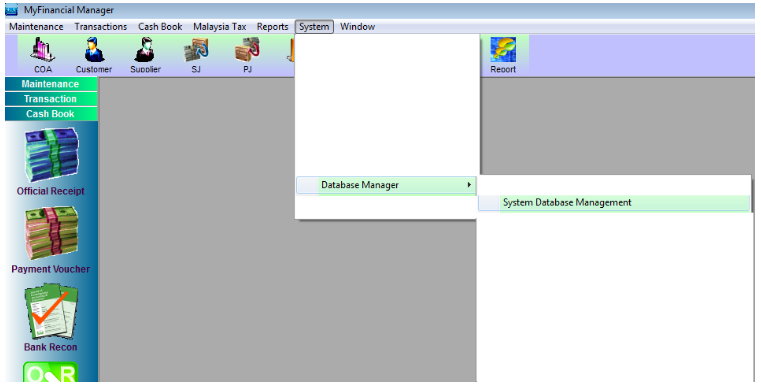
2025-02-21 Financial a) Sign In SkyBiz® Financial b) After that go to System => Administrator Menu => General Setup: c) Then, System Default: d) Next, key in the Change Year End Date: e) And go to System => Database Manager => Year End Processing: f) Follow the guidelines below: Key in the Year End Date: Then, click button Process . g) Add Year End Database and Company Name: