Below are Guideline(s) on How to Control Data Entries by User
-
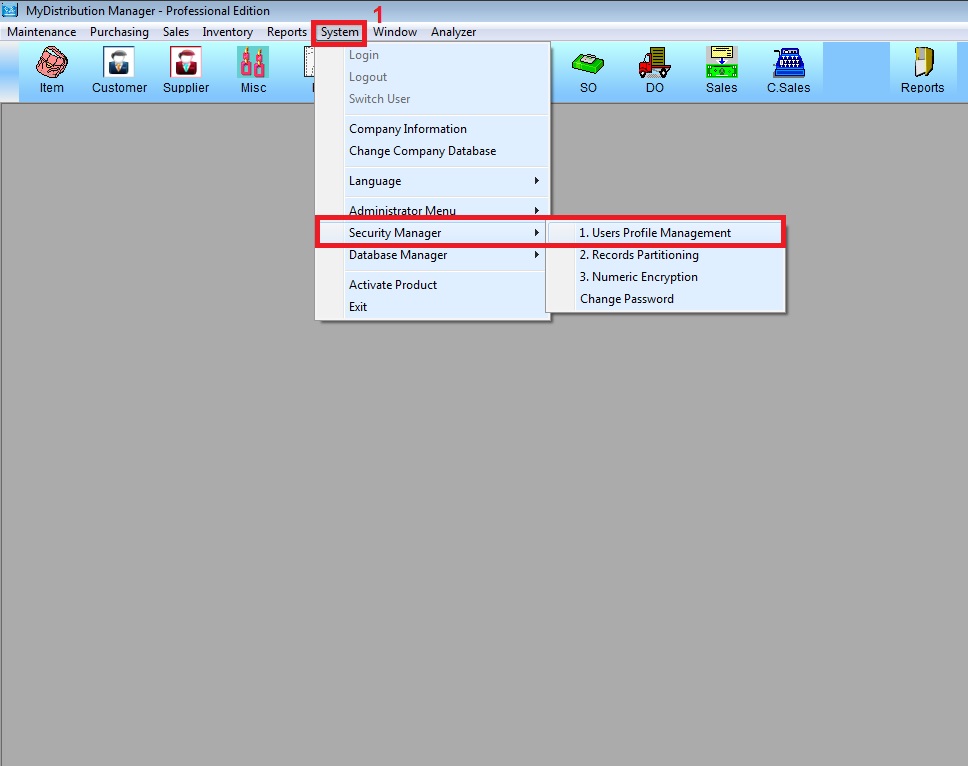
- Step 1: Go to System >> Security Manager >> User Profile Management
- 2. Go to List
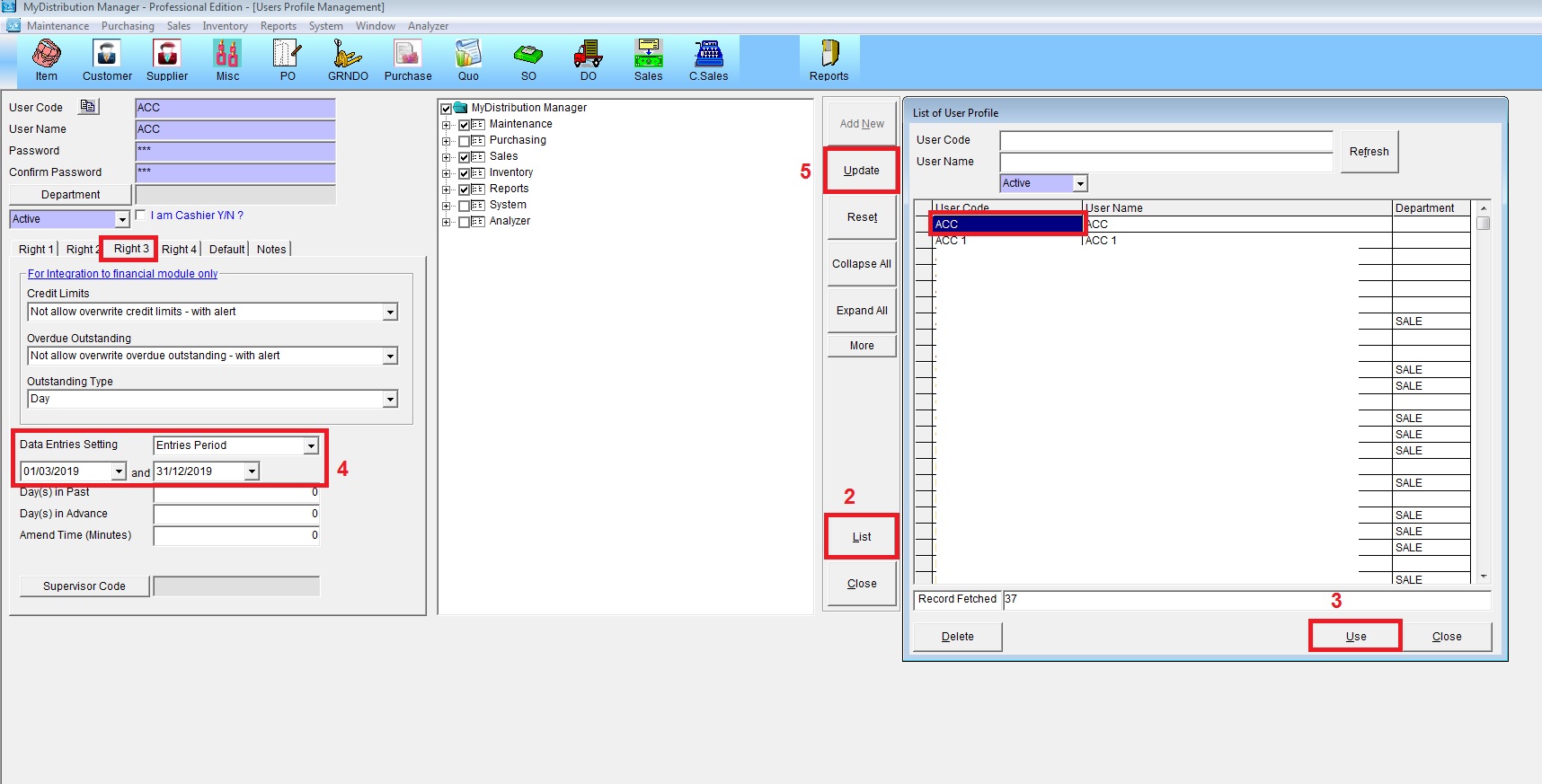
- 3. Hightlight User ID then Use
- 4. At Right 3 screen set Data Entries Setting select “Entries Period” then set the date
- 5. Update