Below are guideline(s) to install Teamviewer 9:
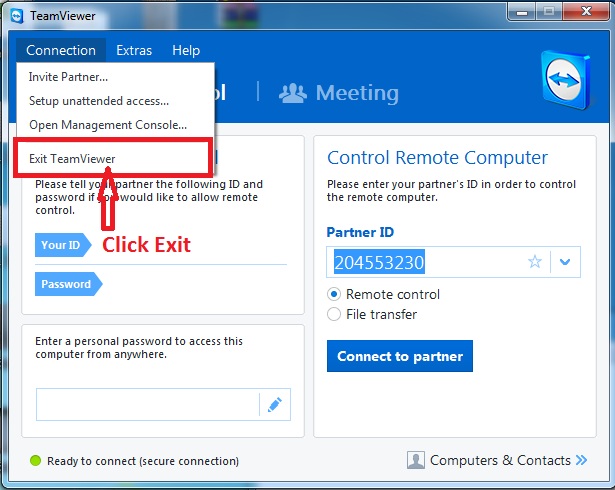
- Before installation, please exit your current Teamviewer.
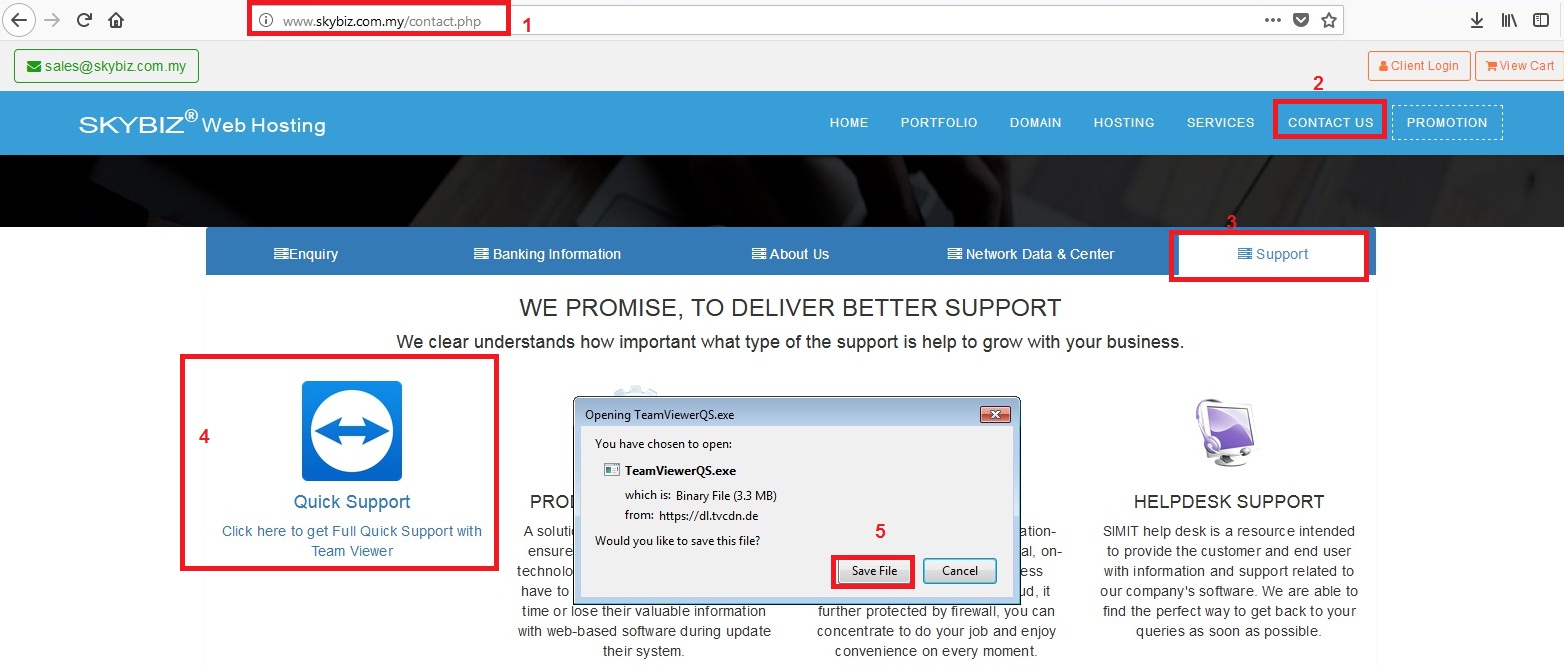
- Download SkyBiz Quick Support Teamviewer.
- On your browser go to https://skybiz.com.my/ and click “Contact Us“>>Support>>Teamviewer Quick Support Setup” and save the file. After download completes, click the file to install.
- Click “Run“

- Give our support team of your TeamViewer ID and password.

Powered By : SKYBIZ ® Beyond Cloud ™