Below are guideline(s) to install SkySyn
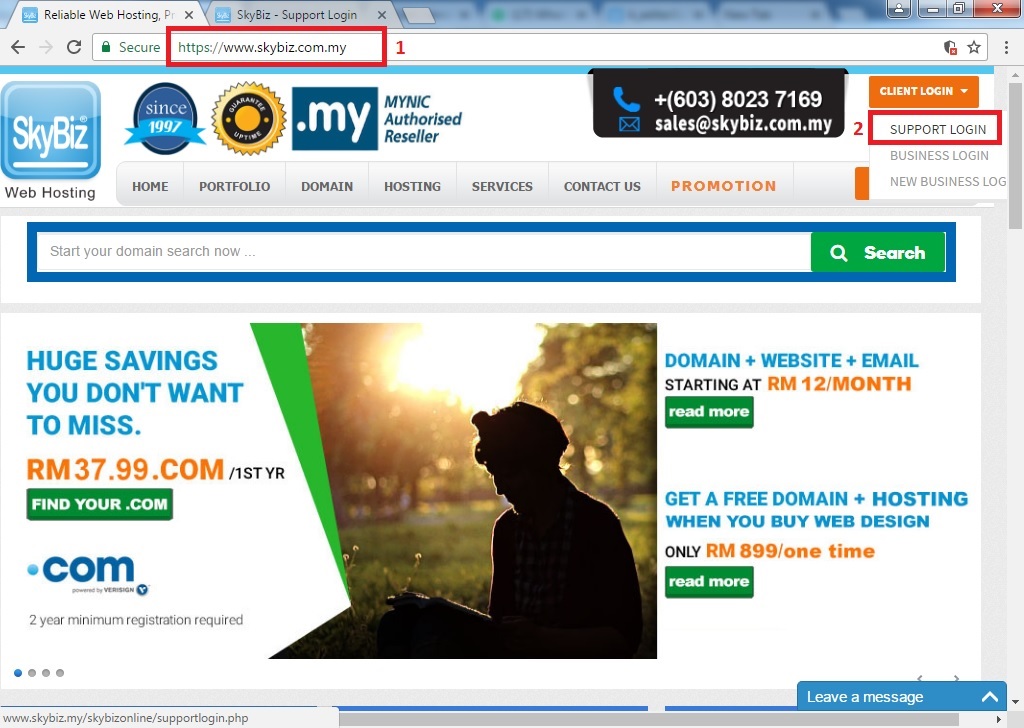
Step 1: Go to www.skybiz.com.my >> on top right corner of the website, click “Client Login” >> click “Support Login”
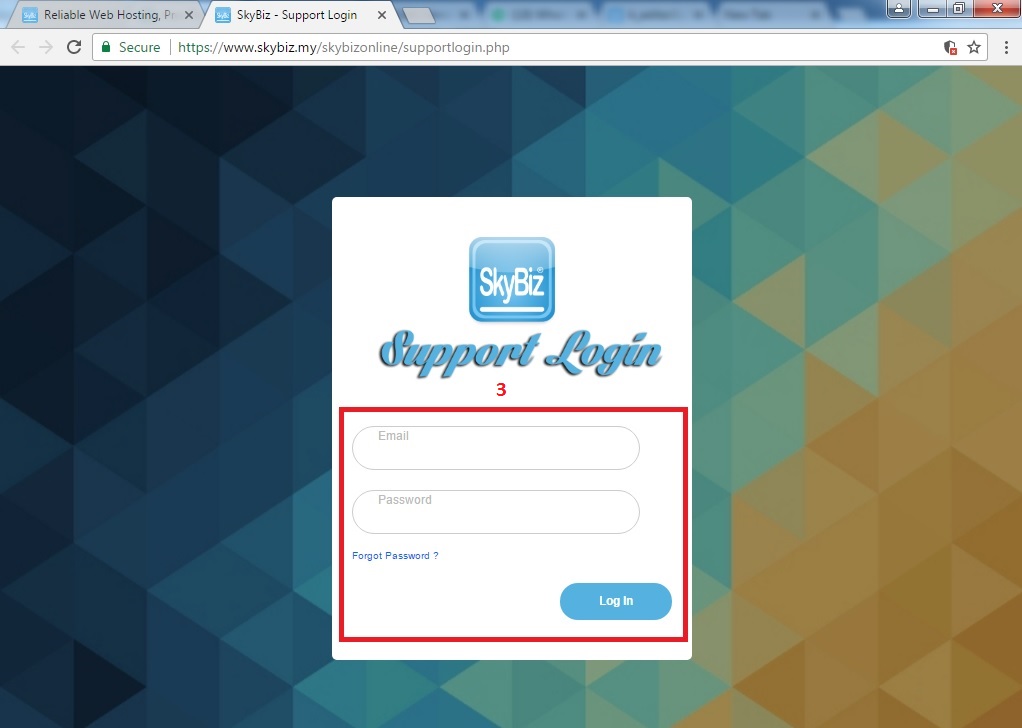
Step 2: Login to your account
Key in your user ID and password then login.
Step 3: Download Skysyn
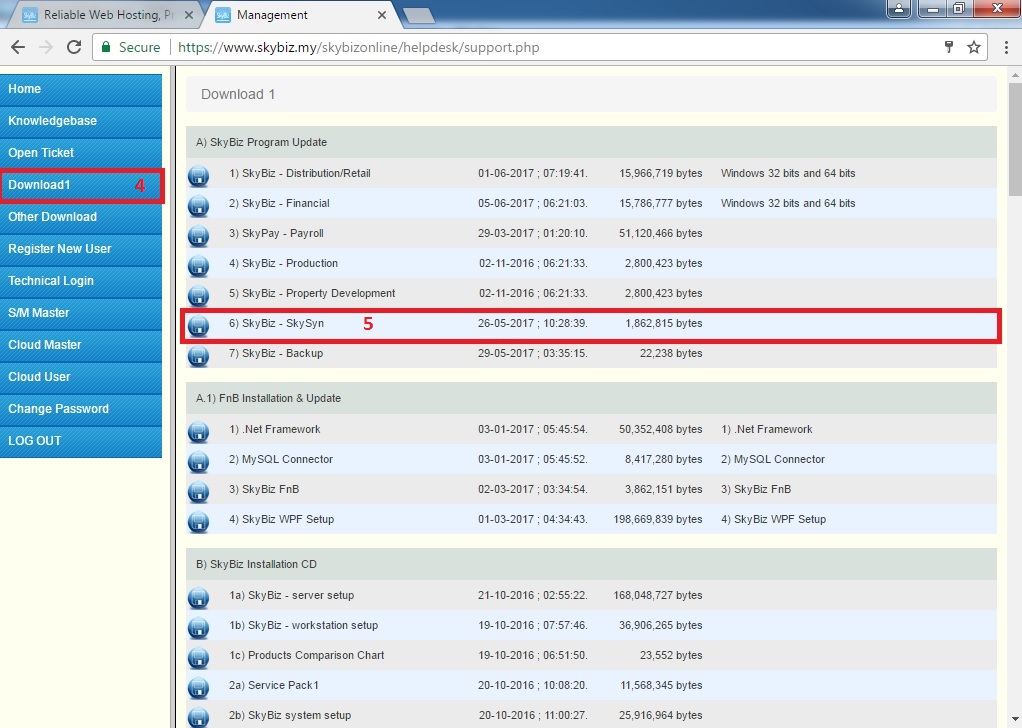
Click “Download 1” on left side bar of the website >> click the “Floppy Disk icon” on left side of SkySyn >> wait until download is complete
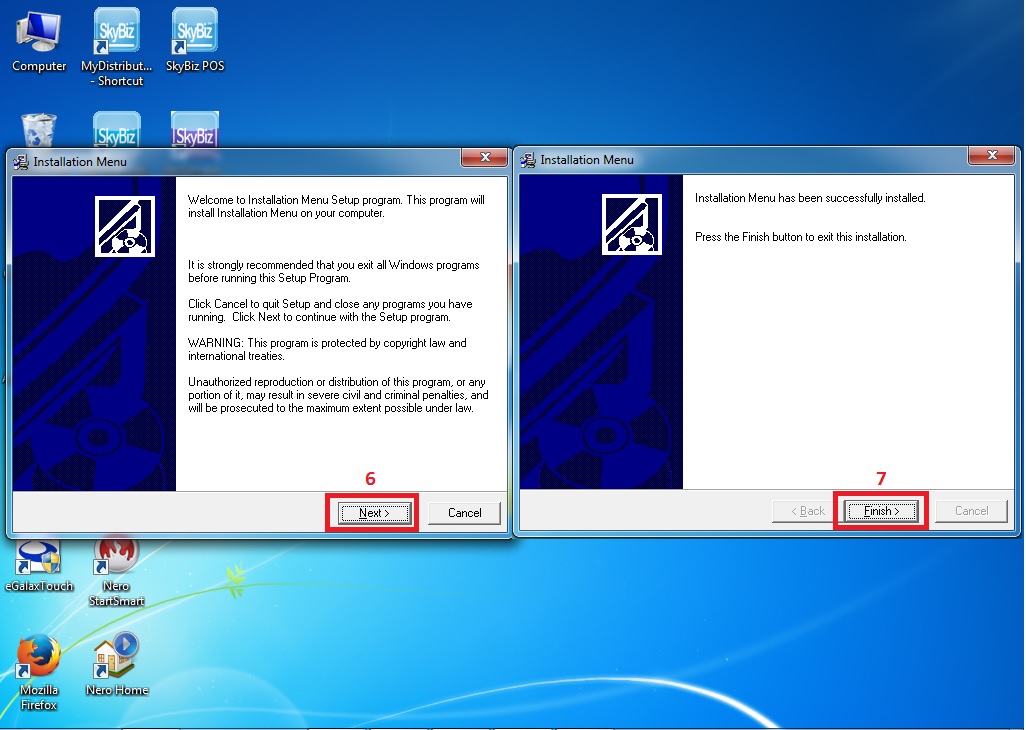
Step 4: Skysyn Installation
Click next until finish.