Below are guide to settle Dummy
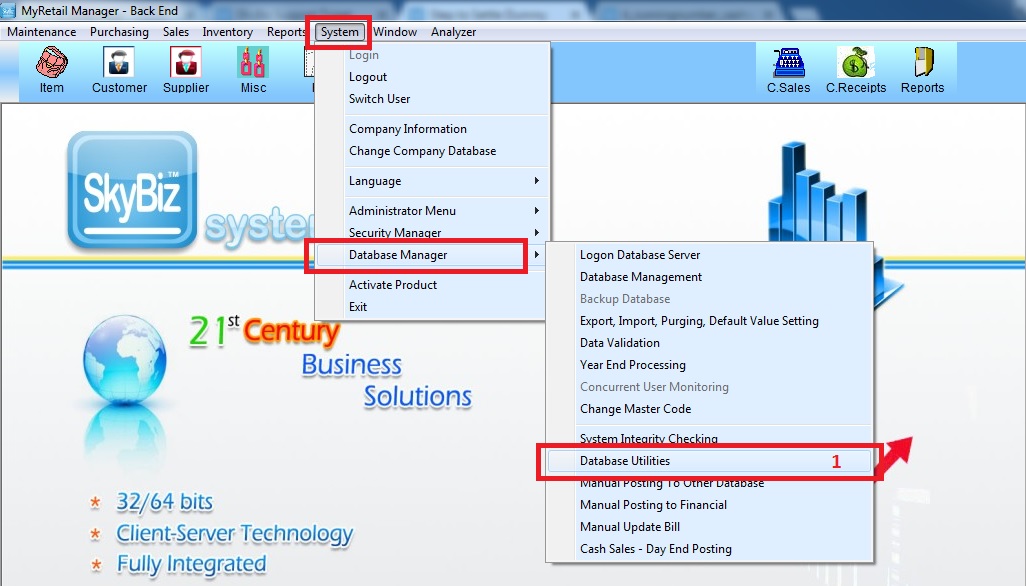
Step 1 : Go To System > Database Manager > Database Utilities
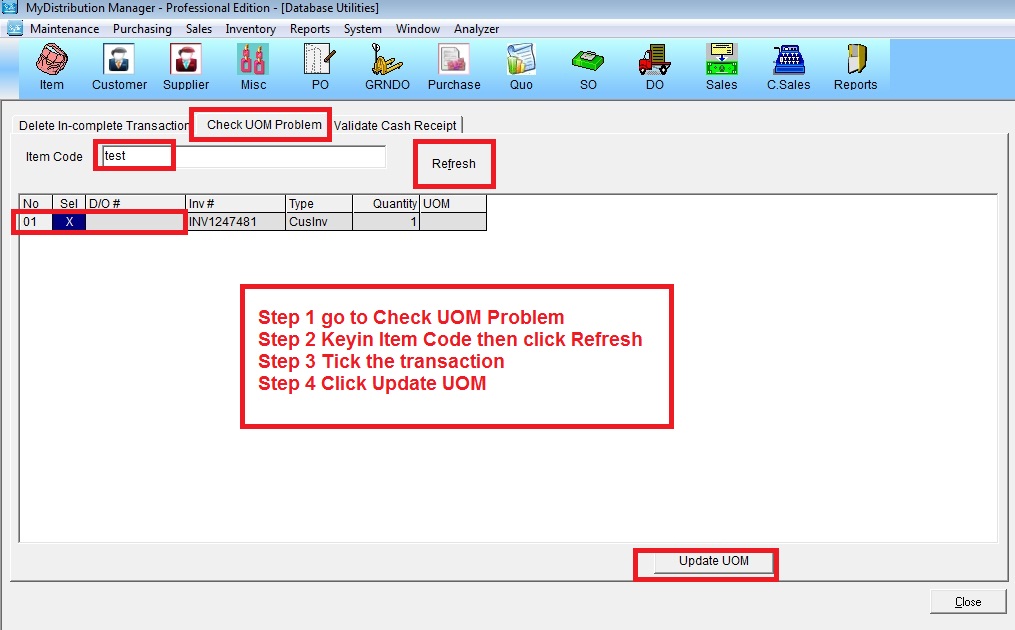
Step 2 : go to Check UOM Problem – Fill Item code then Refresh – Tick The Transaction – Click Button “Update UOM”
Below are guide to settle Dummy
Step 1 : Go To System > Database Manager > Database Utilities
Step 2 : go to Check UOM Problem – Fill Item code then Refresh – Tick The Transaction – Click Button “Update UOM”