SECTION B4 : SKYBIZ E-Invoicing Submission
Step 1 : E-Invoice Submission : go to [ System ] >> [ Company information] >> [ Malaysia e-invoice ] then click “Malaysia e-Invoice”
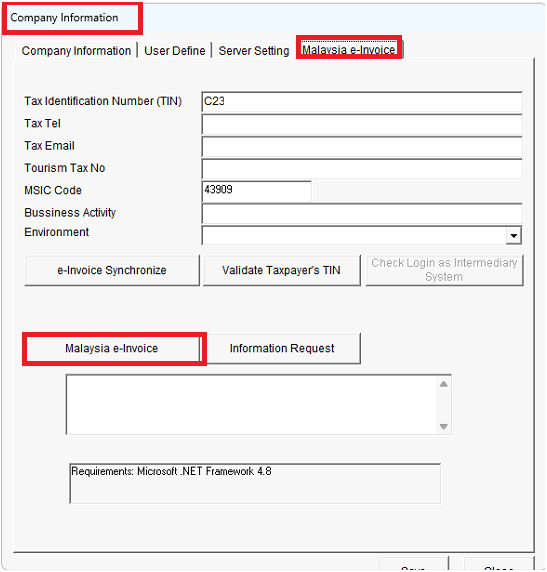
version 13.3.36
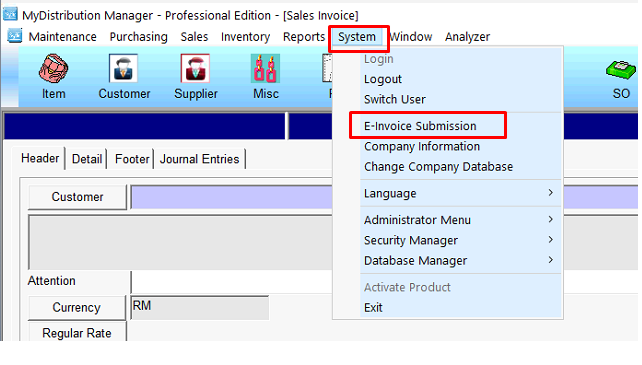
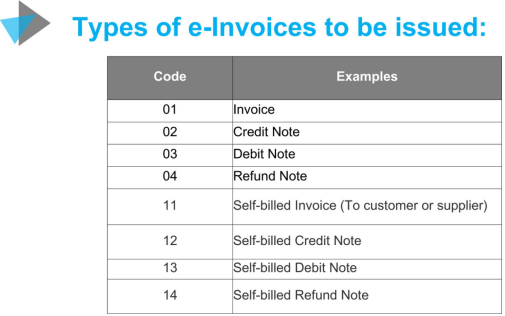
Step 2 : There are three types of e-Invoice (Standard e-Invoice, Consolidated e-Invoice, Standard self-billed e-Invoice), you may choose what type e-Invoice you want.
a. Standard e-Invoice
Issued by the seller for a single transaction.
> Regular e-Invoice
b. Consolidated e-Invoice
Multiple transactions combined into one invoice.
> Reduces invoice count, good for frequent transactions.
c. Standard Self-Billed e-Invoice
Buyer issues the invoice on behalf of the seller.
> Used when the buyer controls transaction details.
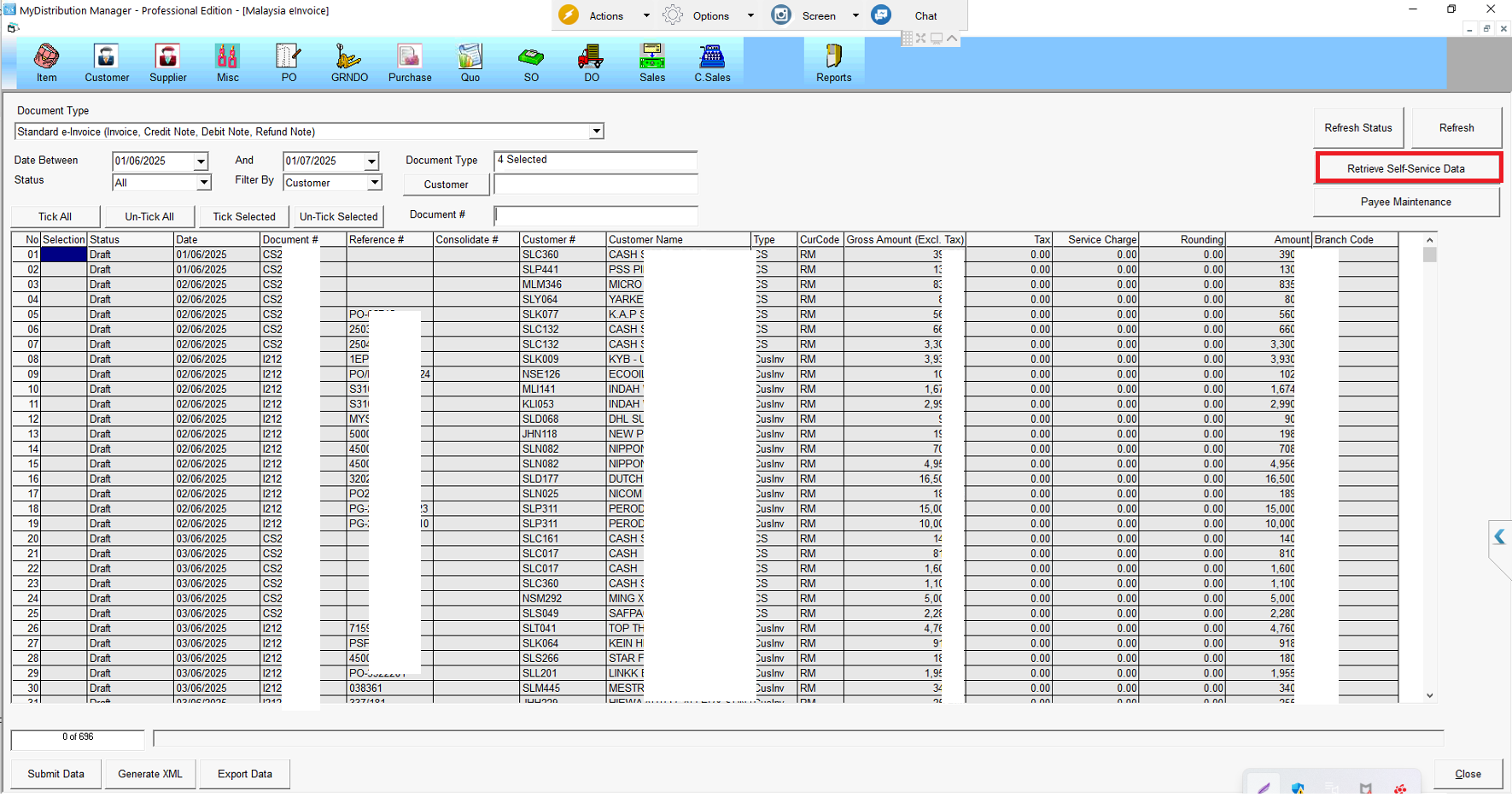
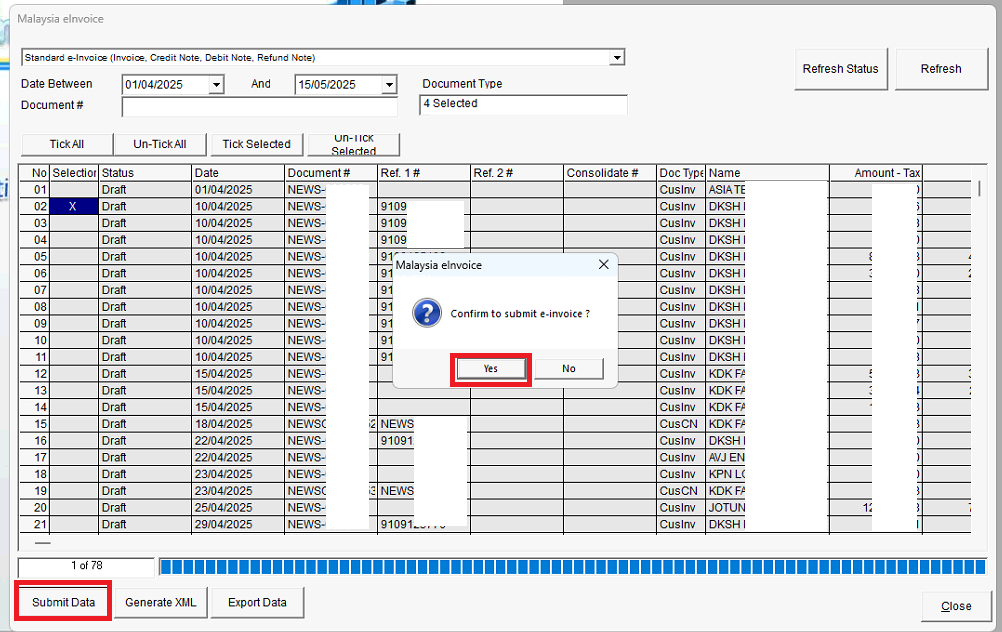
Step 3 : E-Invoice Submission : tick the invoice that you want to submit to LHDN >> click [ Submit Data ] >>>click [Yes]
Cash Sales customer