Below are guideline(s) to print barcode label:
- Login to MyDistribution or MyRetail.
- Go to Reports>>Print Barcode Label.
- Tick Item Code those would like to print, type your company name, choose correct preset format and click print.
-
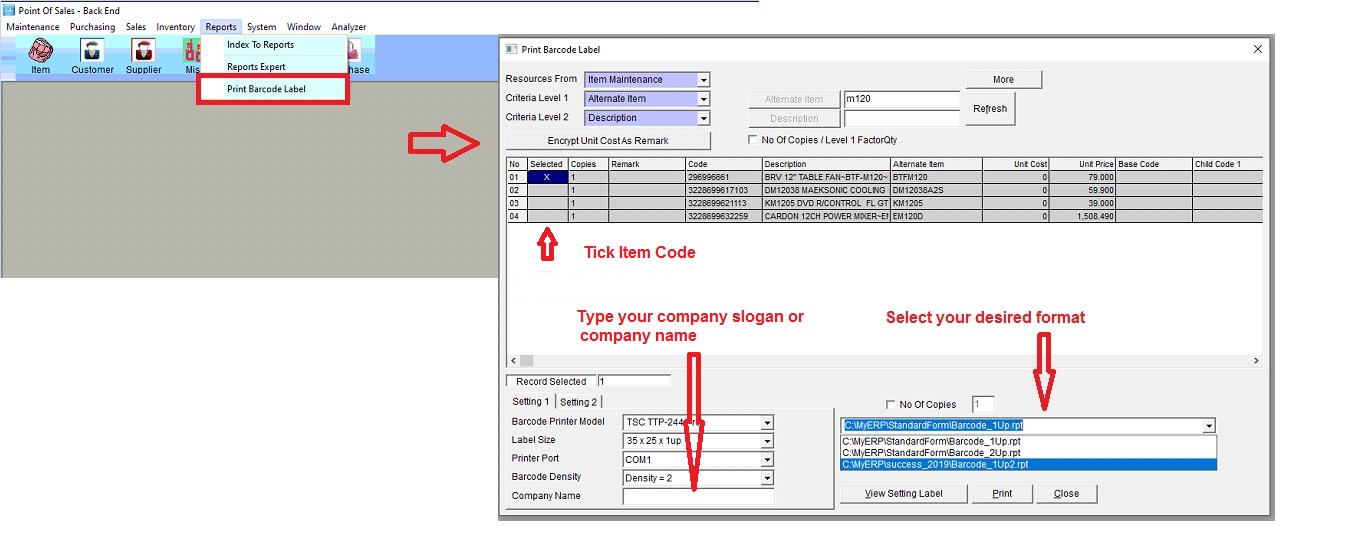
Print Barcode Label
- Click “Printer Setup”, Choose correct barcode printer example TSC244, etc
-
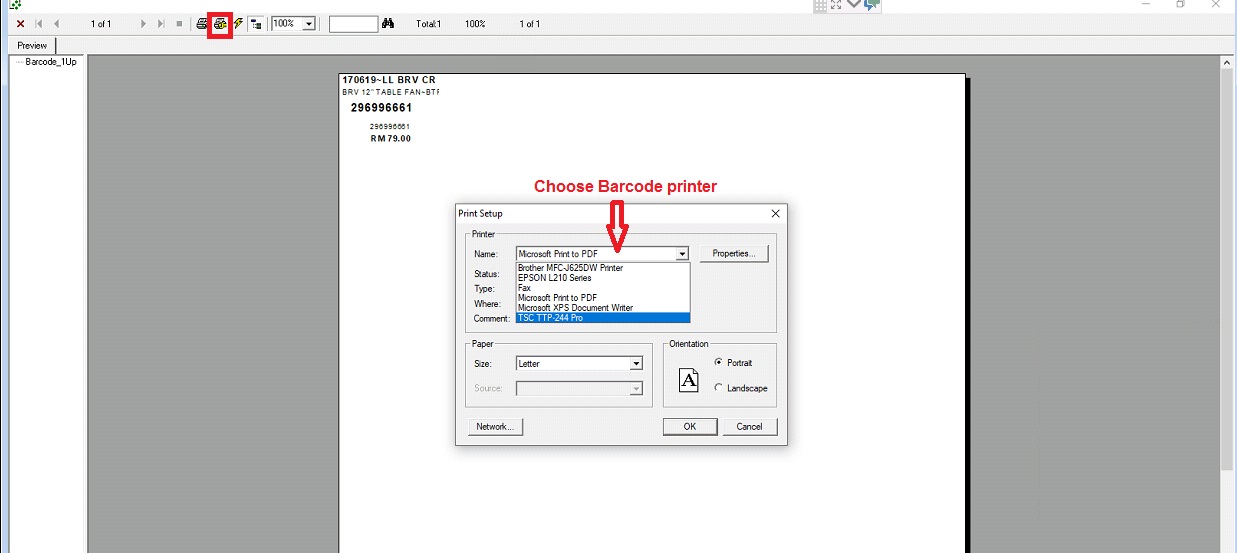
Choose Barcode Printer
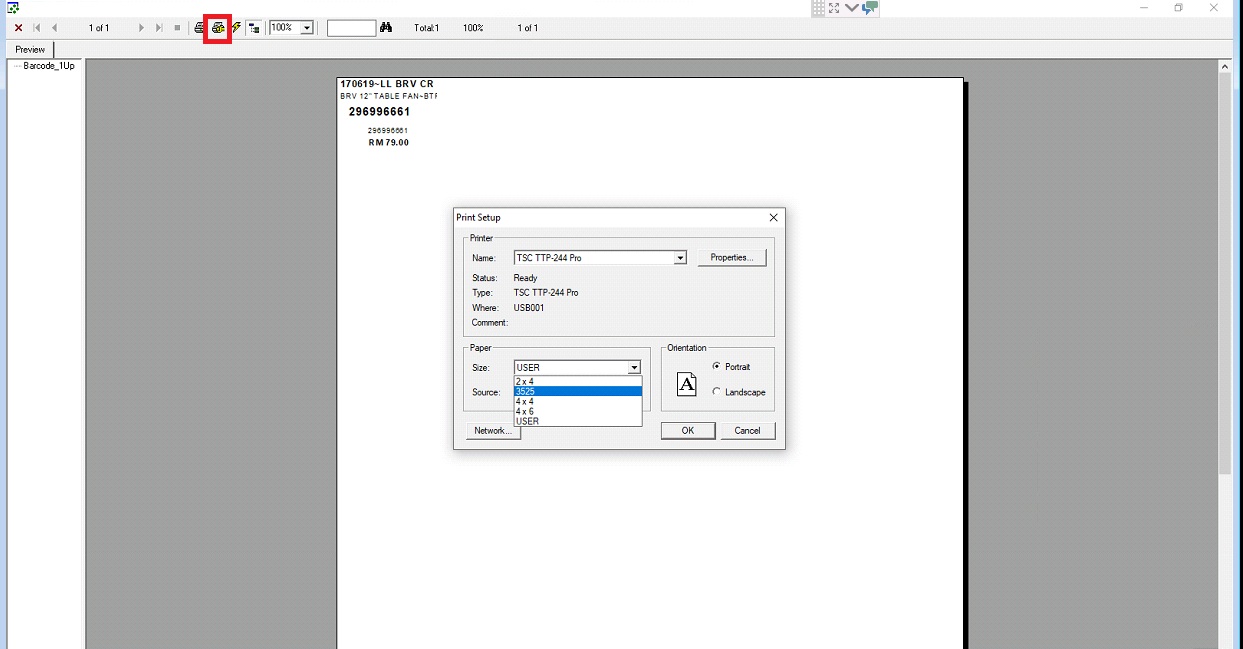
- Choose Paper Size Example 3525
-
Choose Preset Paper Size Example 3525
- Final outlook before print and click an icon print to print.
-
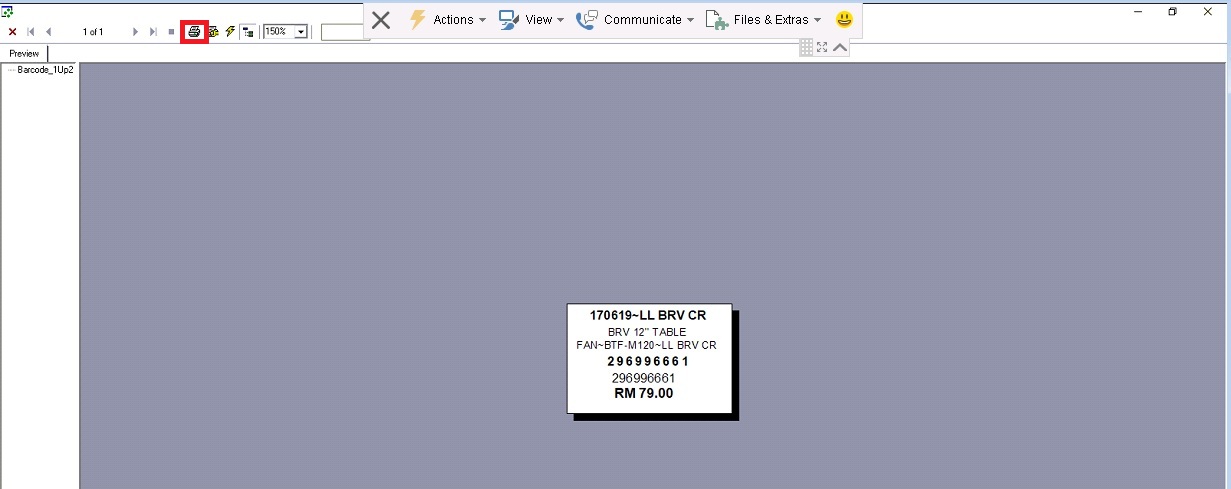
Screen outlook, Click an icon print
Powered By : SKYBIZ ® Beyond Cloud ™