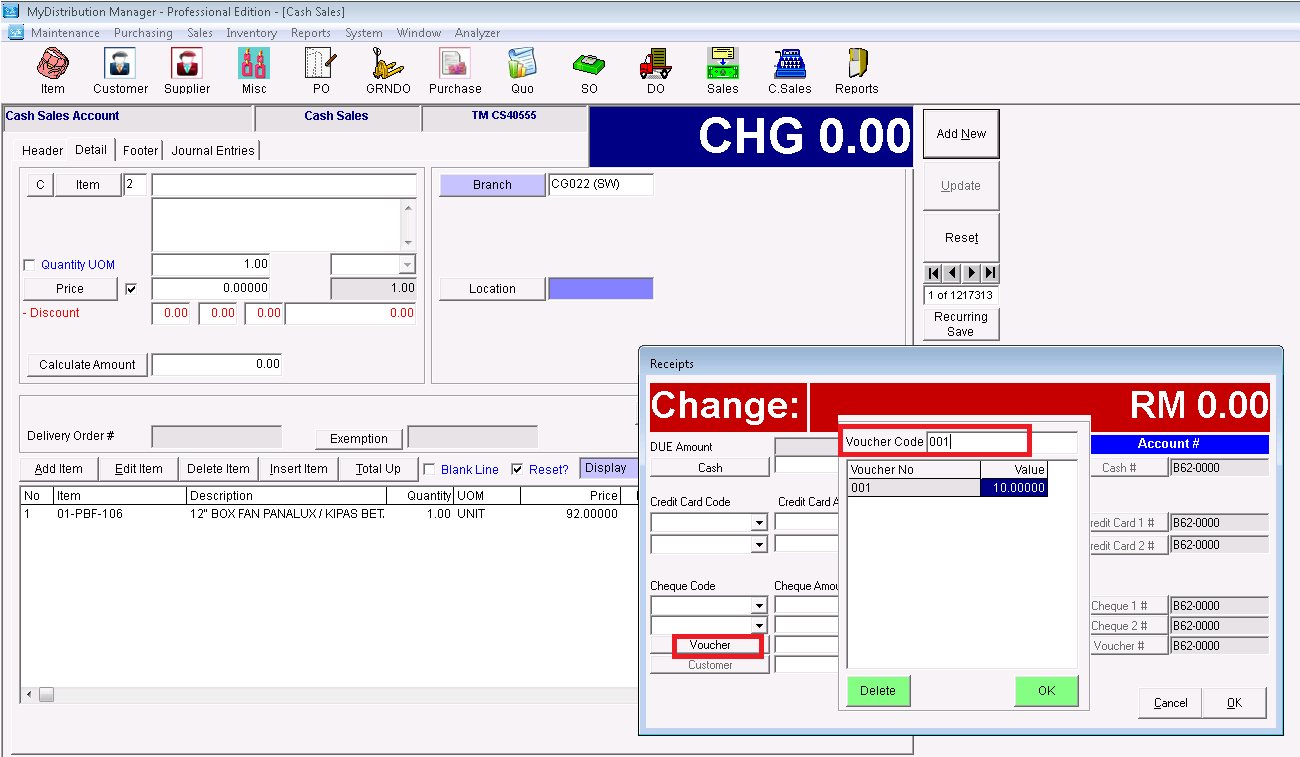
Below are guideline(s) to preset voucher:
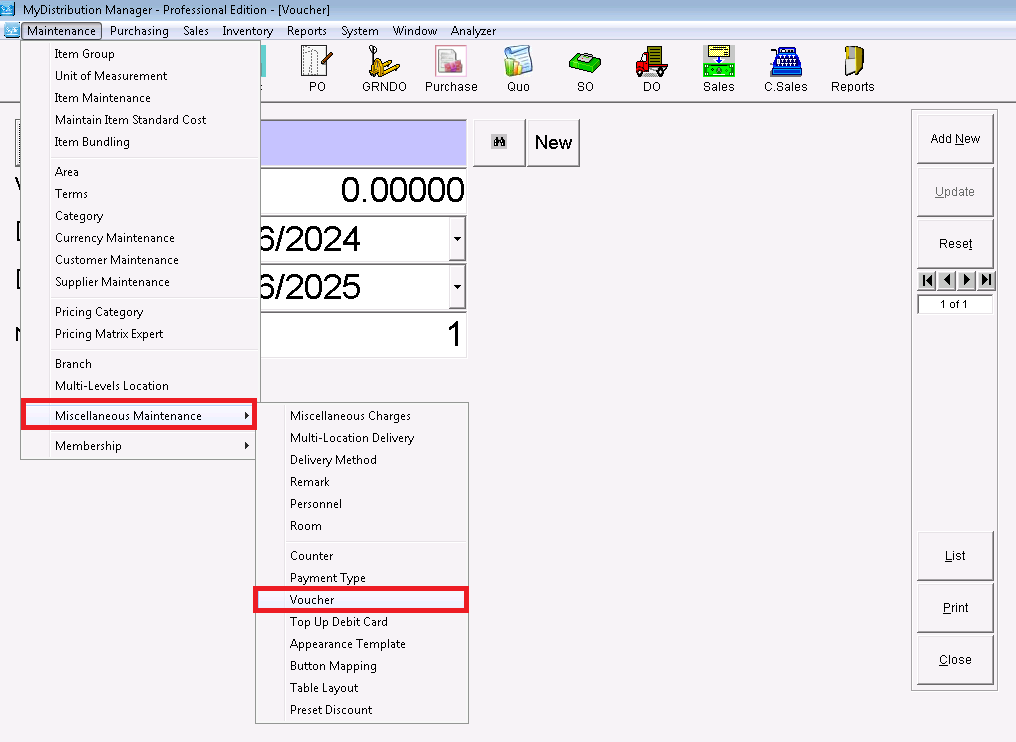
1.Click on menu maintenance>>Voucher .
2.Please fill up Voucher Number, Voucher Value, Date From, Date To and Number Generate (entry how many quantity want to generate)
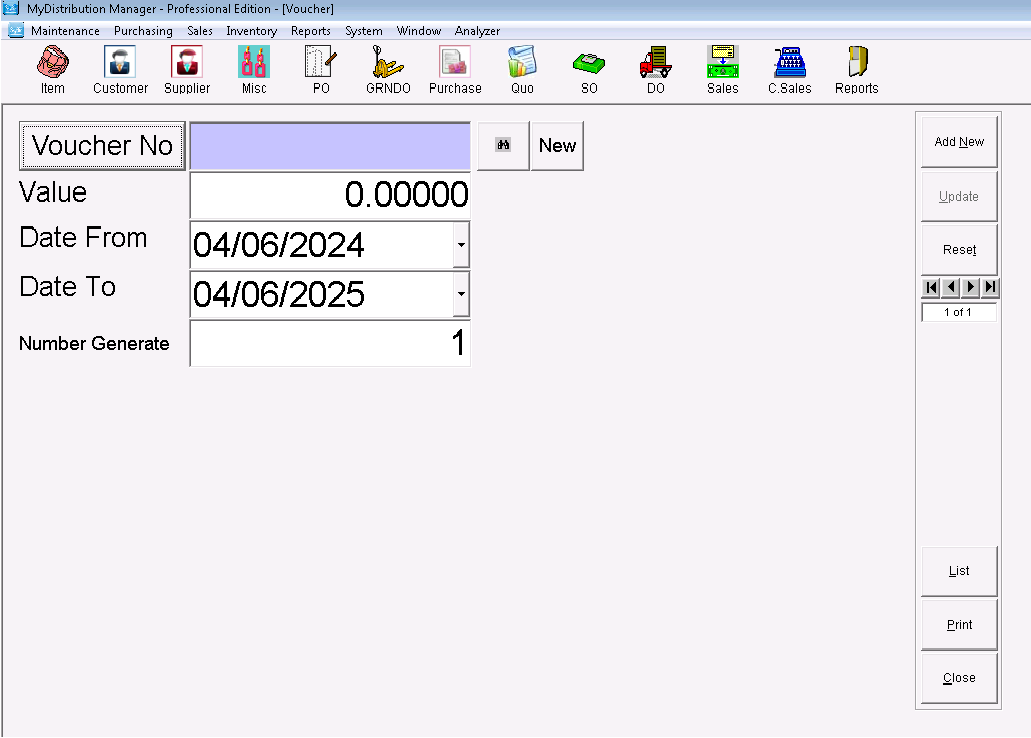
*Date From, Date To are carrying meaning of voucher expire date or voucher validity date.*
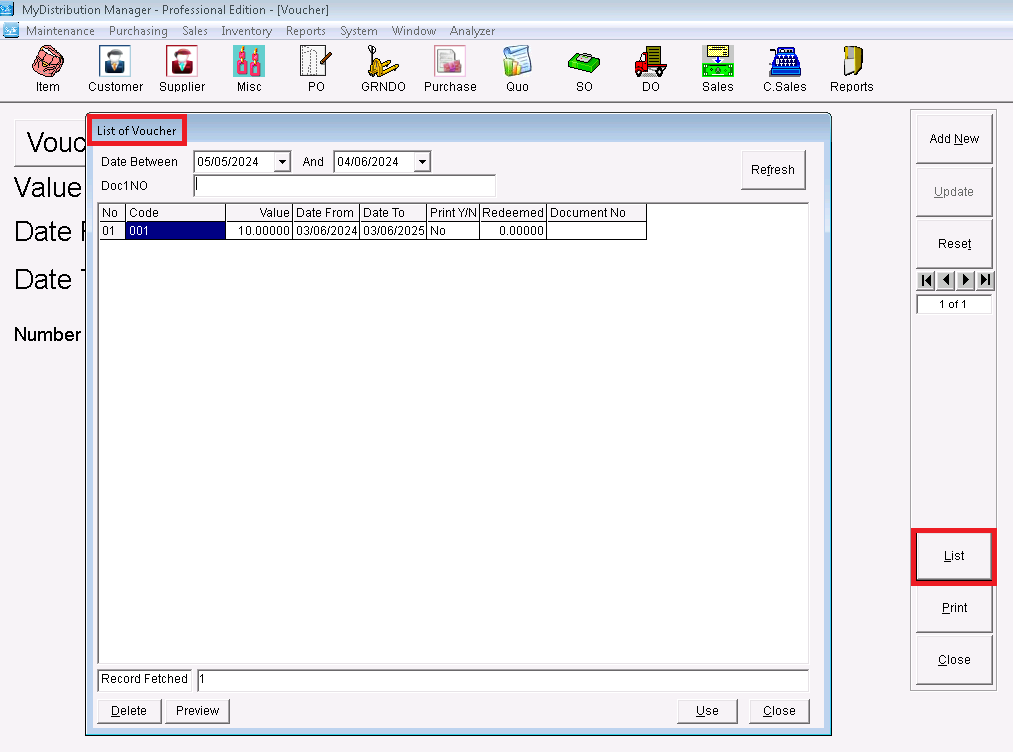
3.After create voucher you can click list to view all the voucher.
4.You can entry voucher number or scan voucher code to do deduction.