Below are guideline(s) to do cash receipt using voucher :
A. Create Voucher Code
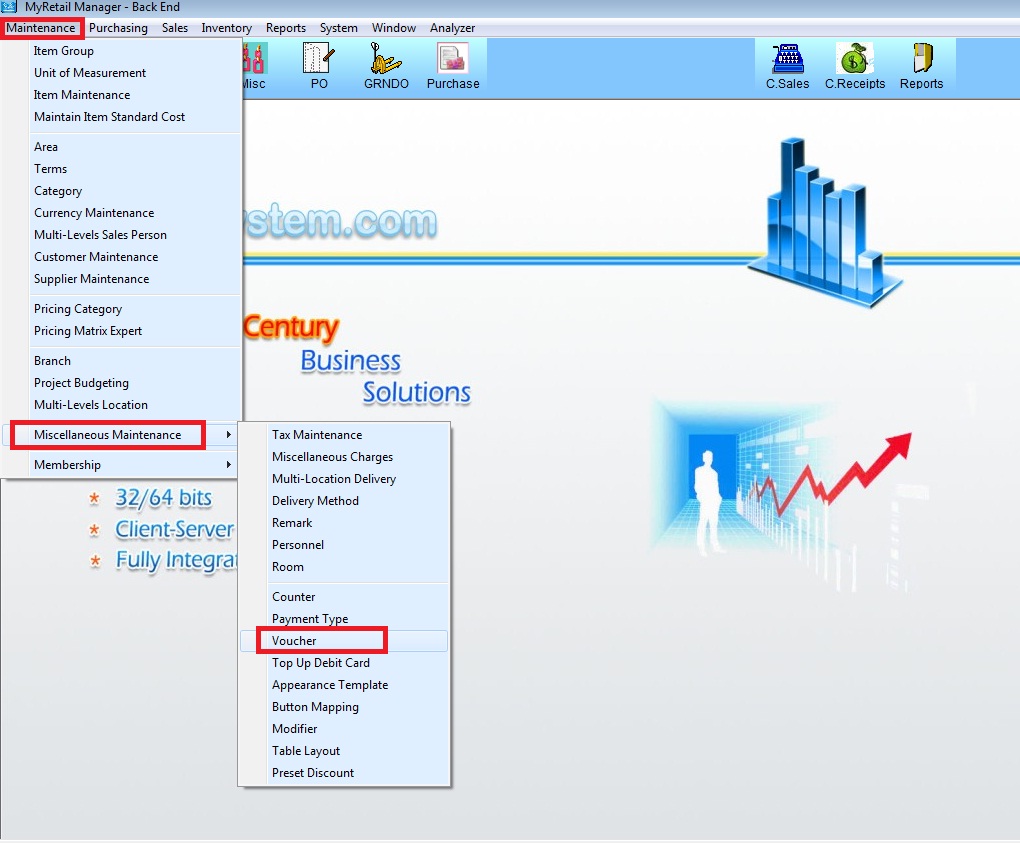
1. Go to Maintenance > Miscellaneous Maintenance > Voucher
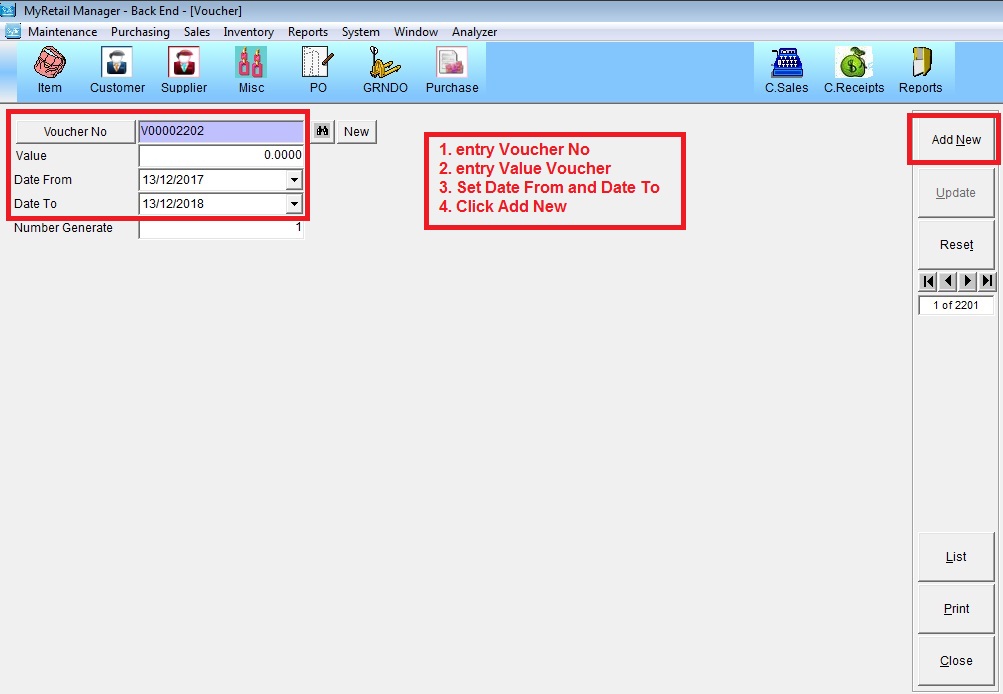
2. Entry Voucher No, Value Voucher, Set Date From and Date To, and click Add New
B. Transaction Cash Receipt using Voucher
Nb: Entry Transaction cash receipt like normally
1. After done transaction click F9 (Multi-Payment)
2. Click button “Voucher”
3. Entry Voucher code and press enter
4. Click “ok”
