Below are guideline(s) to create new account code:
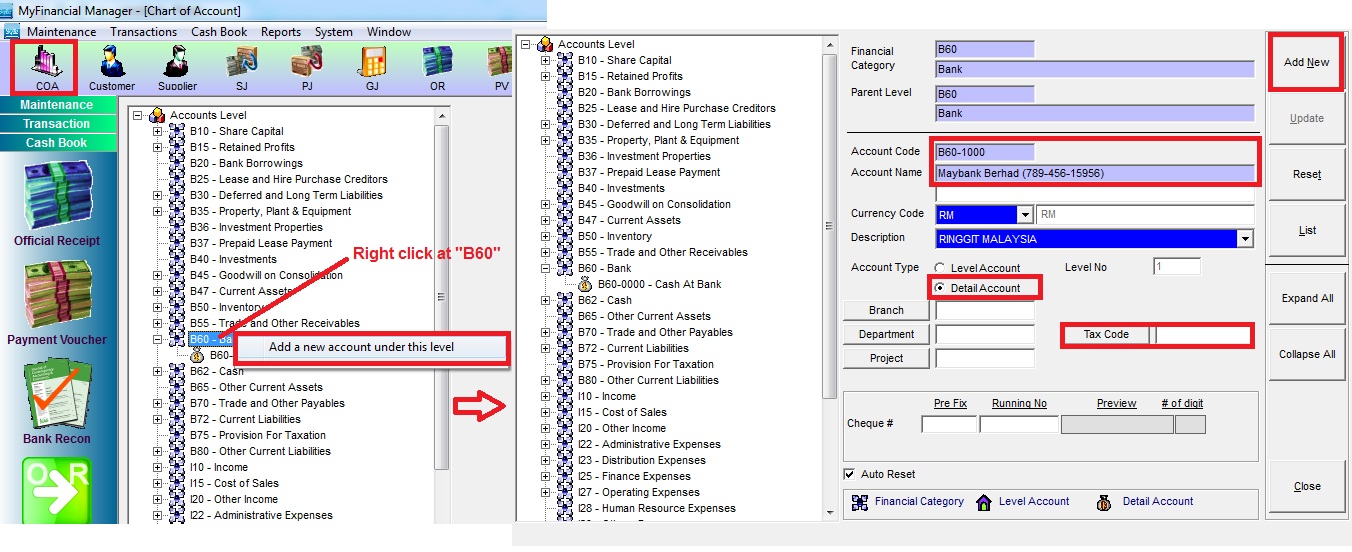
- Go to “COA” or “Maintenance>>Chart Of Account“
- Right click Category “B60” (assume to create new bank account code) and click “Add a new account under this level“.
- Fill up all information (Follow screen shot steps)
- Fill up Account Code, Account Name, Account Type as Detail Account, Tax Code.
- Click “Add New” to confirm your data information.
Powered By : SKYBIZ ® Beyond Cloud ™