Below Are Step How to do Export and Import data :
Nb: Before do Export Import…Create One New database first
A) Steps to Export
Step 1. login to database which want to export
go to System > Database Manager > Export, Import, Purging and Default value setting
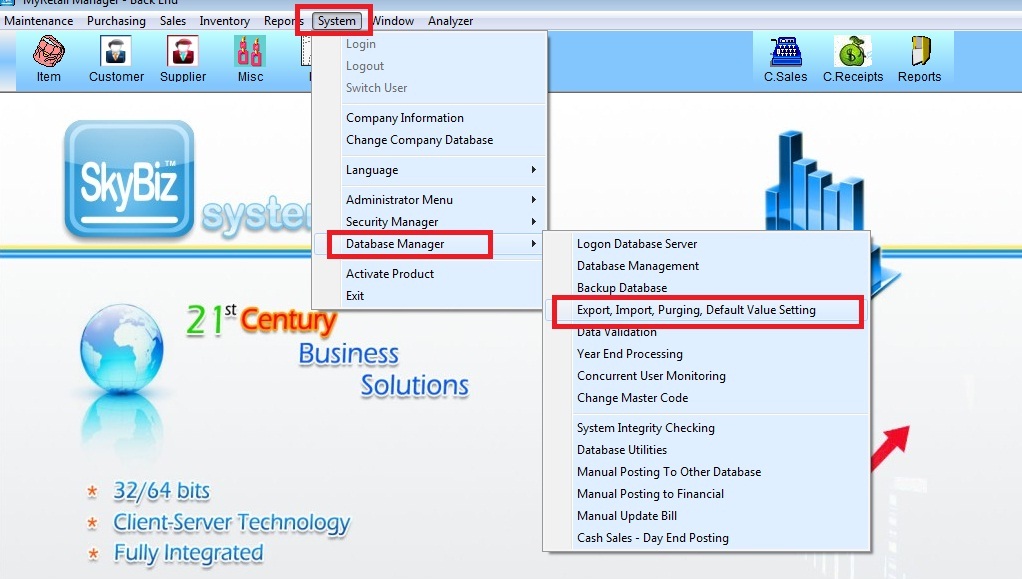
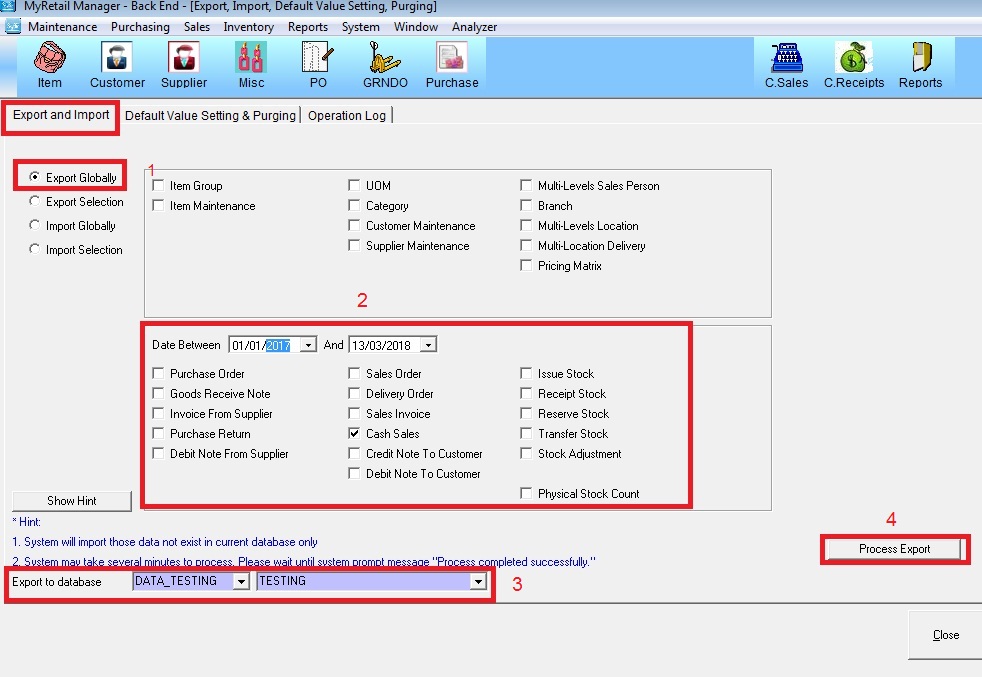
Step 2. Choose Export and Import >> tick “Export Globally” >> choose Date Between and tick which module want to export >> Choose database to export (New database ) >> Click “Process Export”
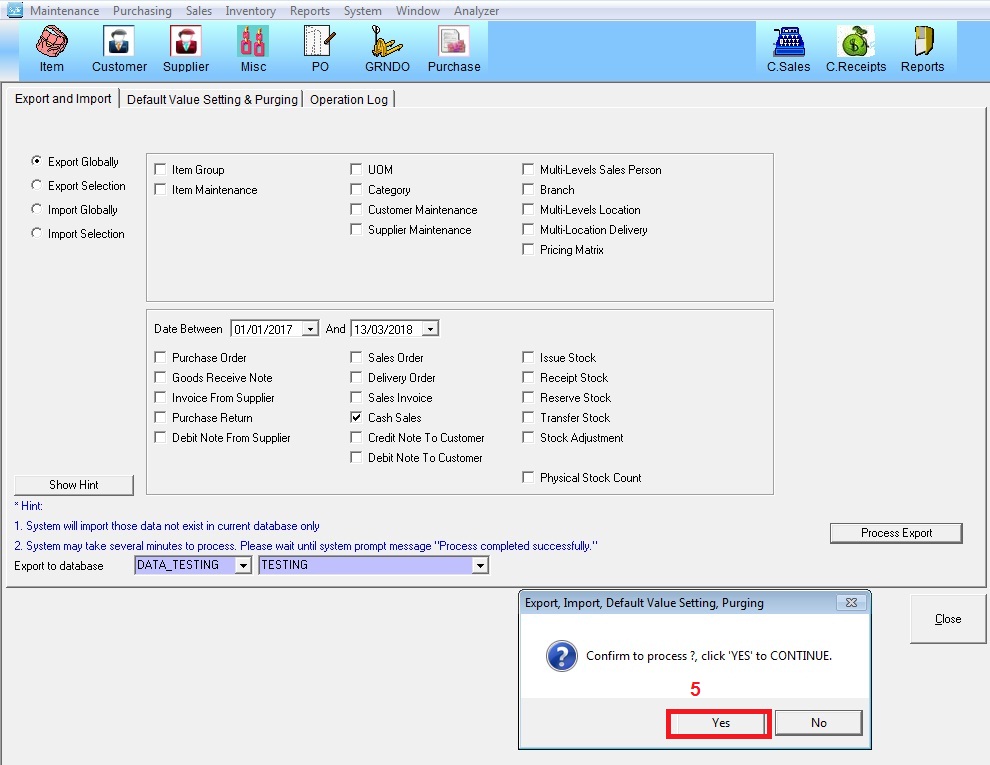
Step 3. Click “Yes” to process Export and wait until shown message “Process Completed Successfully”
Nb: Pls Login to New database to check first then continue to do Import
B) Steps to Import
Step 1. Login to database which want to Import
go to System > Database Manager > Export, Import, Purging and Default value setting
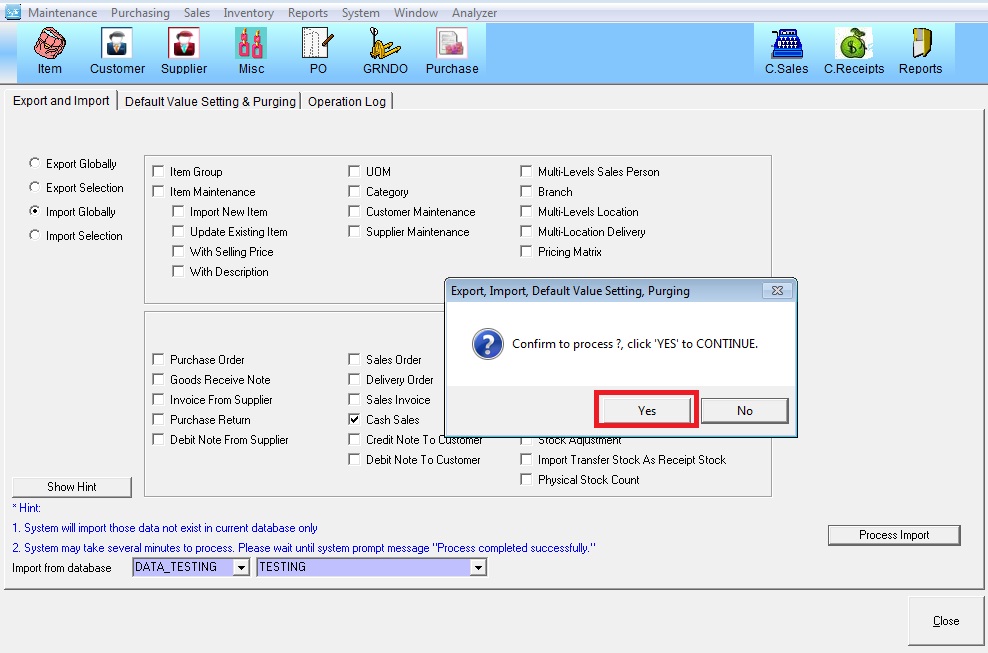
Step 2. Choose Export and Import >> tick “Import Globally” >> Tick which module want to Import >> Choose database to Import (New database ) >> Click “Process Import”
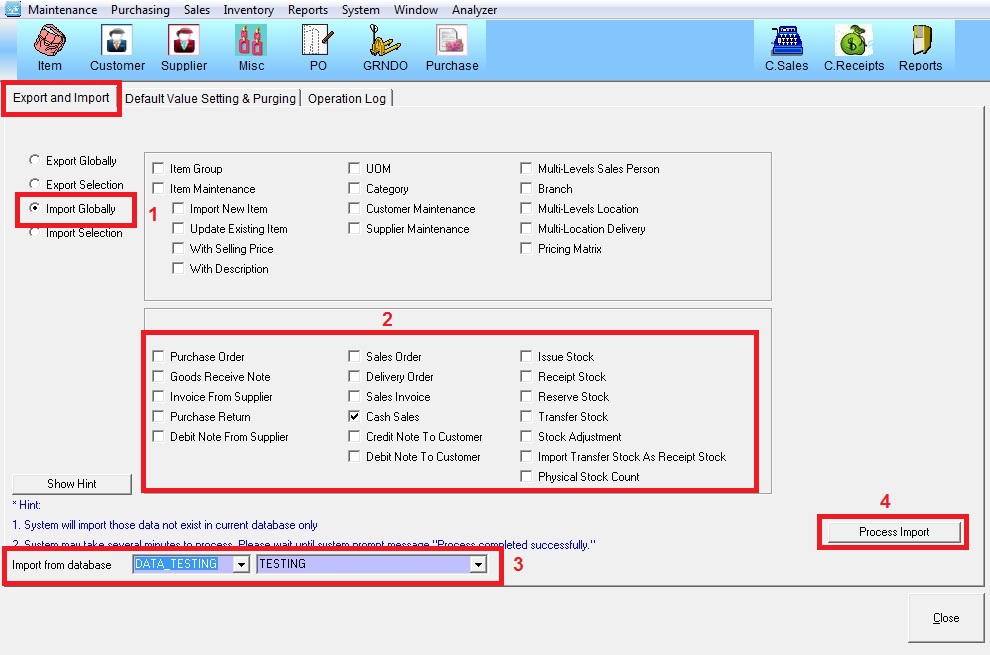
Step 3. Click “Yes” to process Import and wait until shown message “Process Completed Successfully”