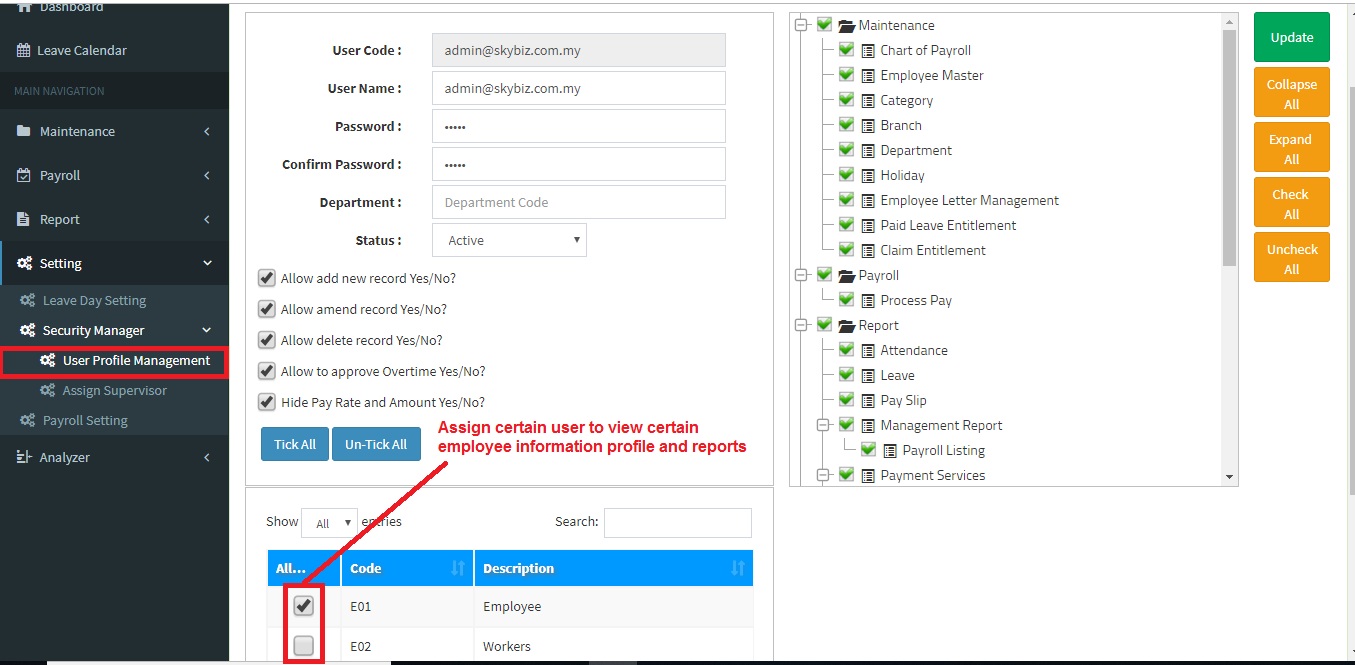
Below are guideline(s) to setting certain user(s) to view certain employee information profile and reports:
- Go to “Setting>>Security Manager>>User Profile Management“.
- Choose and tick Category code as screen shot.
- Click Add New/Update to confirm setting..
Powered By : SKYBIZ ® Beyond Cloud ™
E-Leave Management System|e-Data PCB