Below are guideline(s) to amend existing employee:
- Click “Maintenance>>Employee Master>>“.
-
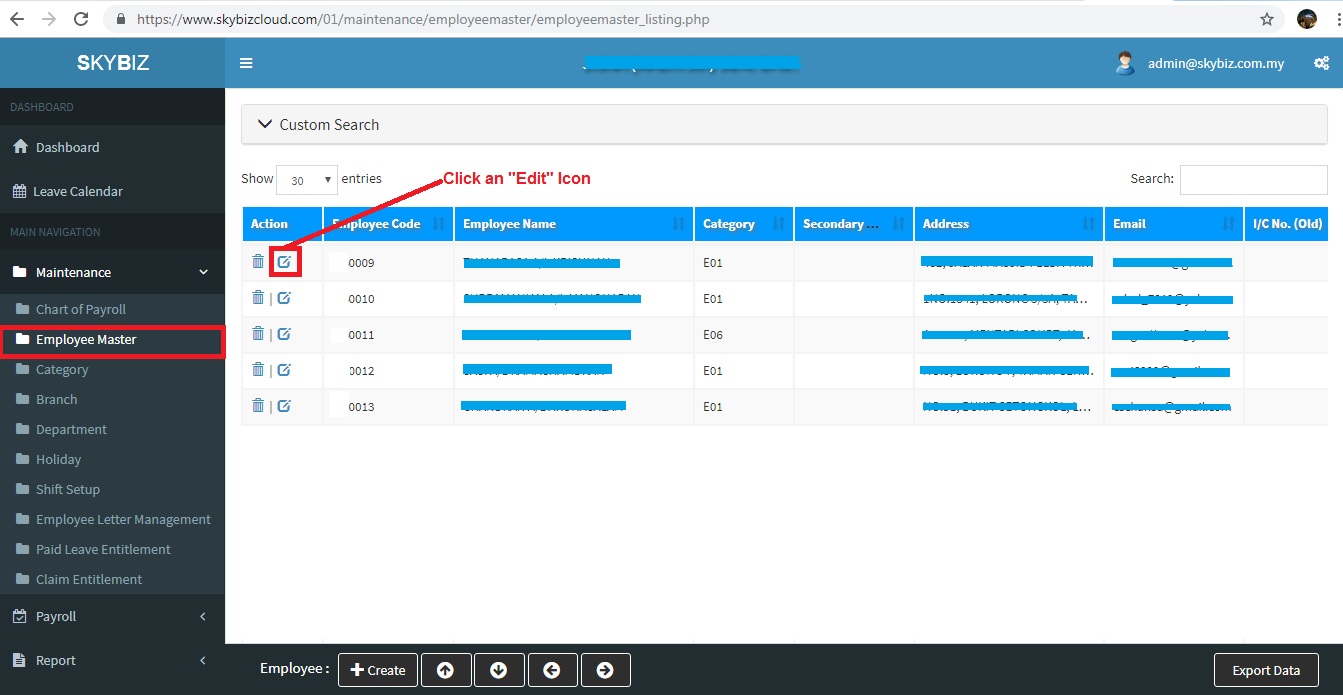
Employee Listing
- Fill up all information in “General” page. Date of Birth is most important information will affect EPF, SOCSO, PCB calculation, thus make sure DOB is correct.
-
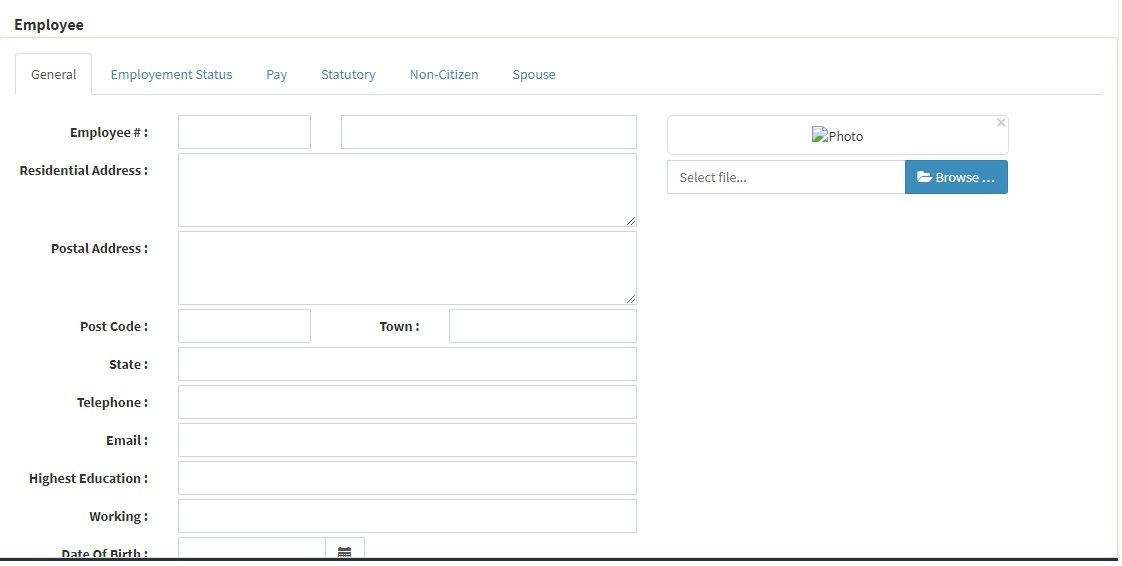
Employee Master – General
- Fill up all information in “Employment Status” page, like Job Title, Category, Branch, Department, Date Commence, Date Confirmed, Date Promoted.
-
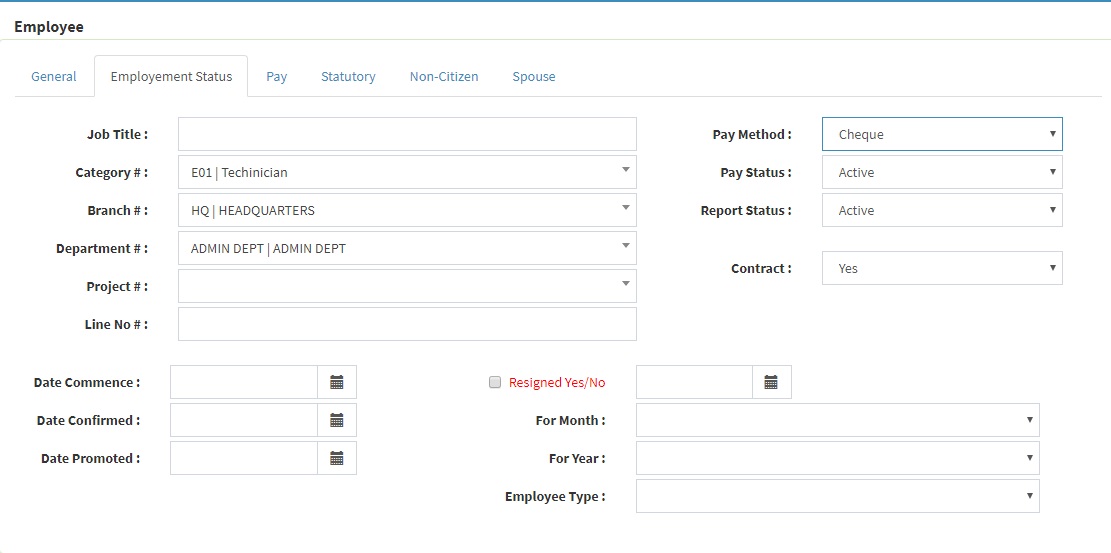
Employee Master – Employment Status
- Fill up all information in “Pay” page, company may customize pay like Basic Salary, Commission, Allowance (Meal Allowance, Attendance Allowance, Travel Allowance,etc), Late Deduction, etc. Each of pay code, company may initialize which pay code entitle for EPF, SOCSO, PCB, EIS.
-
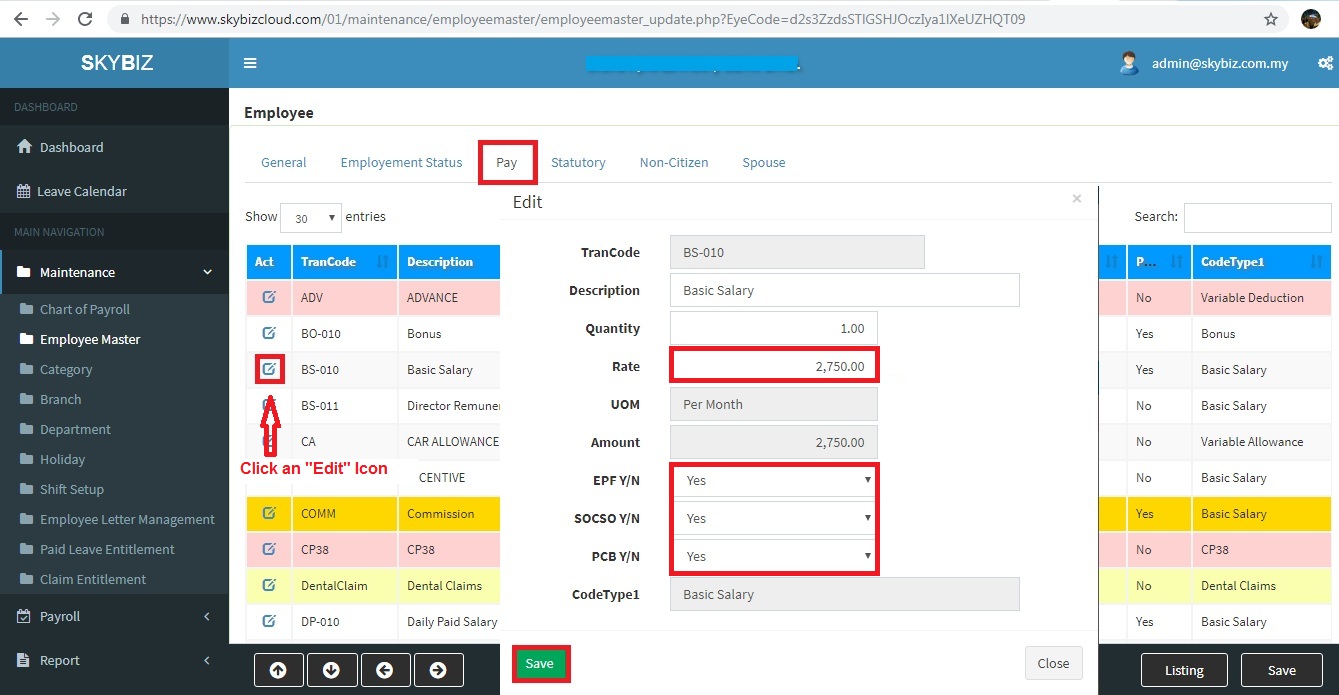
Employee Pay Information
- Click “Save” to confirm your modification information of existing employee.
Powered By : SKYBIZ ® Beyond Cloud ™
E-Leave Management System|e-Data PCB