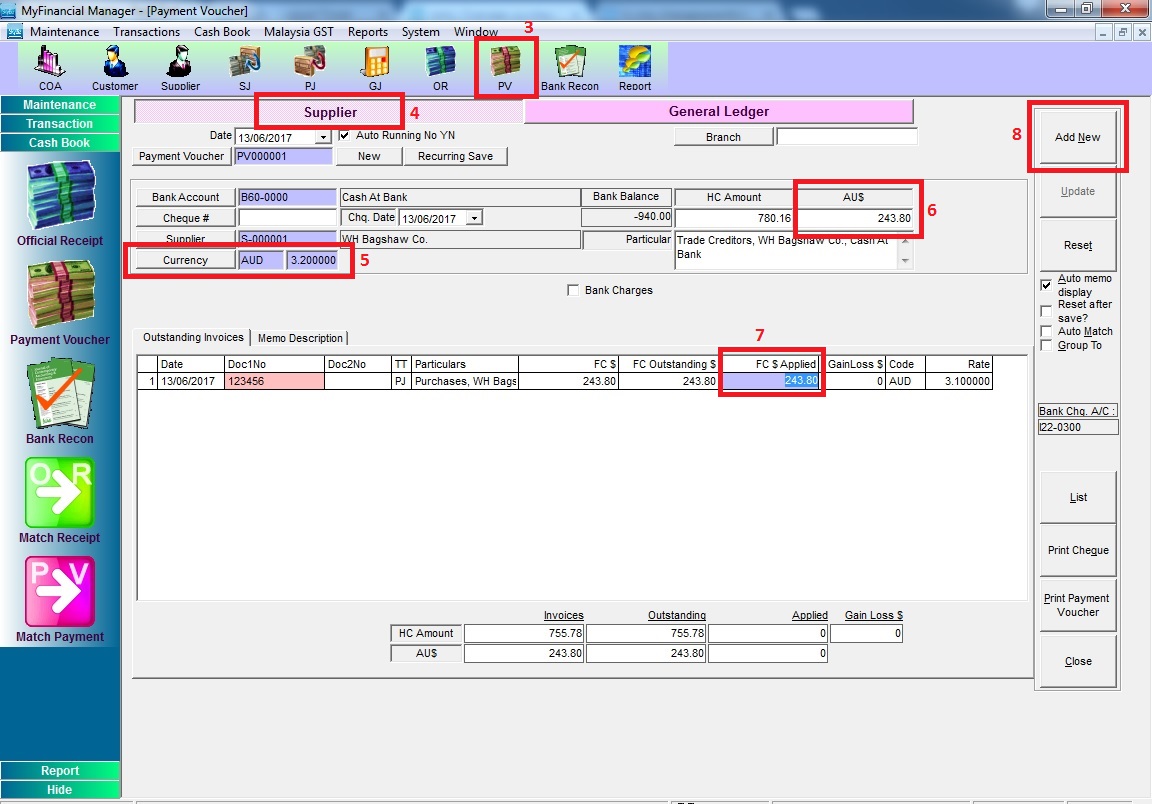
Below are guideline(s) entry Overseas Purchase and Payment Voucher with gain currency :
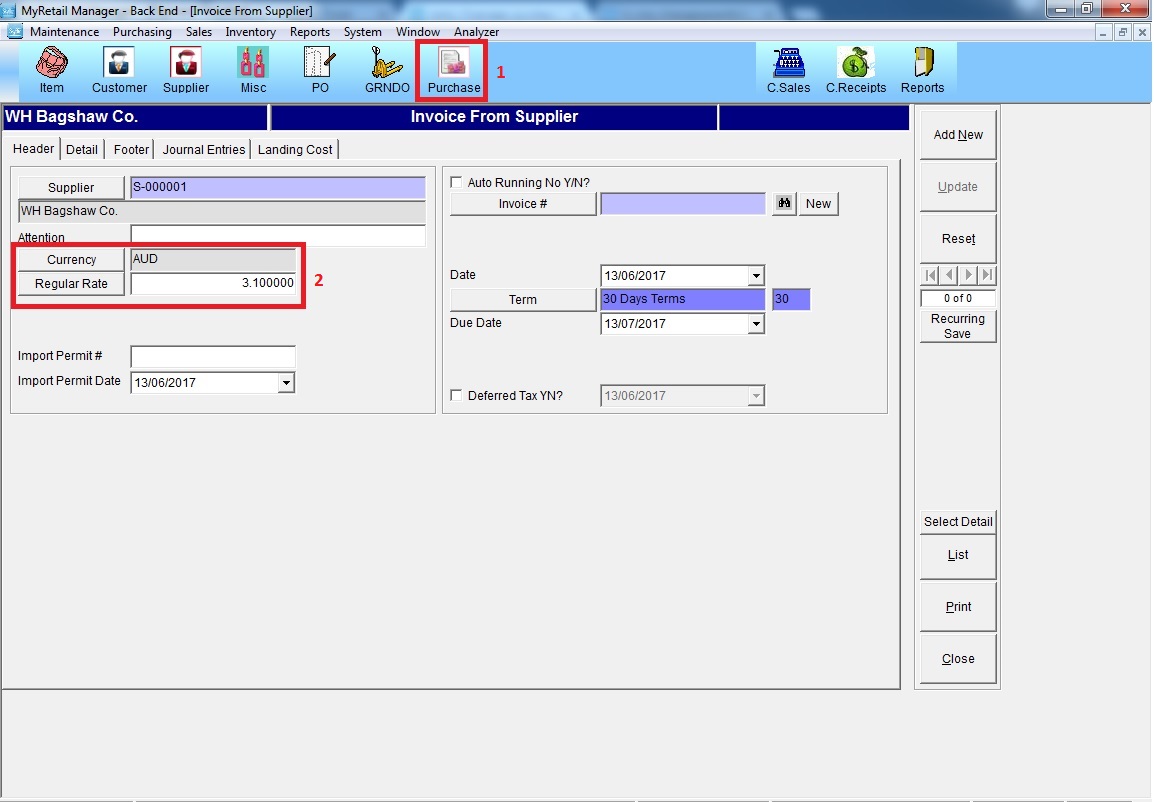
Step 1: Add a transaction in Invoice FROM supplier and choose currency type and key in currency rate
Step 2: Go to Payment Voucher (PV) >> Supplier >> choose the supplier >> choose currency and key in currency rate >> key in purchase amount >> knock off the purchase invoice >> click “Add New”
N/B: If currency rate is not able to amend, please refer to link below for multi-currency setting
https://www.skybizglobal.com/ticket/knowledgebase.php?article=201