Below are guideline(s) to create new category:
- Purpose of category is for employee classification. This is more related to security access to different level of employee category. Click for more detail
- Click “Maintenance>>Category>>“.
- Press +Create to create new category.
-
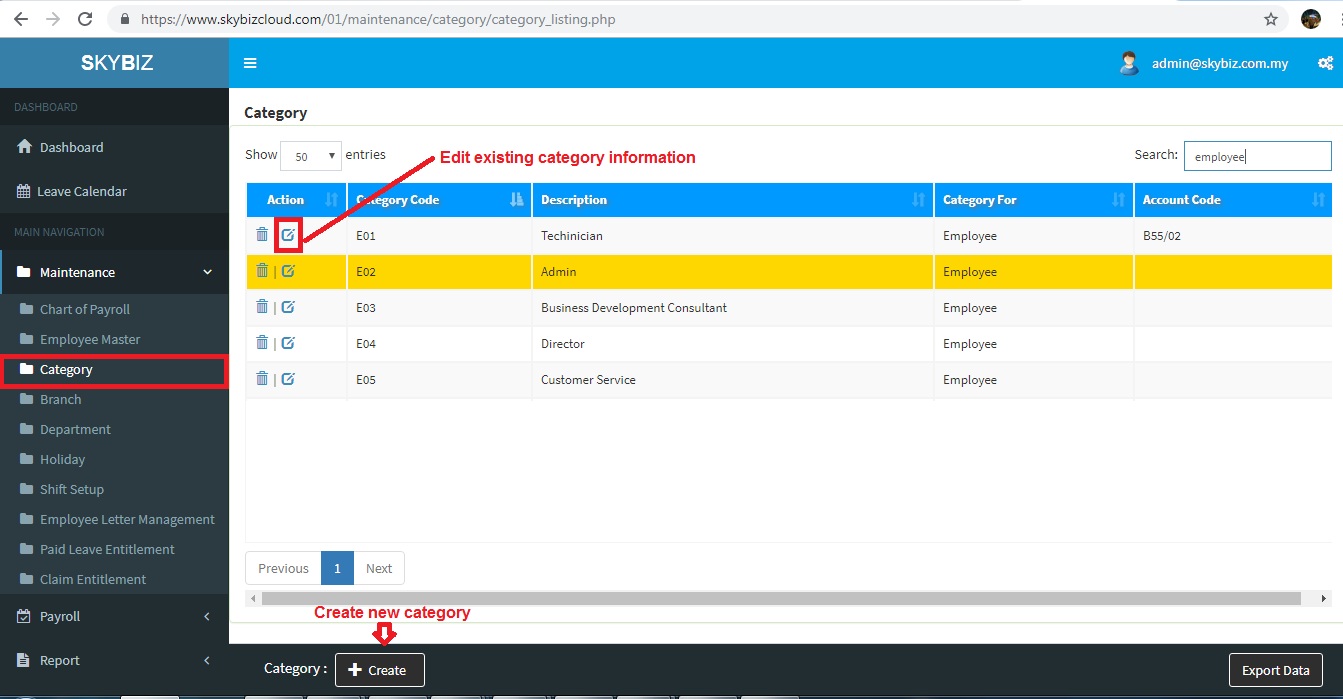
Category Listing
- Fill up all information Category Code , Description, Category For is Employee.
-
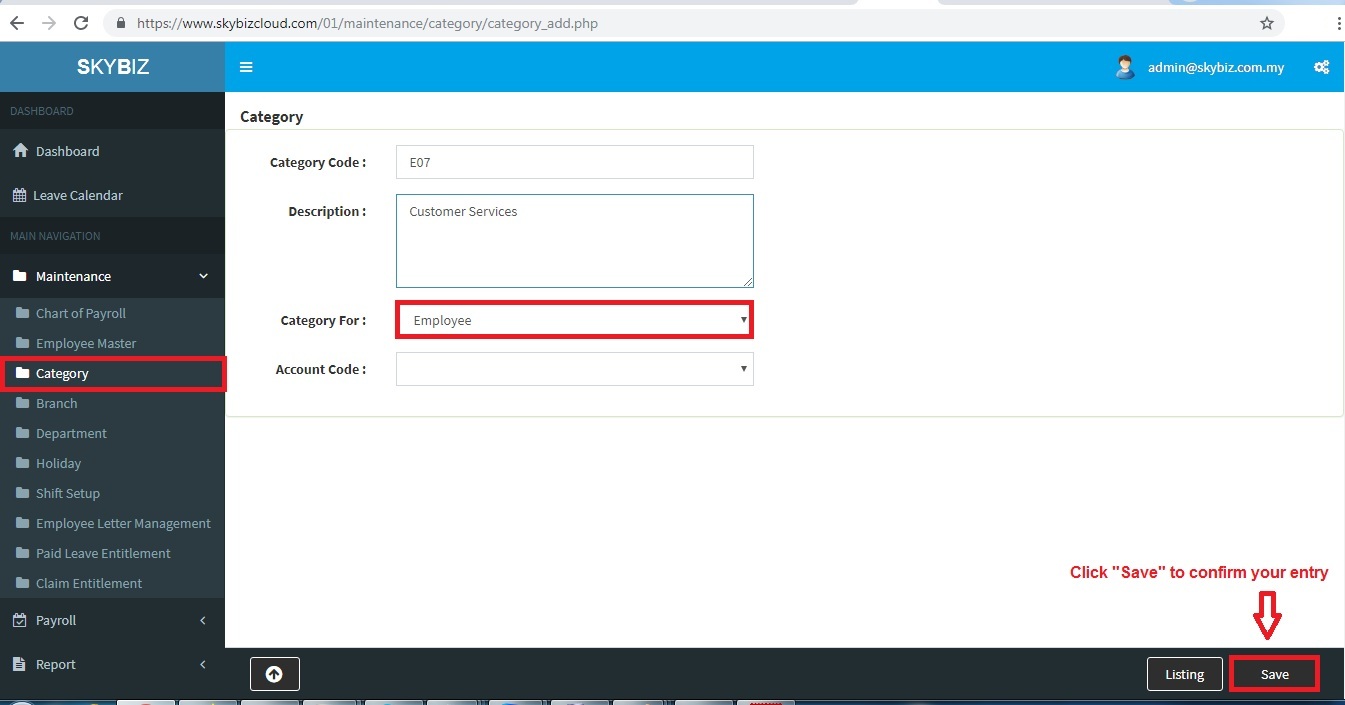
Create new category
- Click “Save” to confirm your entry.
Powered By : SKYBIZ ® Beyond Cloud ™
E-Leave Management System|e-Data PCB