Below are guideline(s) of Deposit Entry from Customer :
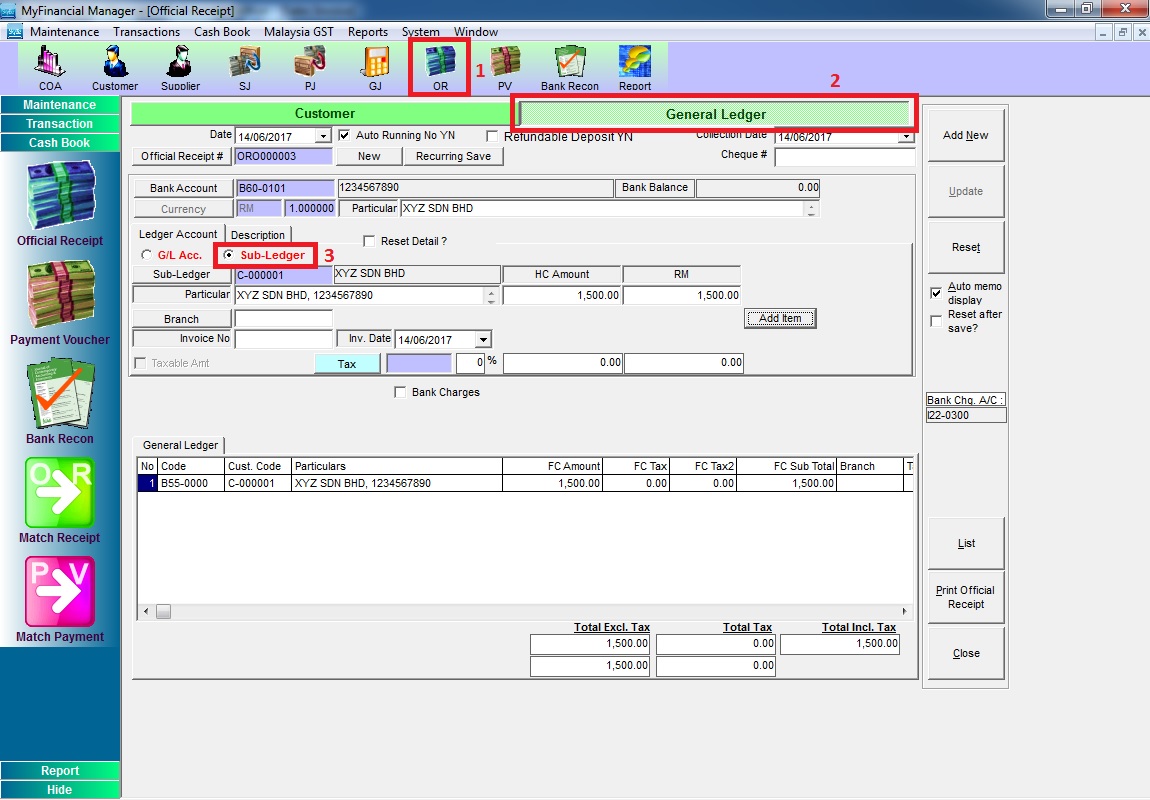
Step 1: Key in deposit in Official Receipt (OR)
Go to Official Receipt >> General Ledger >> choose “Sub-Ledger” >> key in the deposit.
Step 2: After invoices are issued, do matching.
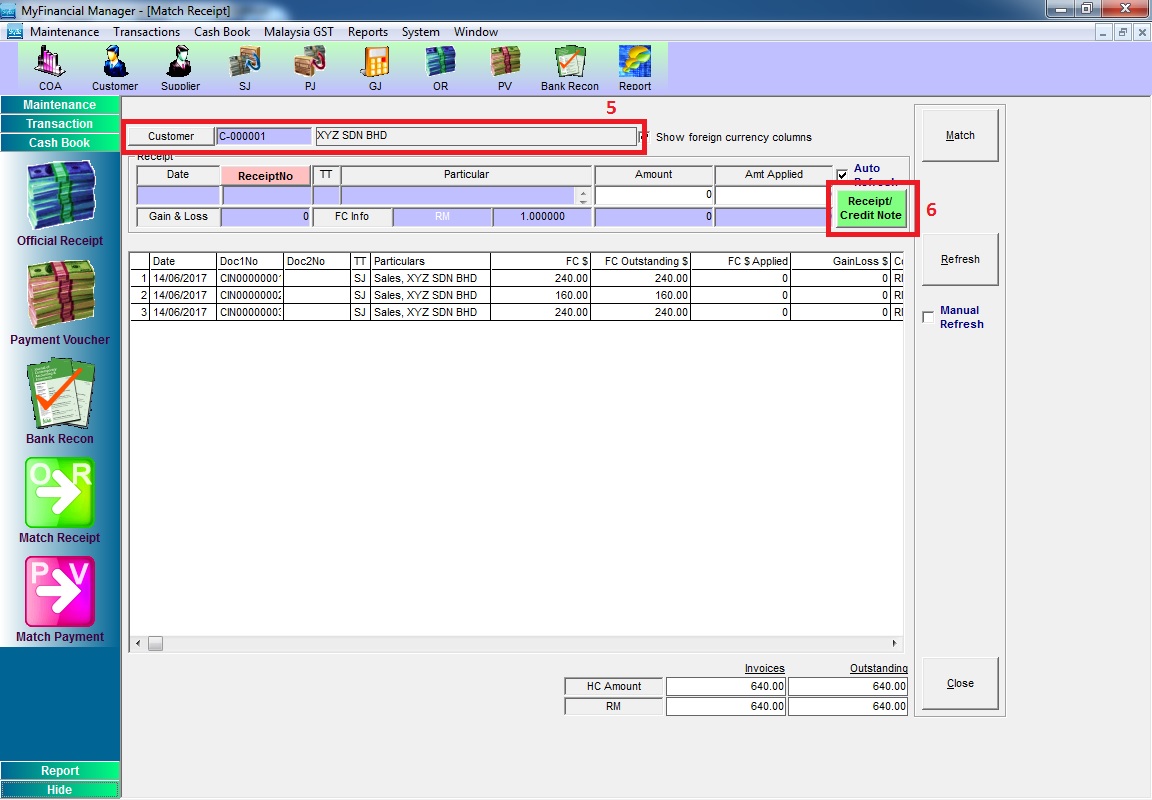
a) Go to Cash Book >> Match Receipt >> Match Receipt by Customer

b) choose Customer >> click “Receipt / Credit Note”
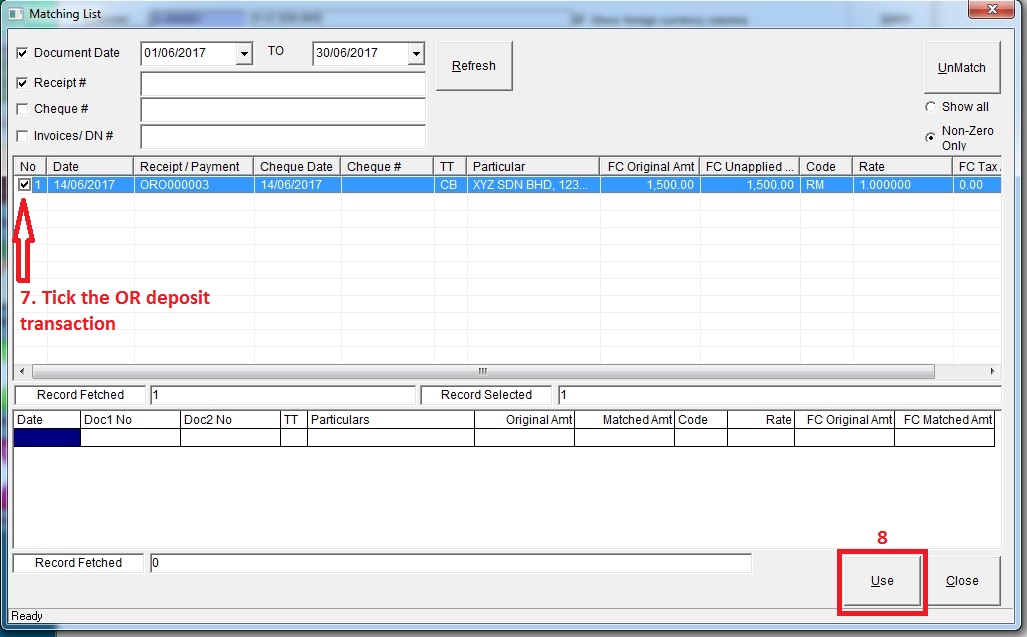
c) Choose OR deposit transaction >> click “Use”
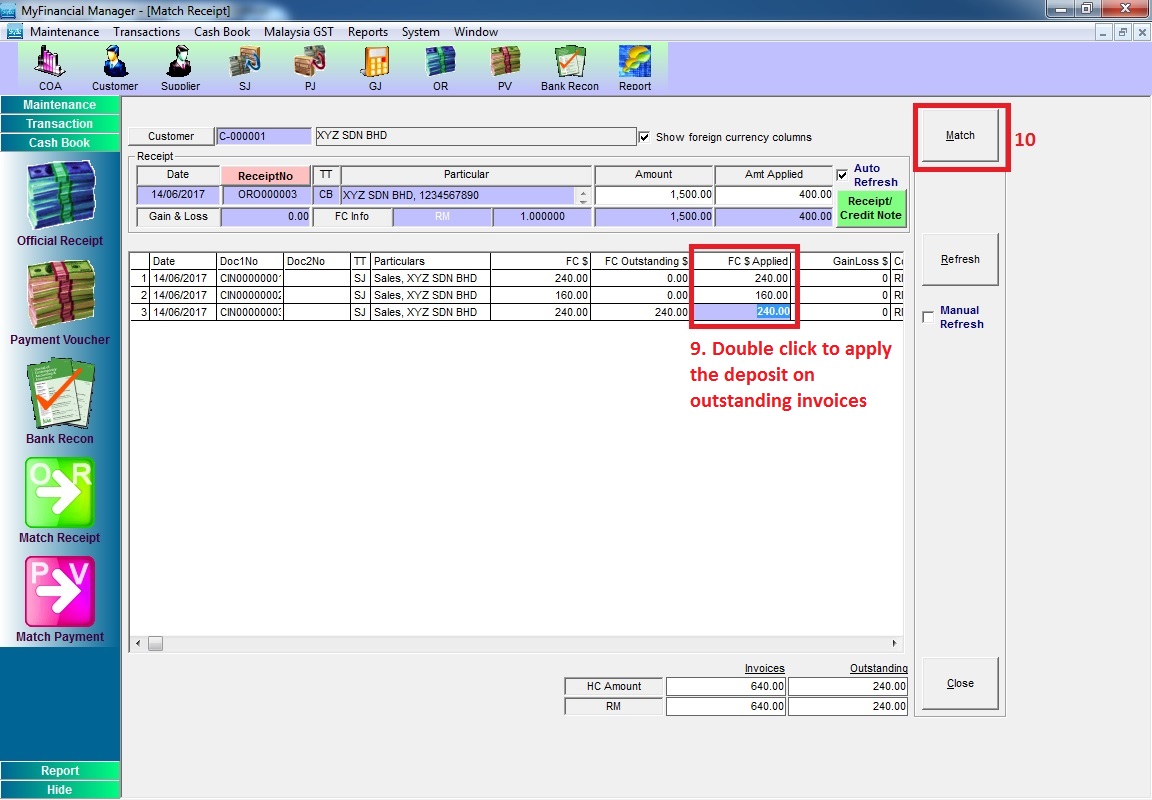
c) Double click in “FC $ Applied” column to apply deposit on the transactions >> click “Match”