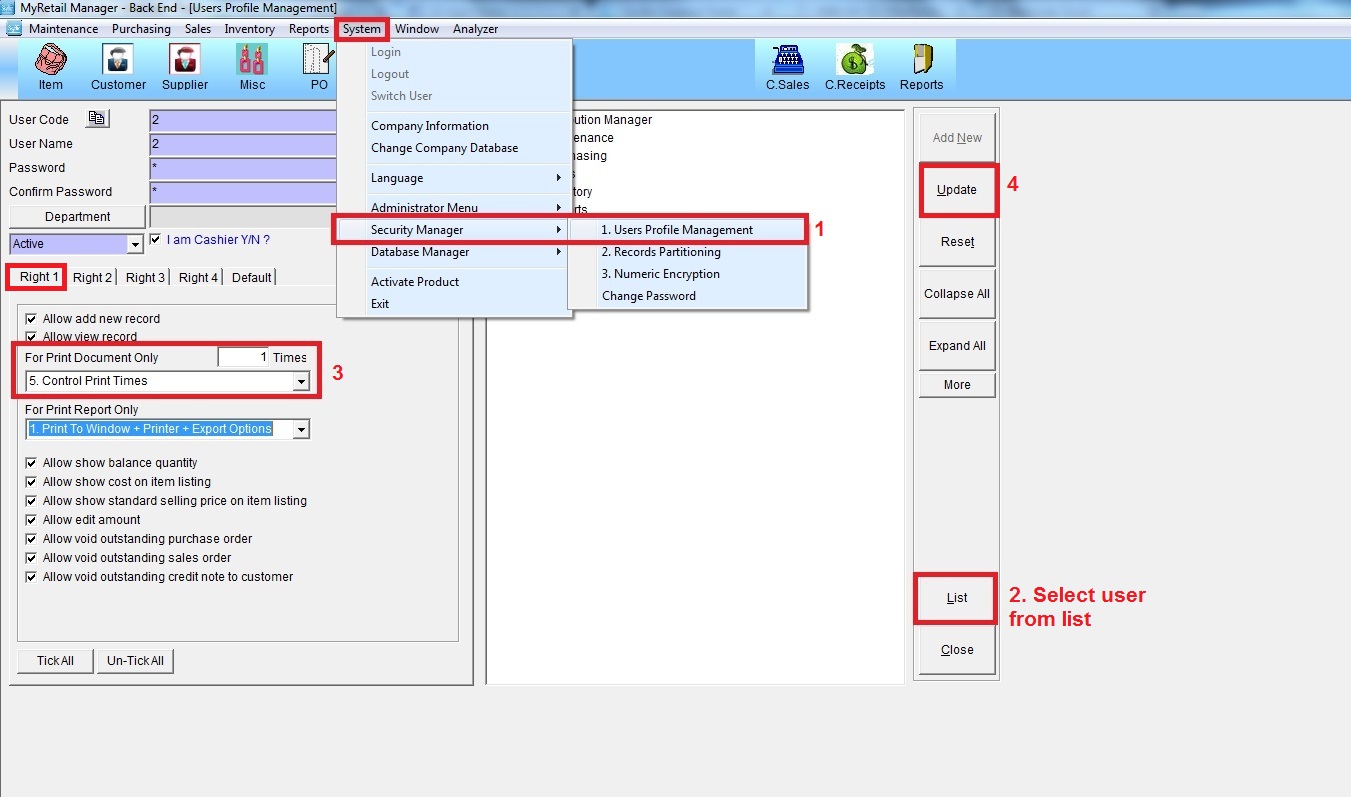
Below are guideline(s) to do Setting to Control Cashier to Print
Step 1: Go to System >> Security Manager >> User Profile Management
Step 2: Choose cashier user ID from “List”
Step 3: For Print Document Only Choose, “5.Control Print Times”, then key in number of times you allow the user to print documents
Step 4: Click “Update”