Below are guideline(s) to check Closing Stock Amount :
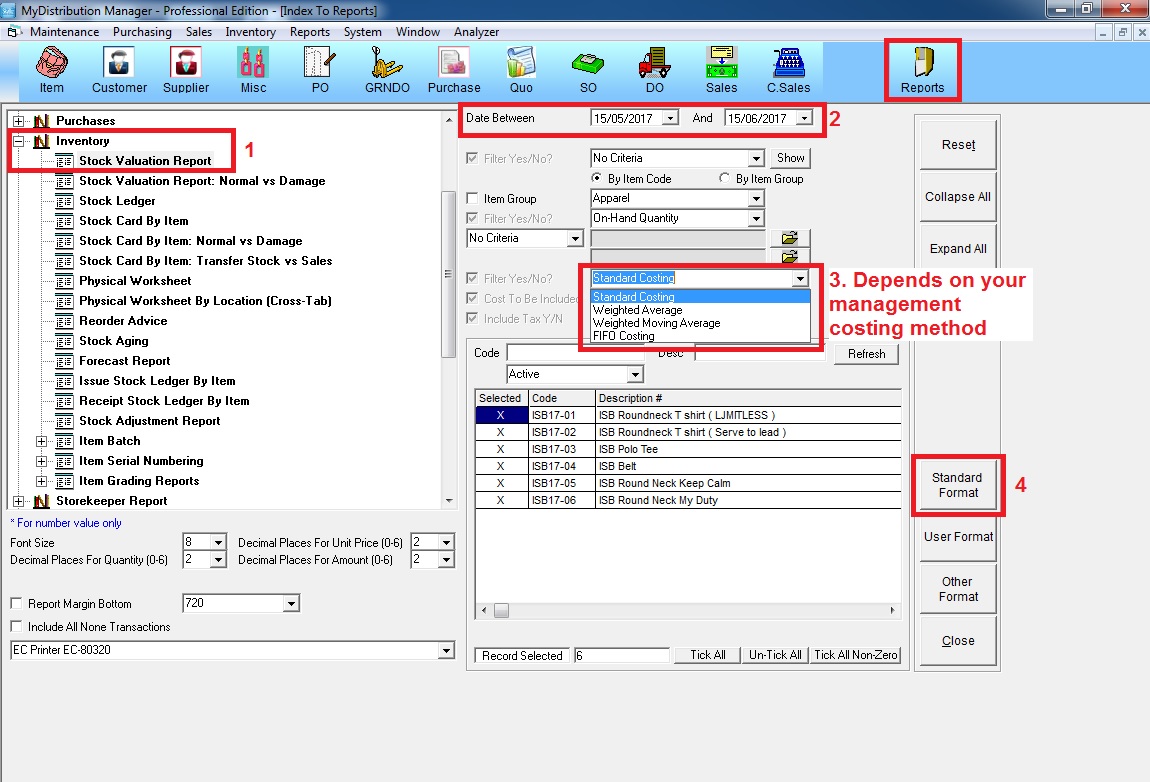
Go to Report >> expand “Inventory” >> Select “Stock Valuation Report” >> choose date between >> select your management costing method >> click “Standard Format” to preview
Below are guideline(s) to check Closing Stock Amount :
Go to Report >> expand “Inventory” >> Select “Stock Valuation Report” >> choose date between >> select your management costing method >> click “Standard Format” to preview