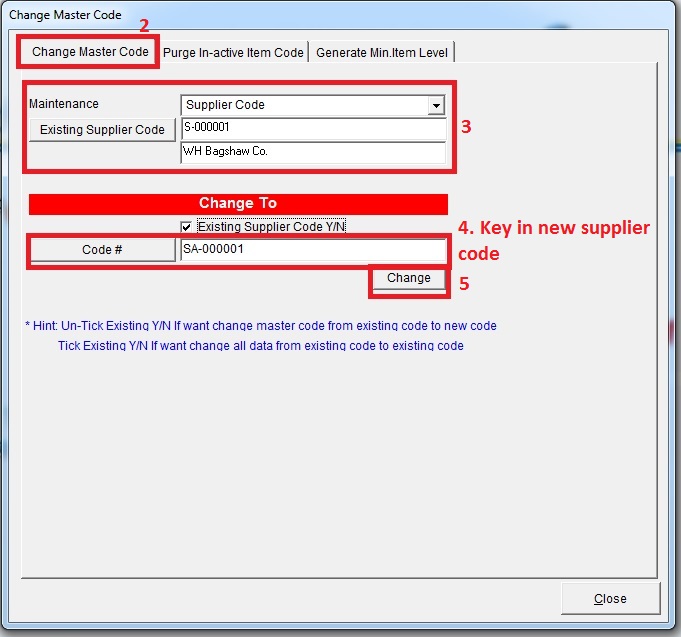
Below are Guideline(s) on How to Change Supplier Code
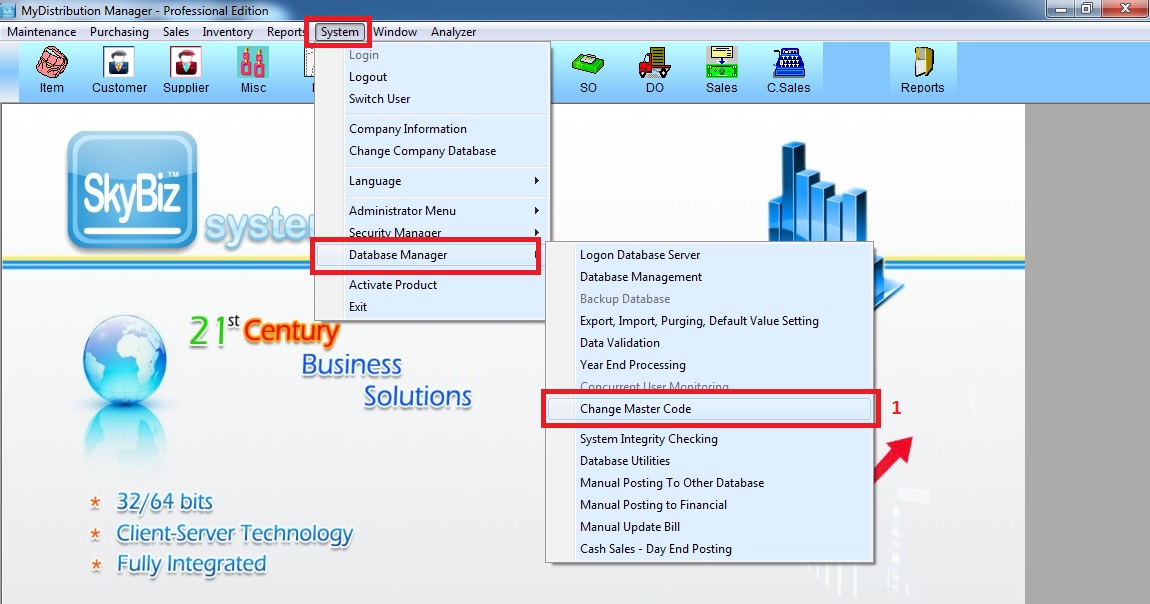
Step 1: Go to System >> Database Manager >> Change Master Code
Step 2: choose “Supplier Code” >> Select supplier code that you want change >> key in new supplier code >> tick “existing supplier code Y/N” (optional) >> click “Change”