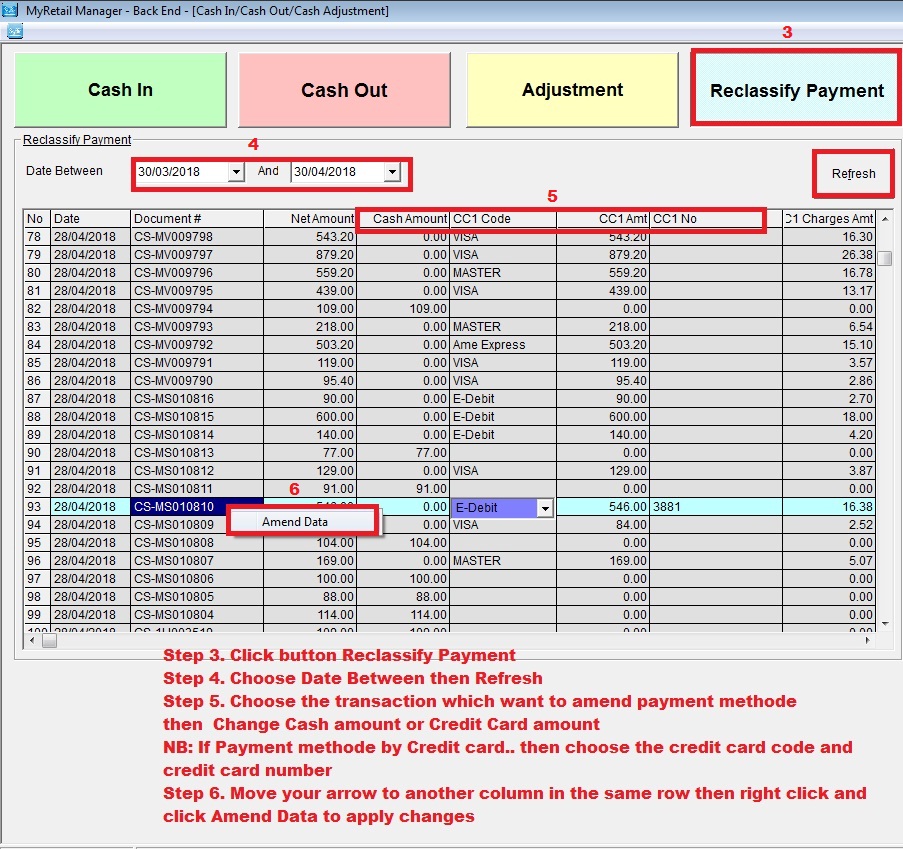
Below are guideline(s) to Change Payment Methode or Re-classify Payment in Cash Receipt
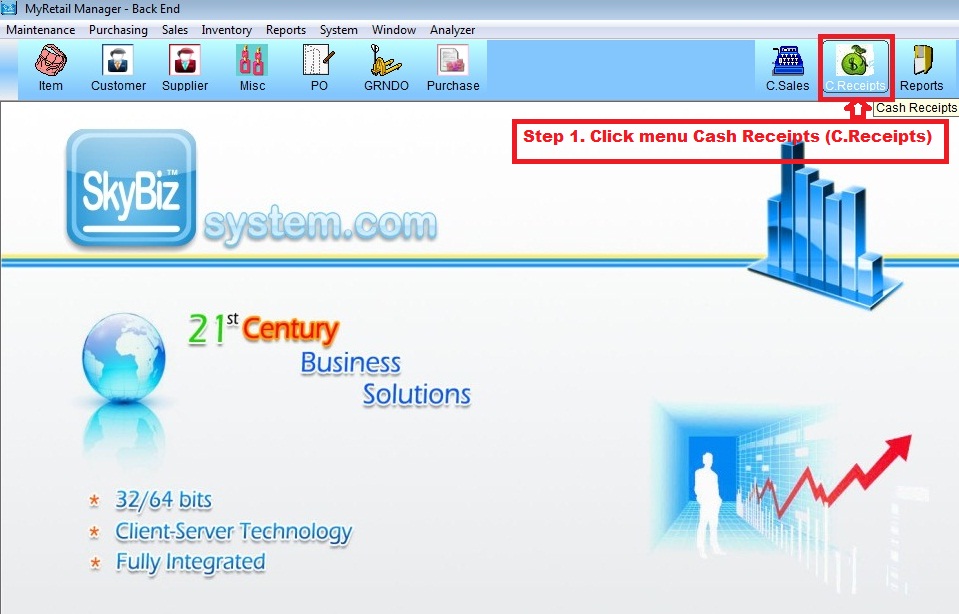
Step 1 : Go to Cash Receipt
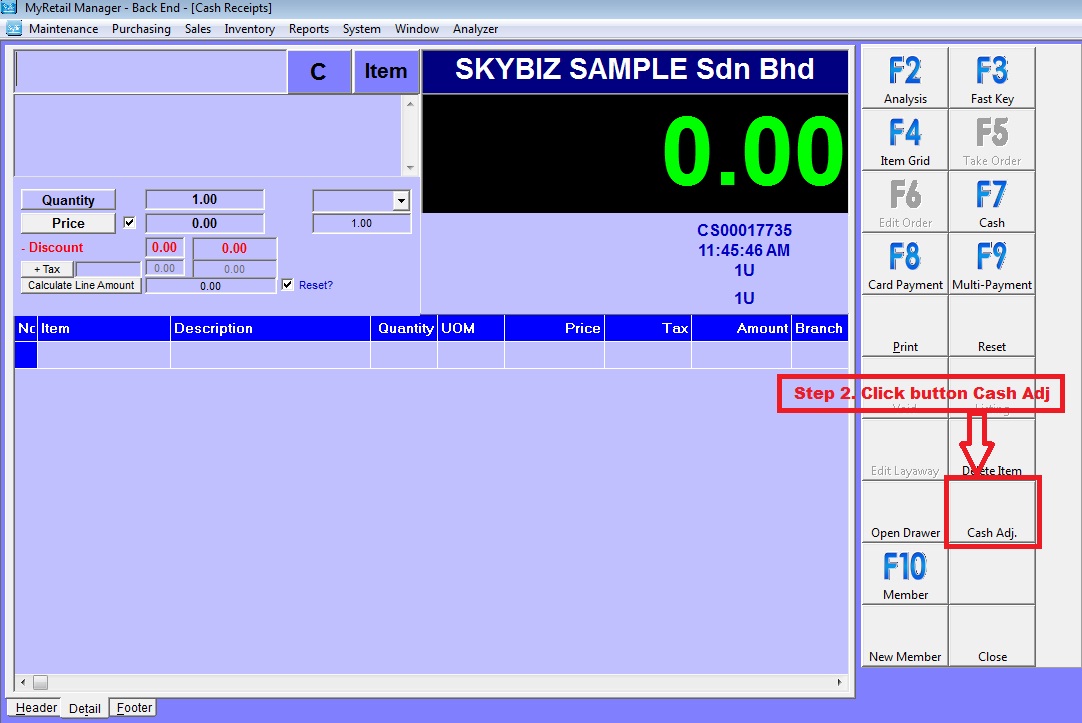
Step 2 : Click button Cash Adj
Step 3. Click button Reclassify Payment
Step 4. Choose Date Between then Refresh
Step 5. Choose the transaction which want to amend payment methode
then Change Cash amount or Credit Card amount
NB: If Payment methode by Credit card.. then choose the credit card code and Entry credit card number
Step 6. Move your arrow to another column in the same row then right click and click Amend Data to apply changes