Below are guideline(s) to Change Parent Level Chart Of Account :
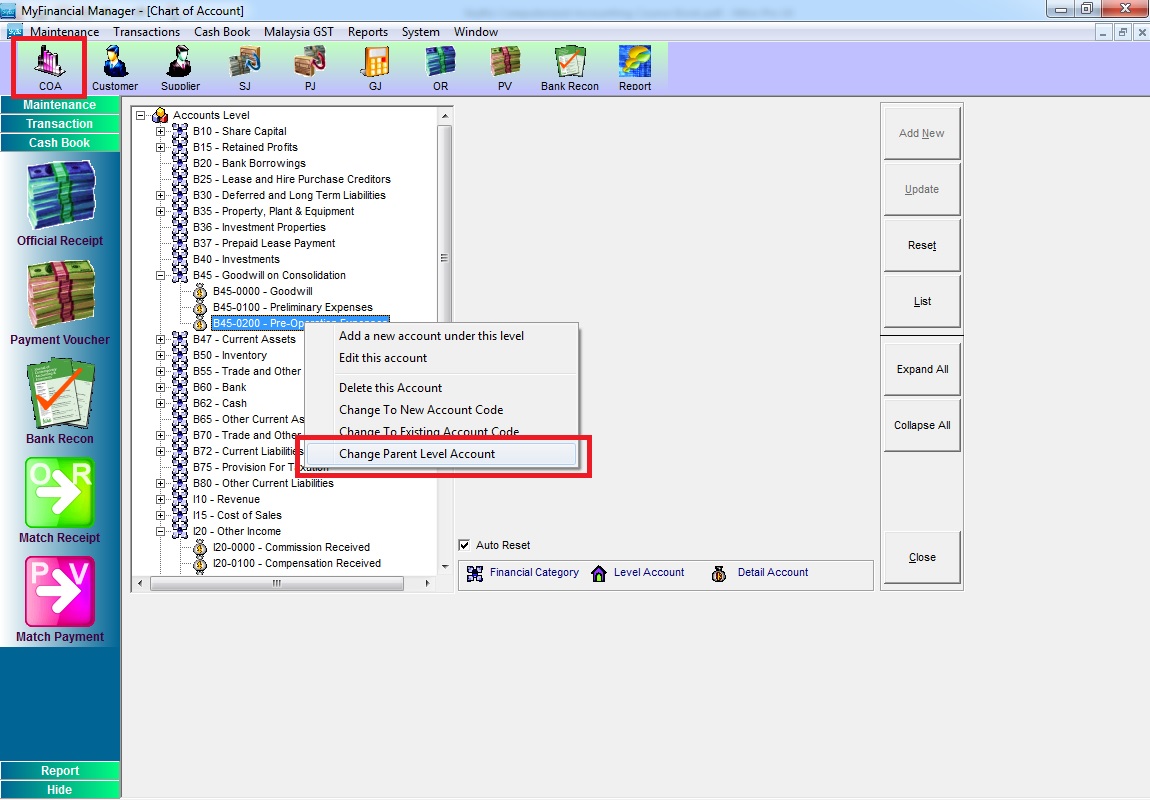
Step 1. Go to Chart of Account (COA)
a. Choose the account code which want to change then right click
b. Click “Change parent Level Account”
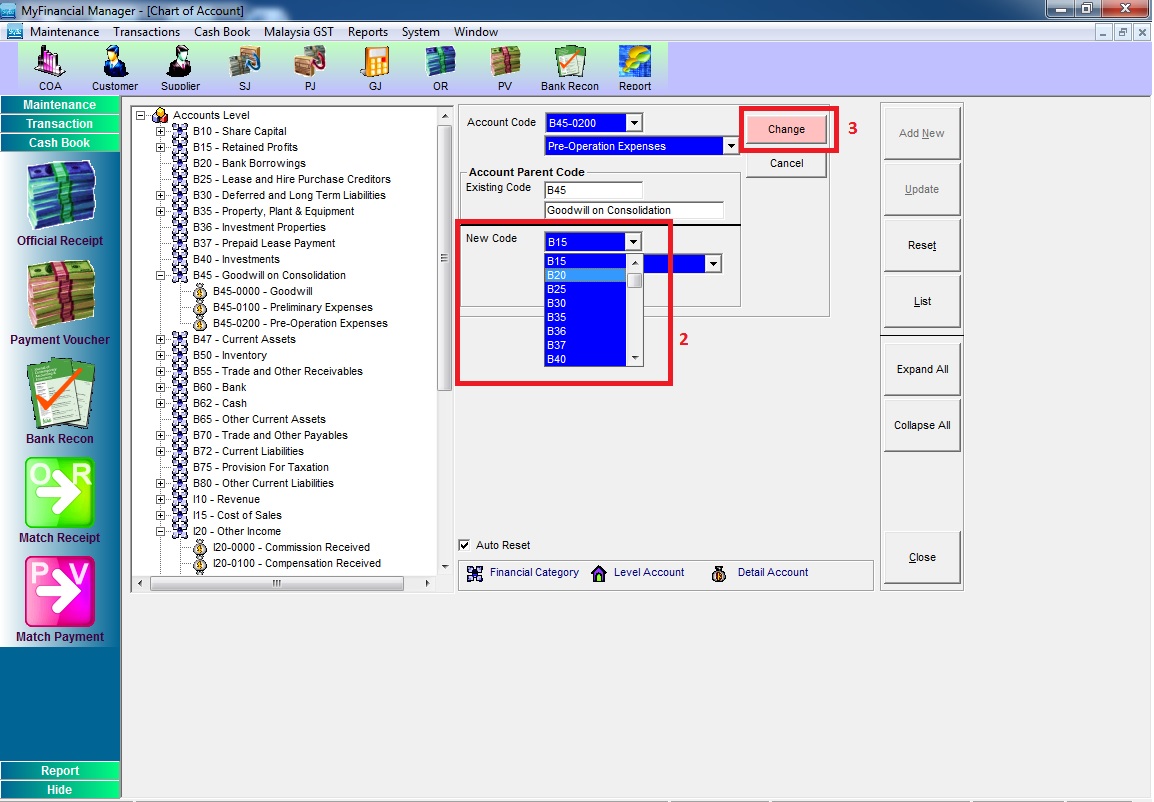
Step 2. Choose New Code Parent Level >> click “Change”