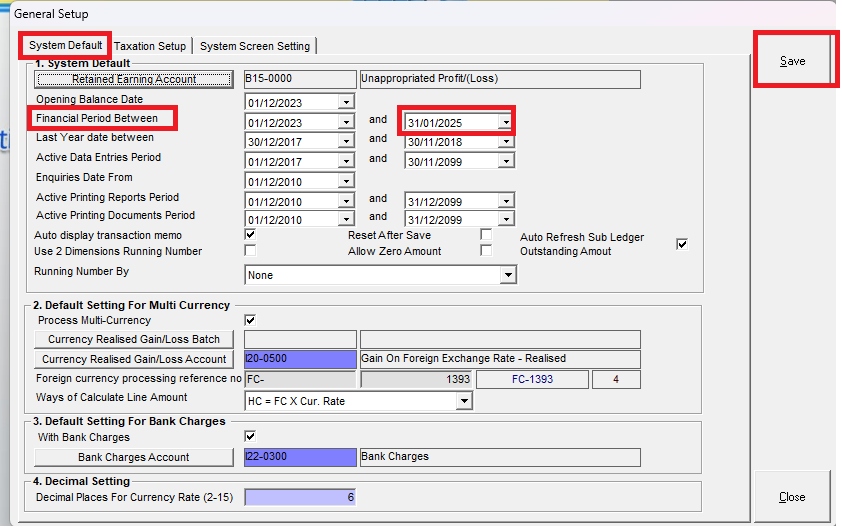
Below are guideline(s) to setting “Active Data Entries Period and Financial Period”:
Q : Why we are still able to amend transaction for those cut off period?
A : Please adjust active data entries period as follow.
Step 1 : Go to MyDistribution >>> System >> Administrator Menu >> General Setup

Step 2 : Go to “System Setting” >> change your “active data entries period” accordingly >> click “Save”

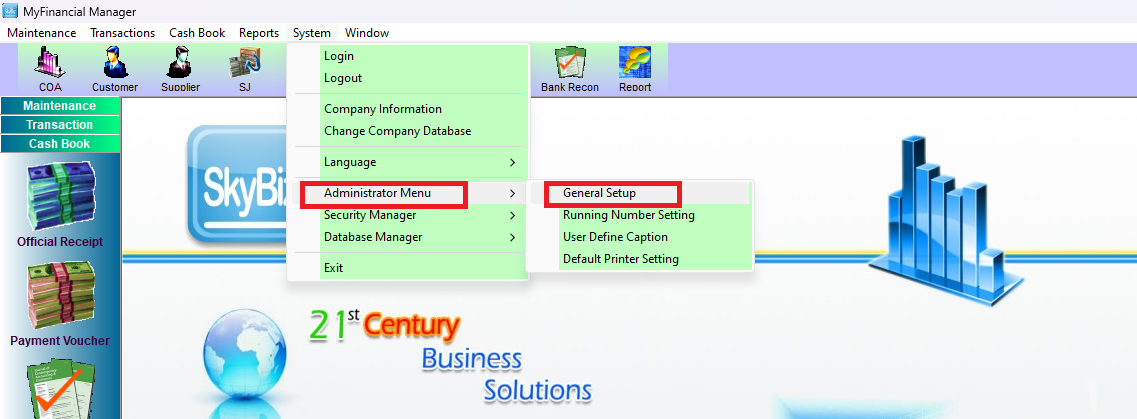
Step 3 : Go to MyFinancial >>> System >> Administrator Menu >> General Setup
Step 4 : Go to “System Default” >> change your “Financial Period Between” accordingly >> click “Save”