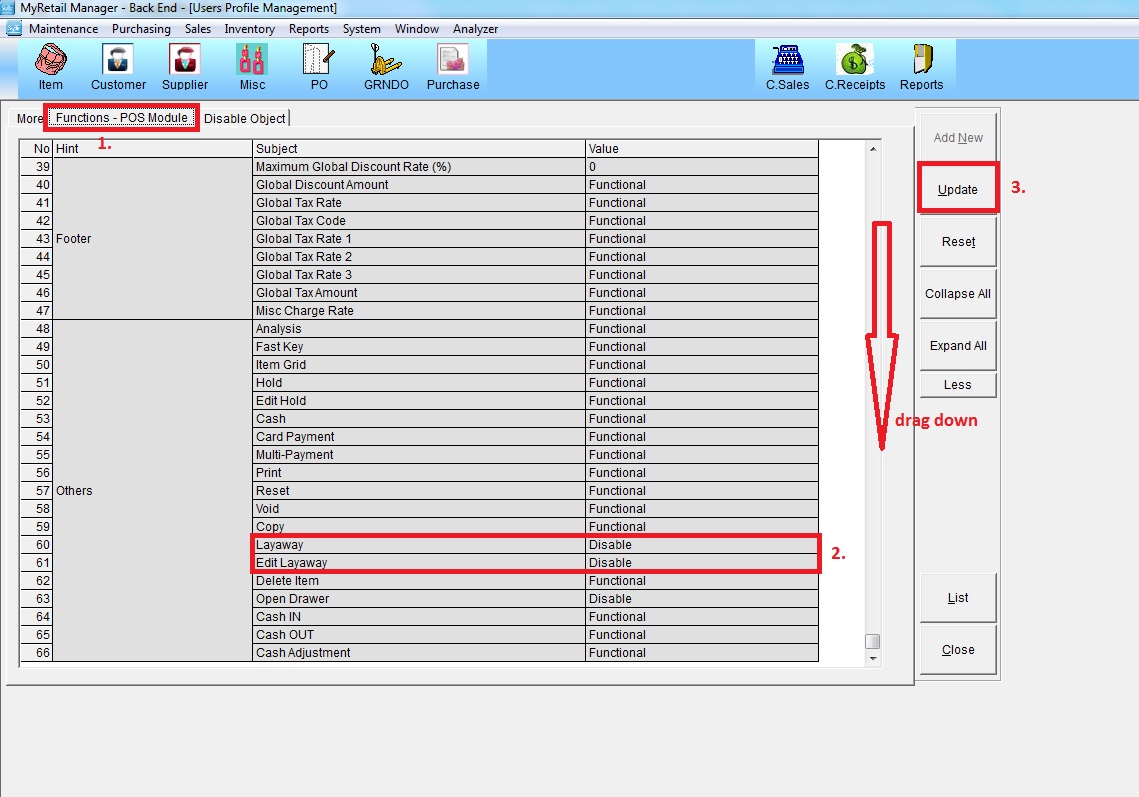
Below are Guideline(s) on How to Disable/Enable Layaway and Edit Layaway on POS System Screen
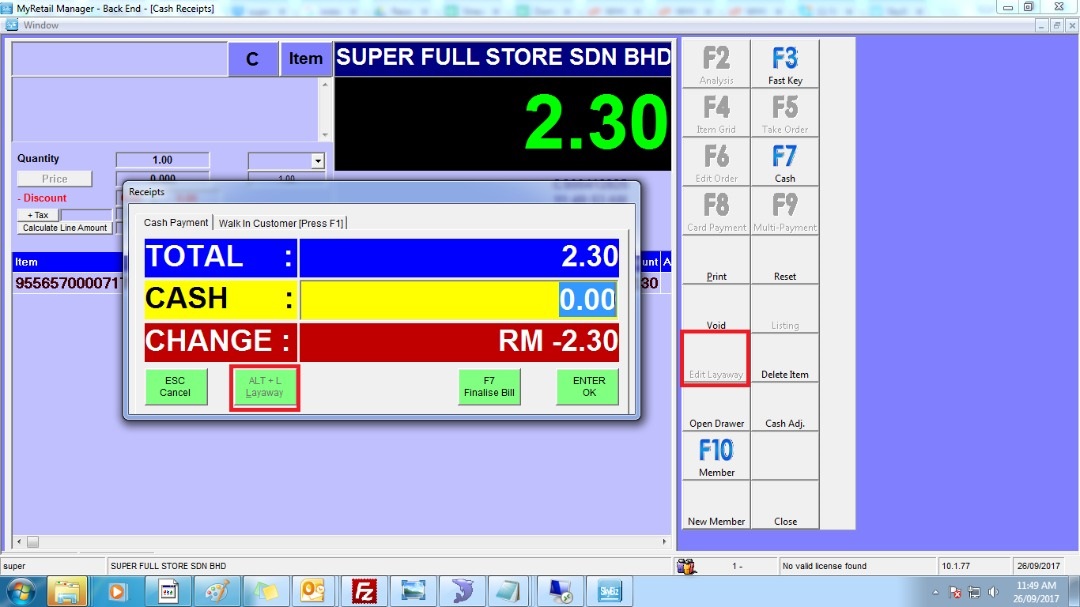
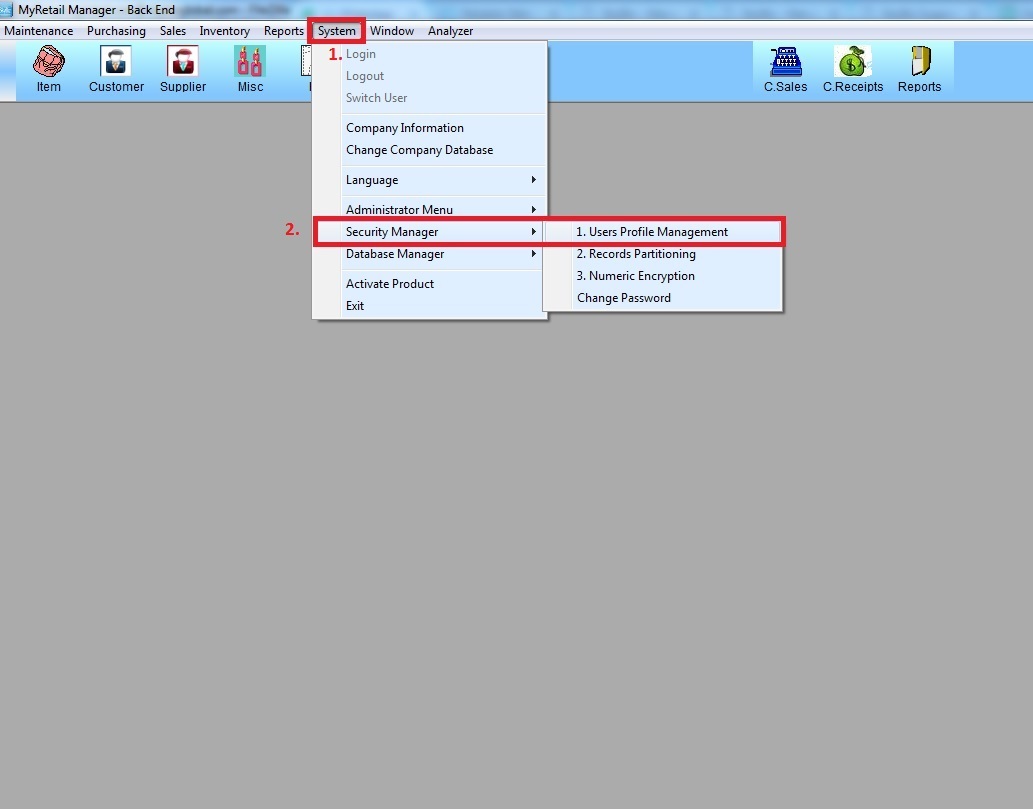
Step I: Go to:
1)System >
2)Security Manager -> User Profile Mananagement
Step II:
1) List
2)Tick User id then Use
3) Click More

Step III: Click
1) Function – POS Module then Scroll/Drag down
2) Choose Disable to lock Layaway and Edit Layaway function on POS Screen
3) Update