Below are Guideline(s) to Download and Install TSPrint Client
**NOTE: Please exit from Remote Desktop Connection first before install the Downloaded TSPrint_client.exe
Step 1: Download TSPrint from the link below (copy the link and paste to your web browser)
https://www.terminalworks.com/downloads/tsprint/TSPrint_client.exe
Step 2: Install the downloaded file
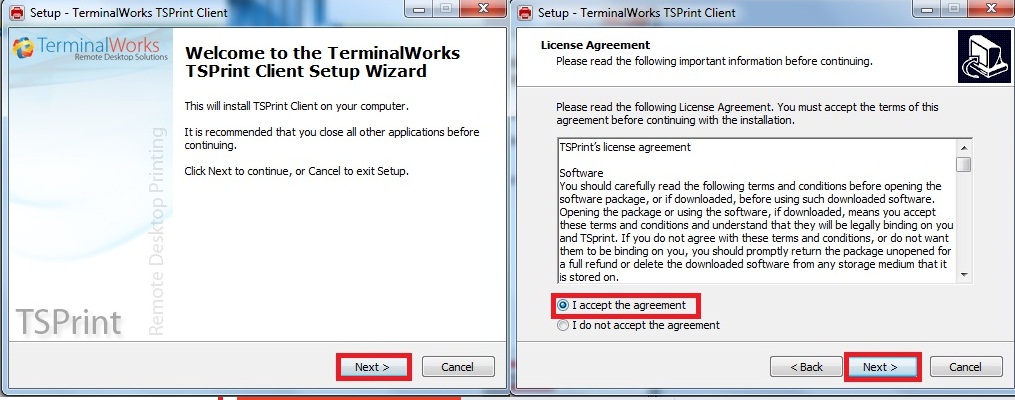
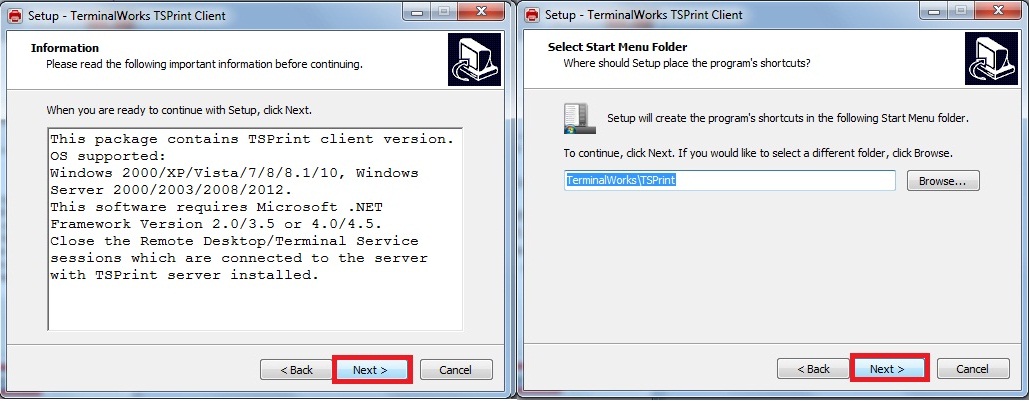
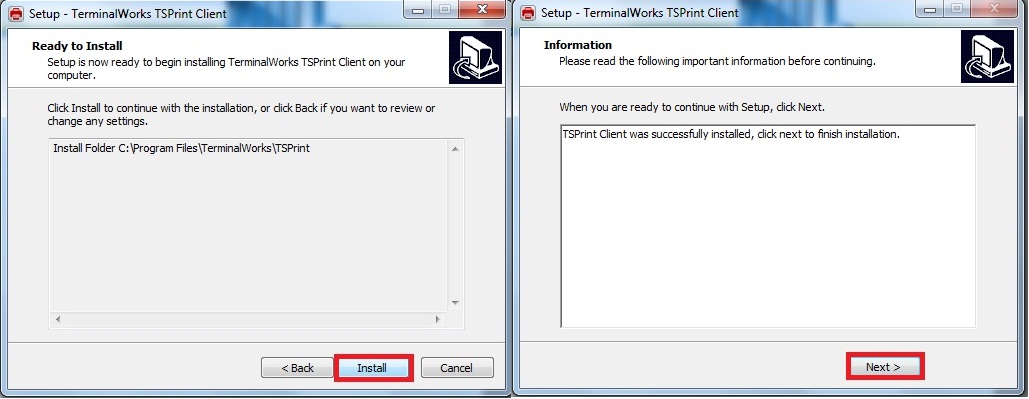
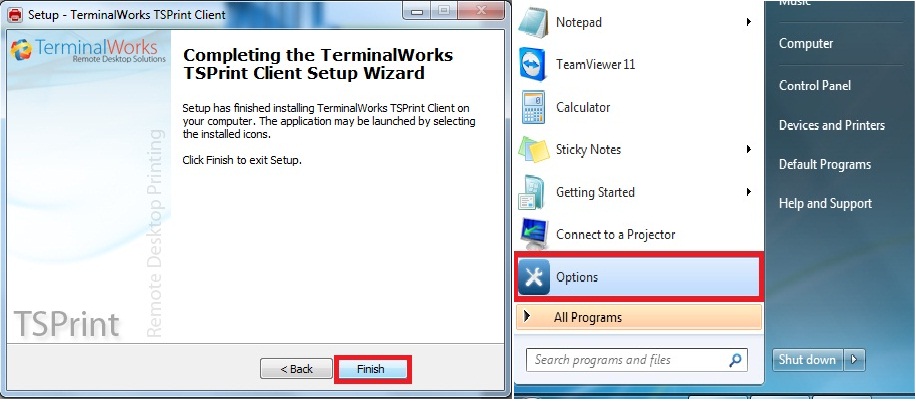
Step 3: After Finish Install>Go to Start Click Option
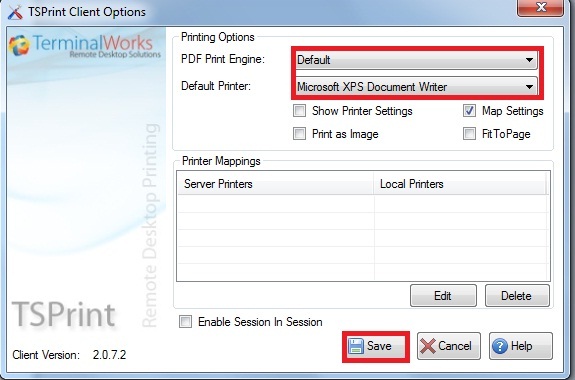
Step 4:Set PDF Print Engine To Default and Choose default Printer then Save