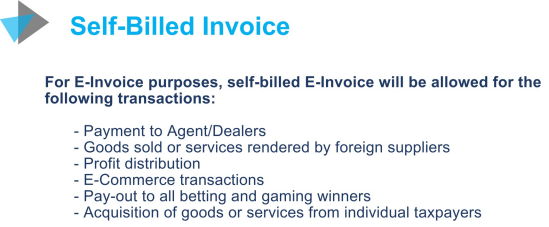
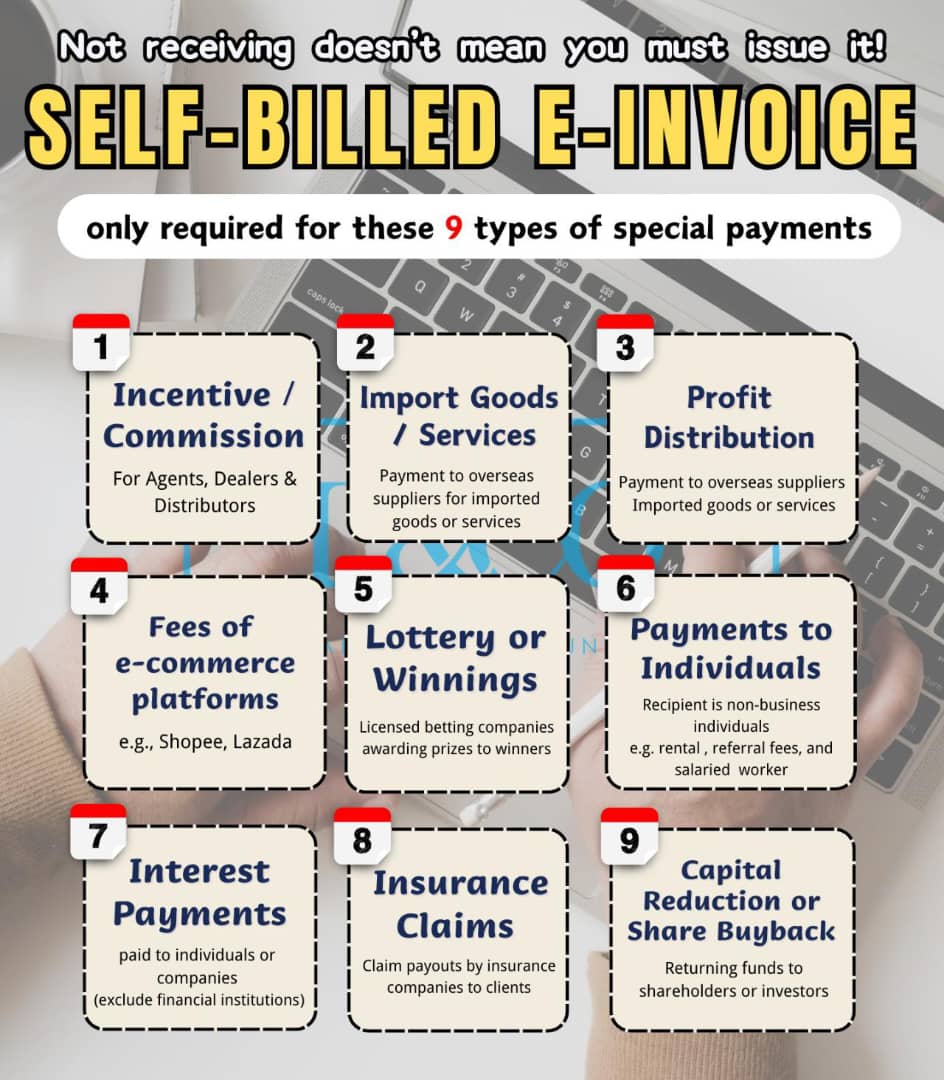
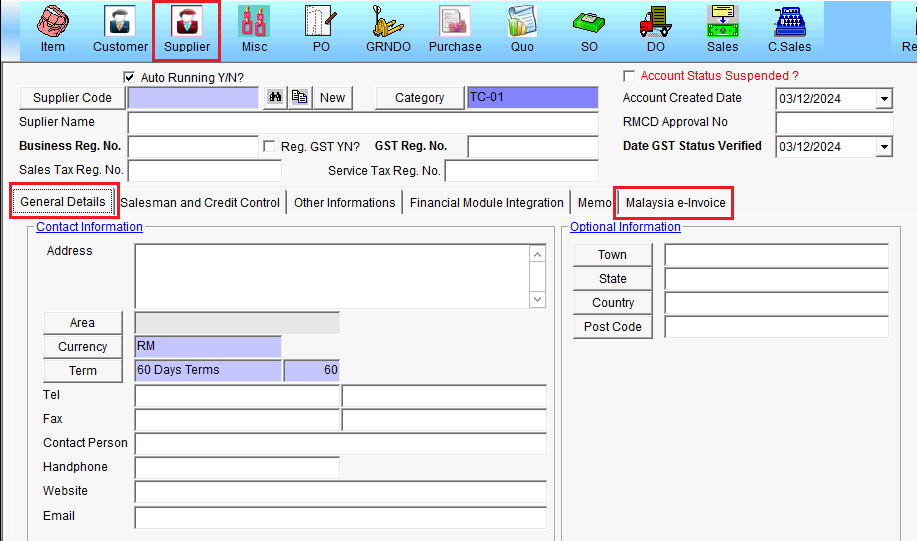
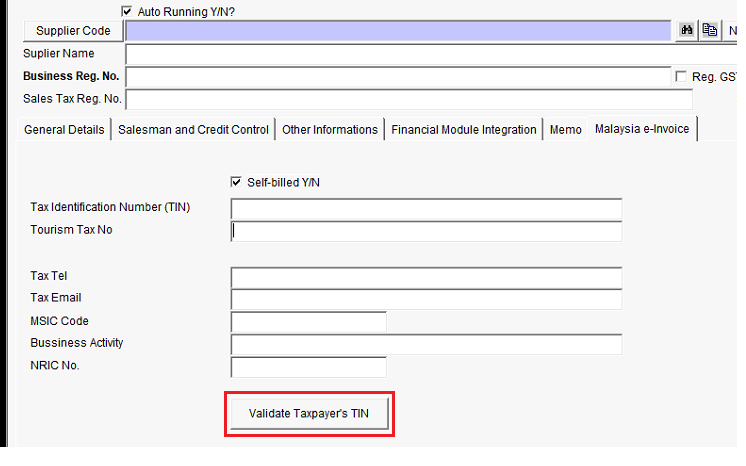
i.(Supplier Information update) : You require to update some additional important information into SKYBIZ supplier module. Below are some important information you have to request from your existing or new supplier. Please refer below additional information supplier template :
a. Supplier Name
b1. Business Registration No (Current) :
b2.Business Registration No (New) :
c. Supplier Business Address : (compulsory fill up Town, Country, State, Postcode)
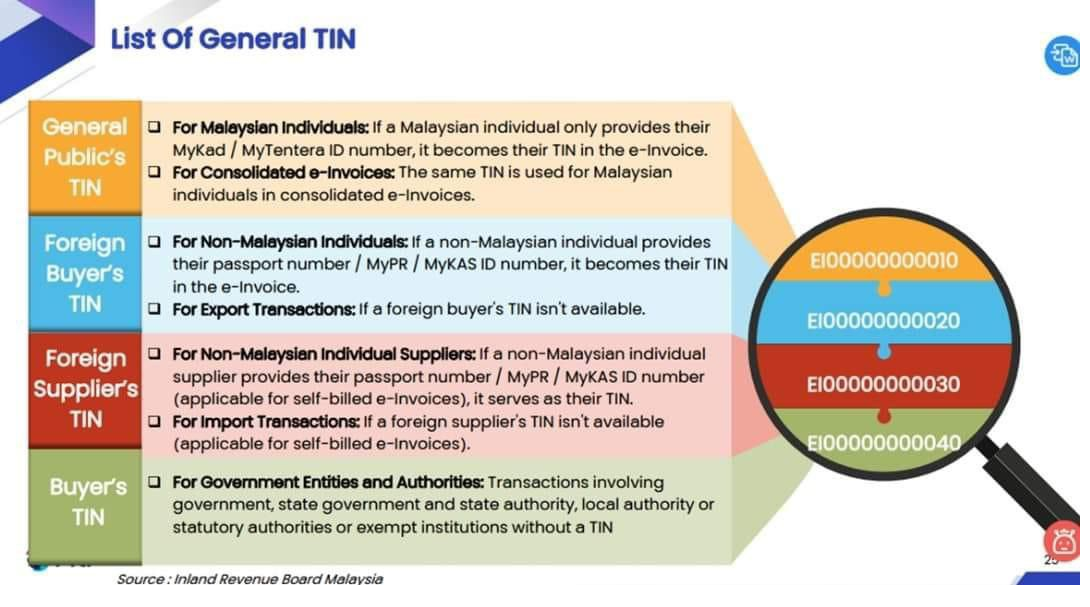
d. Tax Identification Number (TIN) : https://www.hasil.gov.my/media/1iblexbc/malaysia-tin.pdf
e. SST Registration No. : (compulsory if supplier is SST registered, else put N/A if Not Available)
f. Tourism Tax No : (compulsory if supplier is Tourism Tax registered, else put N/A if Not Available)
g. MSIC Code: https://sdk.myinvois.hasil.gov.my/codes/msic-codes/
ii .Create Invoice from Supplier
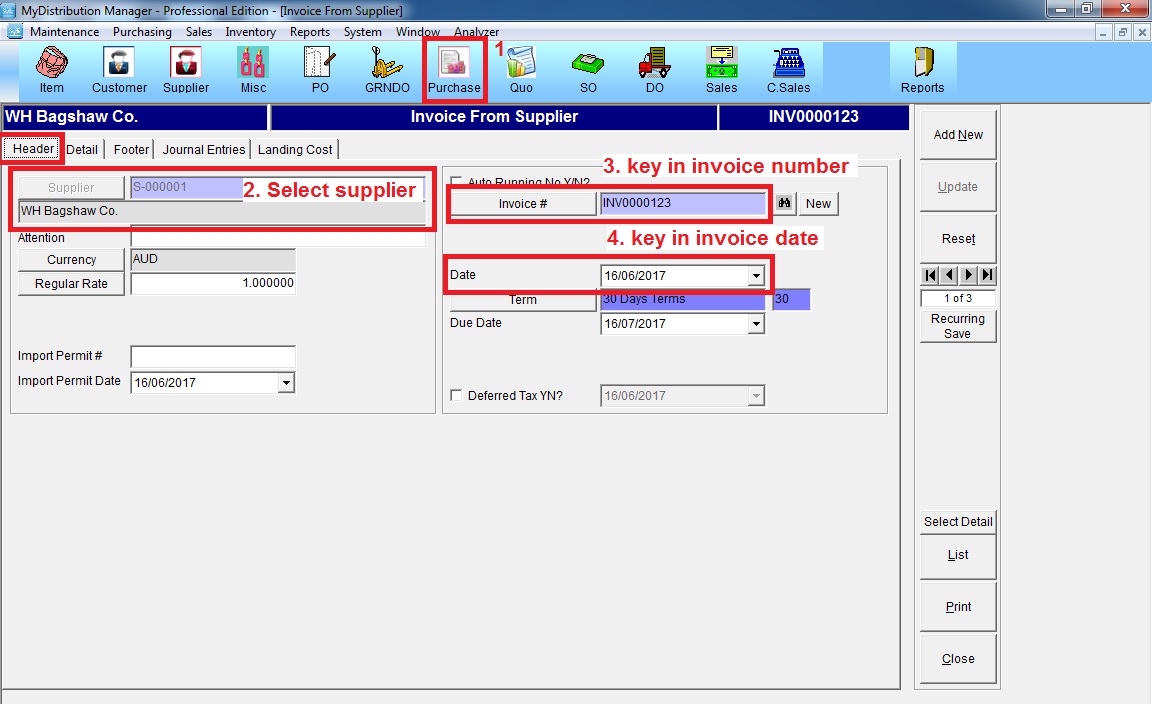
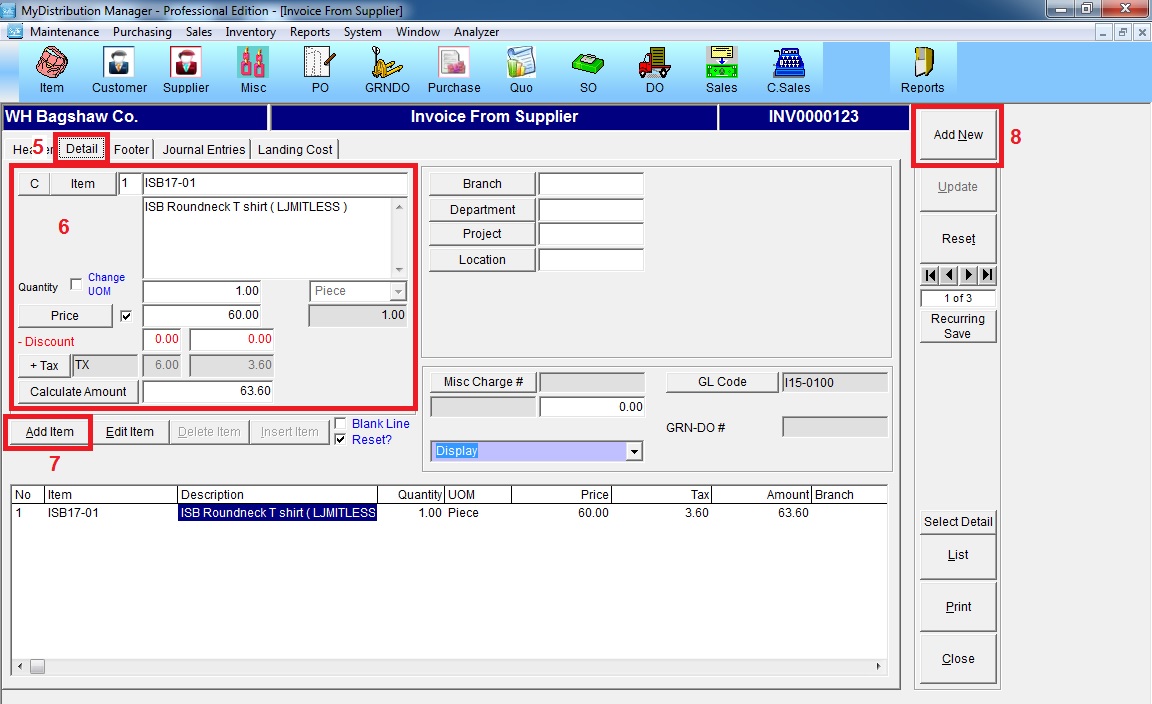
At menu “Purchase“, click “Invoice from Supplier”
iii. Submit Self-bill Invoice
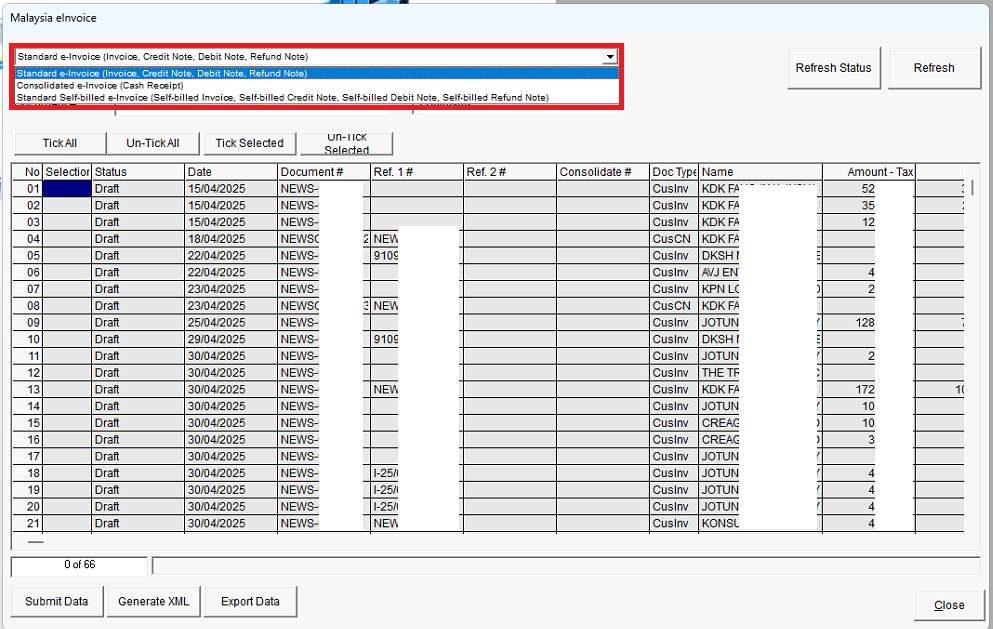
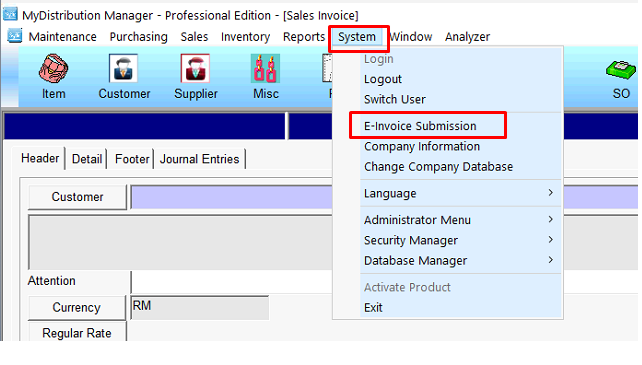
At menu*System*, click” E-invoice Submission*
Choose : Standard Self-Billed e-Invoice