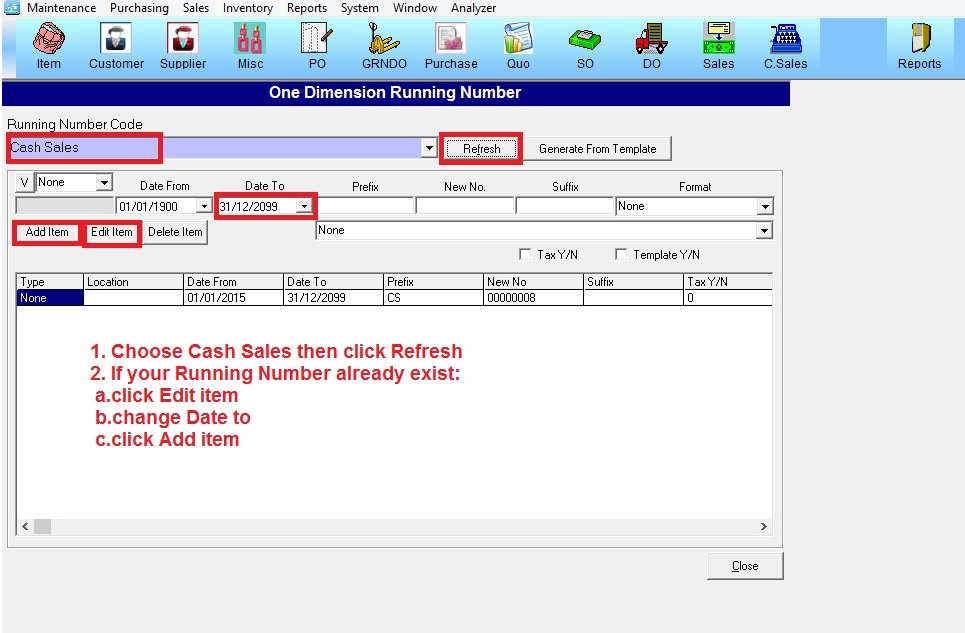
Below are guideline(s) to set “Cash Sales” running number
Scenario 1:If You Want Add New Running Number Cash Sales
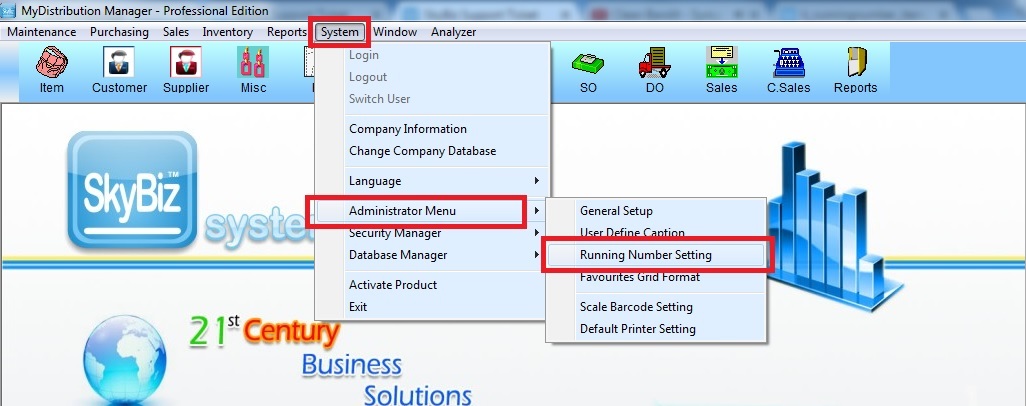
Step 1:Go to System>Administrator Menu>Running Number Setting
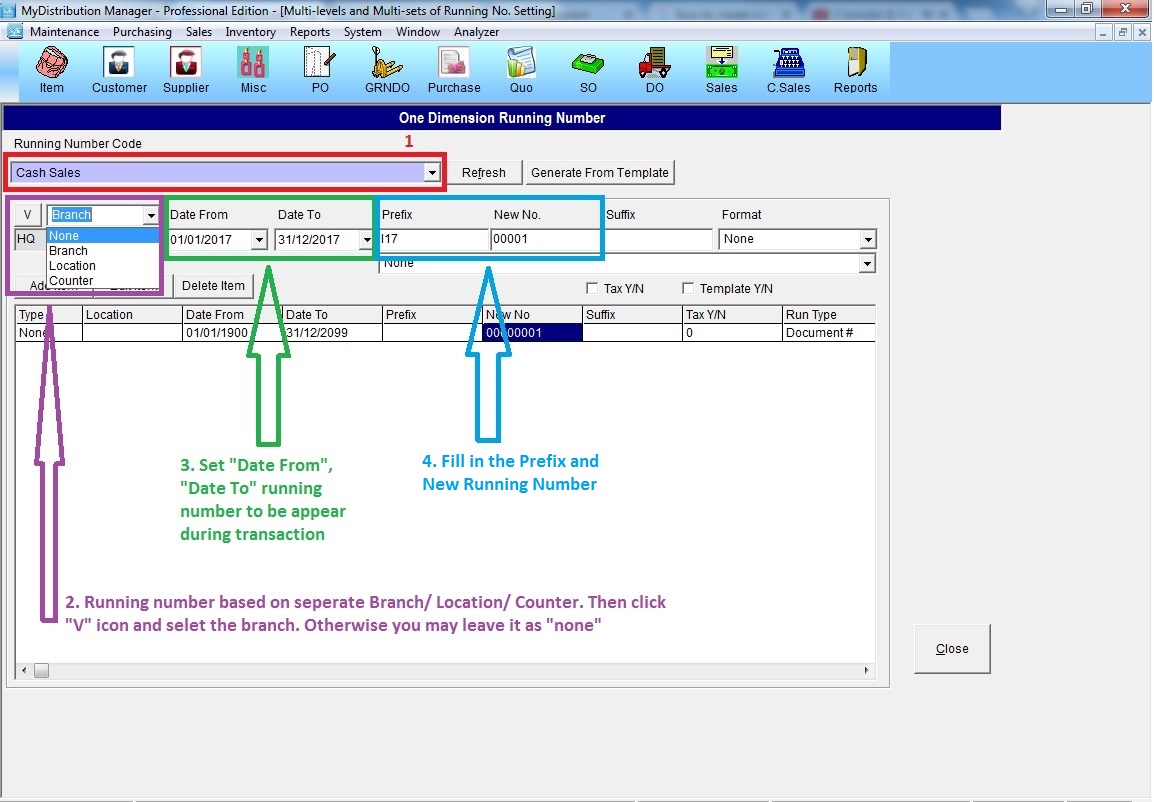
Step 2: Select “Cash Sales” >> key in new running number >> Add New
Scenario 2: If your Running Number already exist
Step 2: Select “Cash Sales” >> click “Refresh” >> click “Edit Item” >> change “Date To” >> click “Add Item”