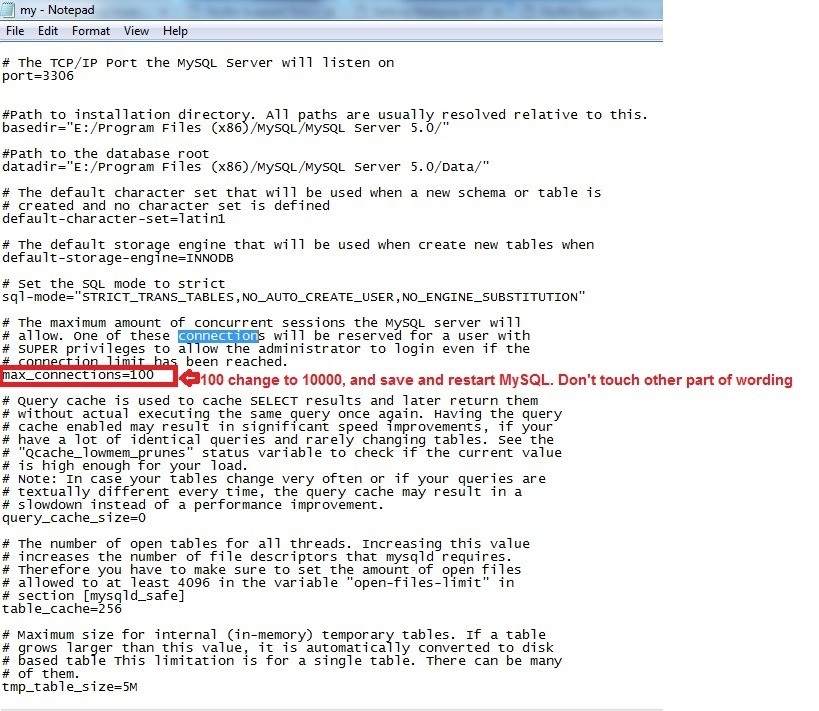
Below are guideline(s) to solve Too Many Connection
Step 1 : Stop MySQL services
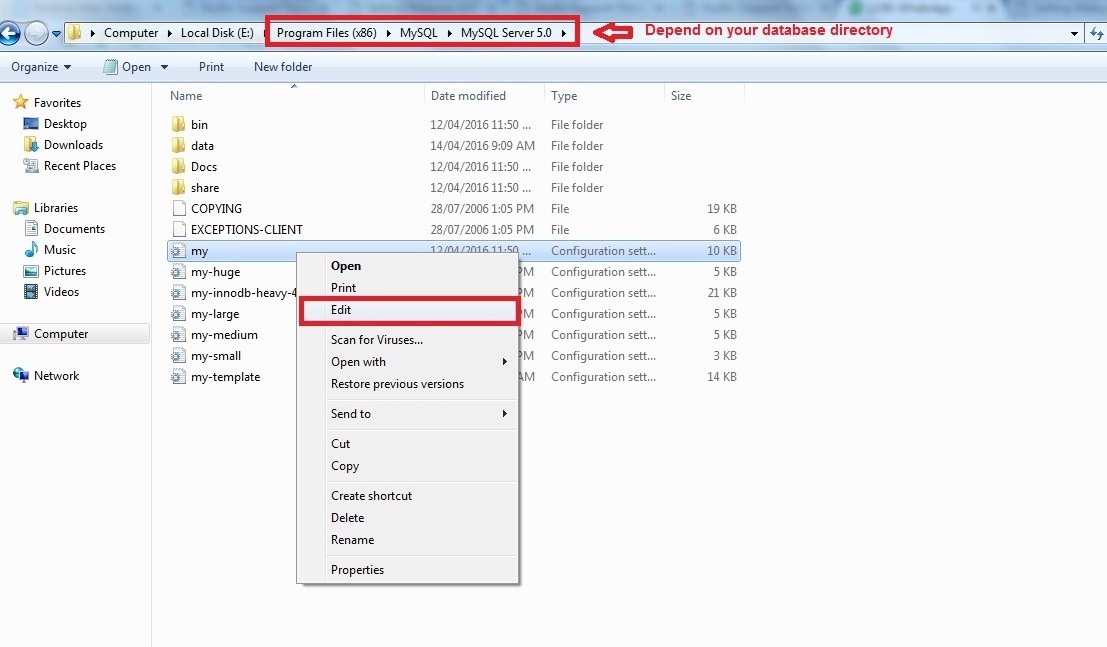
Step 2 : Go to Program Files (x86) >> MySQL >> MySQL Server 5.0 >> right Click “my.ini” >> click “Edit”
Sometimes you are not allow to direct edit, so you need to copy “my.ini” to Desktop and edit it. After done edit, then paste back to original directory.
Step 3 : Click Edit >> Find >> Type “connections” >> find next
Max Connections : 100 Change to 10000 >> click “Save” >> Restart MySQL service
N/B: Please do not touch any other wordings.