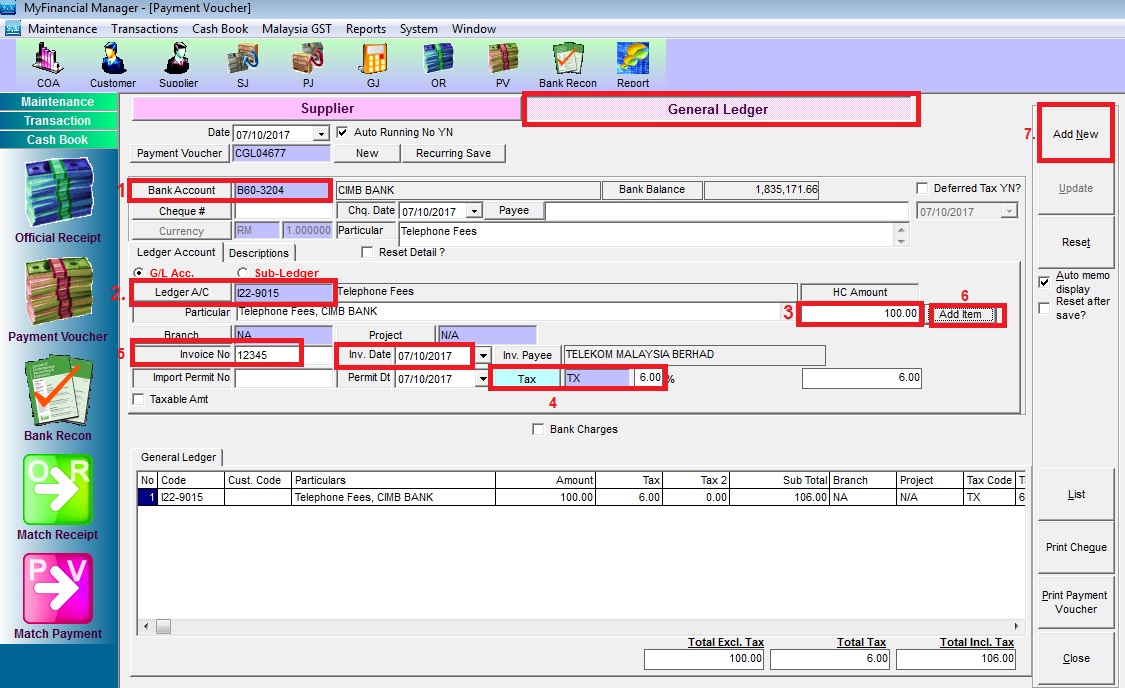
Below are guideline(s) to keyin Payment Voucher – Expenses
go to Payment Voucher > General Ledger
Step 1. Choose Bank Account
Step 2. Choose Ledger A/C
Step 3. Fill The Amount
Step 4. Choose Tax Code (if bill got tax)
Step 5. Fill Invoice no & Inv. Date, Inv Payee
Step 6. Click Add Item
Step 7. Click Add New