Below are guideline(s) on How to Activate Branch :
Step 1: Go to System > Administrator Menu > General Setup

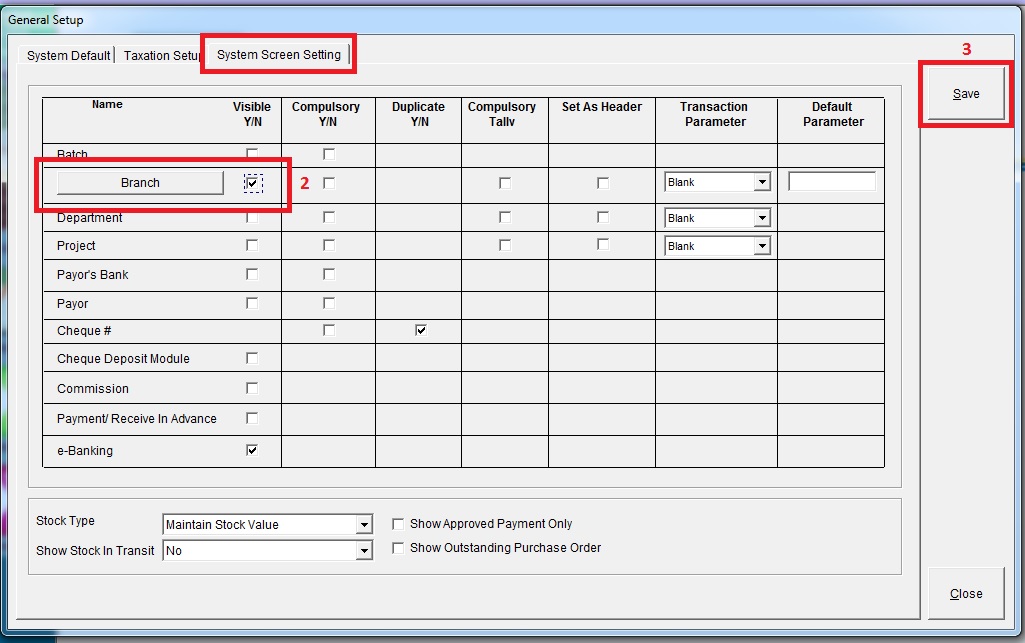
Step 2: Go to “System Screen Setting” >> tick visible for “Branch” >> click “Save”
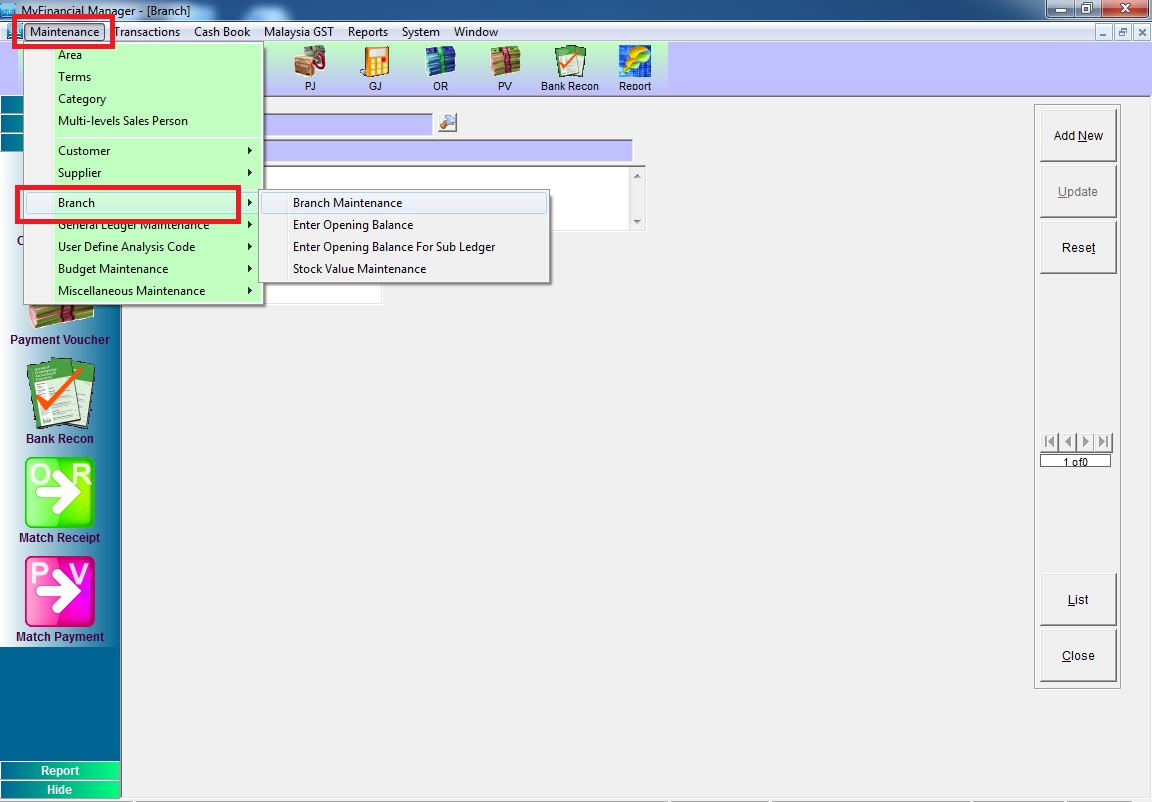
Step 3: Go to Maintenance >>Branch >> key in branch information
Powered By : SKYBIZ ® Beyond Cloud ™